That is the wheel engine itself, the renderer behind the studio, drawing the real design files. Hover a slot and it reacts — the studio adds your colours, your slot layout and the hud.gfx export.
Custom Weapon Wheels for FiveM, Built to Match Your Minimap
Your players look at two HUD pieces all session long: the minimap in the corner and the weapon wheel in the middle of the screen. Give both the same colors and style, and your server's HUD finally reads as one piece of design.
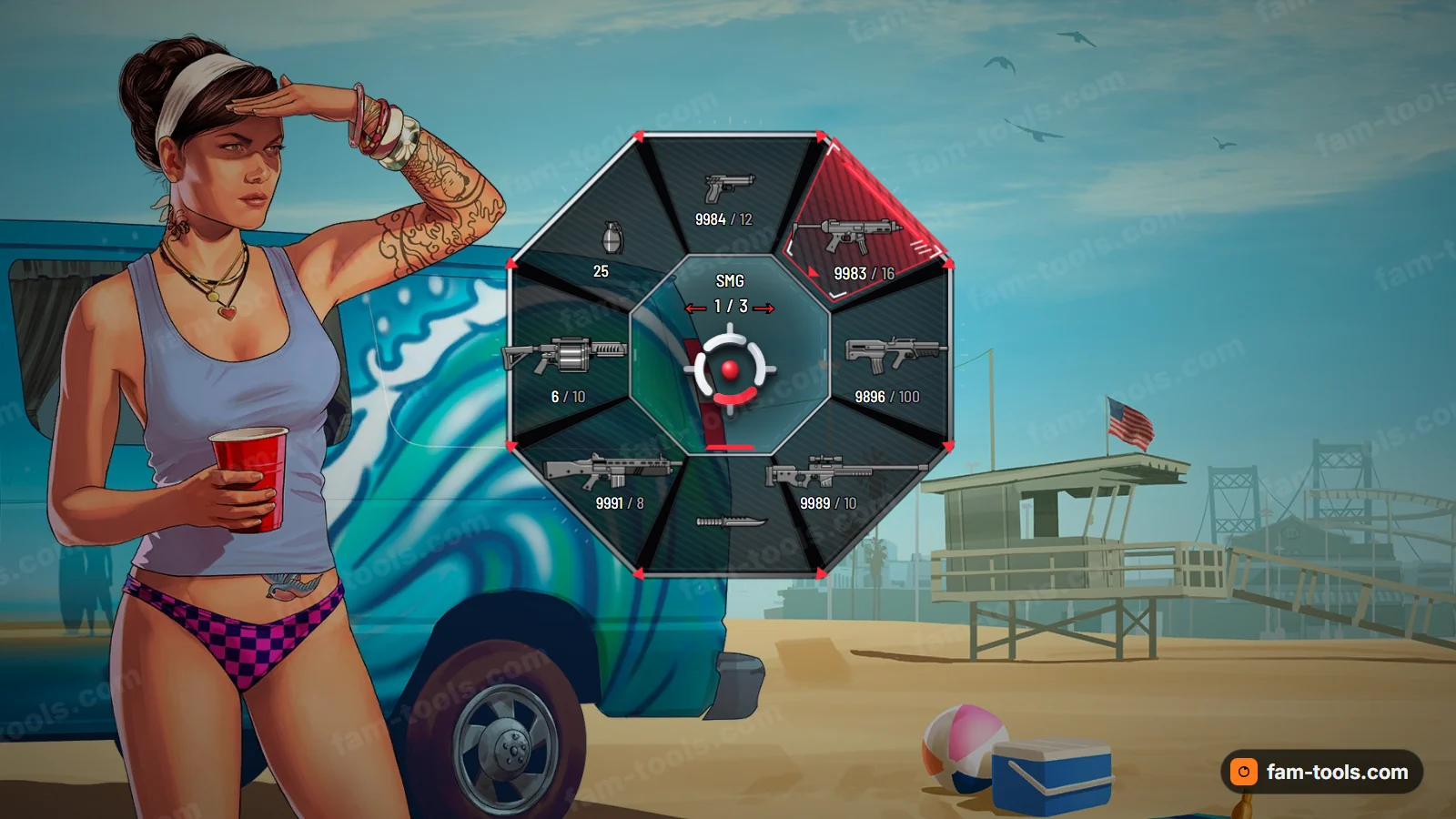
Killstreak · rendered at the size the game draws it
Standard 3D centre mark
$15With your own logo
$16- 50 rendered designs with 252 ready palettes between them, 5 to 6 per design.
- The game’s own HUD element, rebuilt and streamed as pityus_weaponwheel. No NUI page, no background JavaScript, no frame cost.
- Framework independent. ESX, QBCore, Qbox, vRP and standalone servers all load it the same way.
- Built from your settings the moment the payment clears, and downloadable again from your account whenever you need it.
THE CATALOGUE
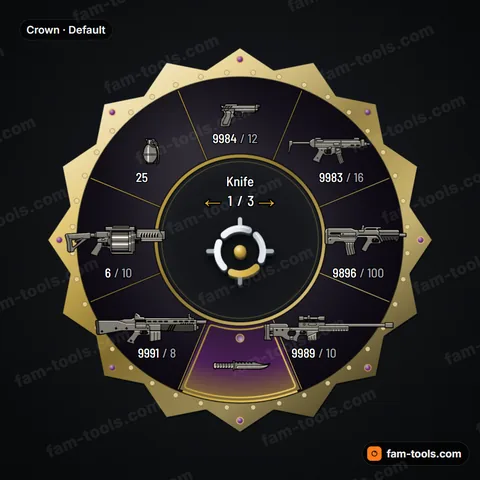
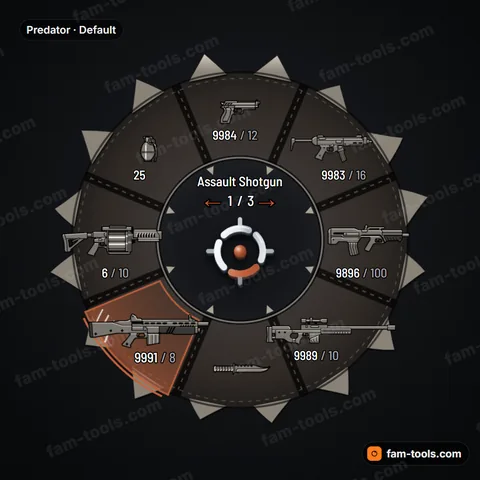
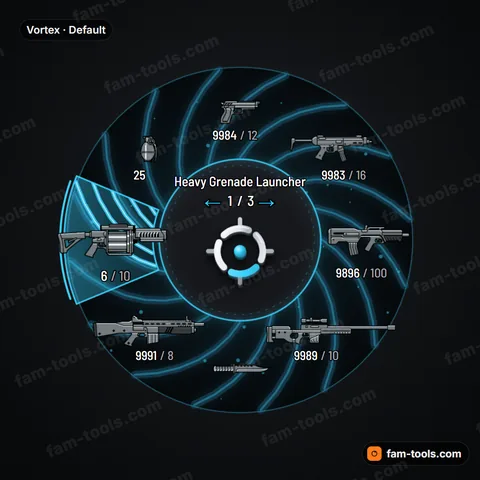
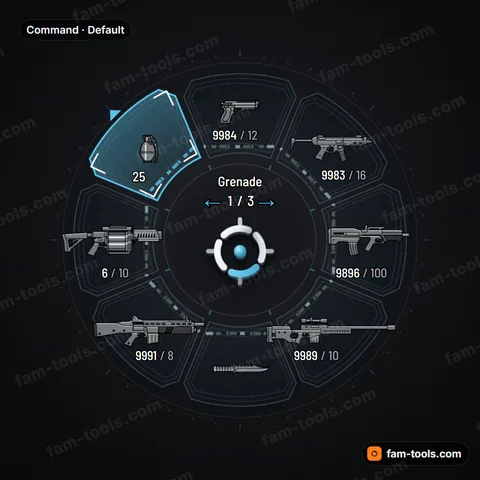
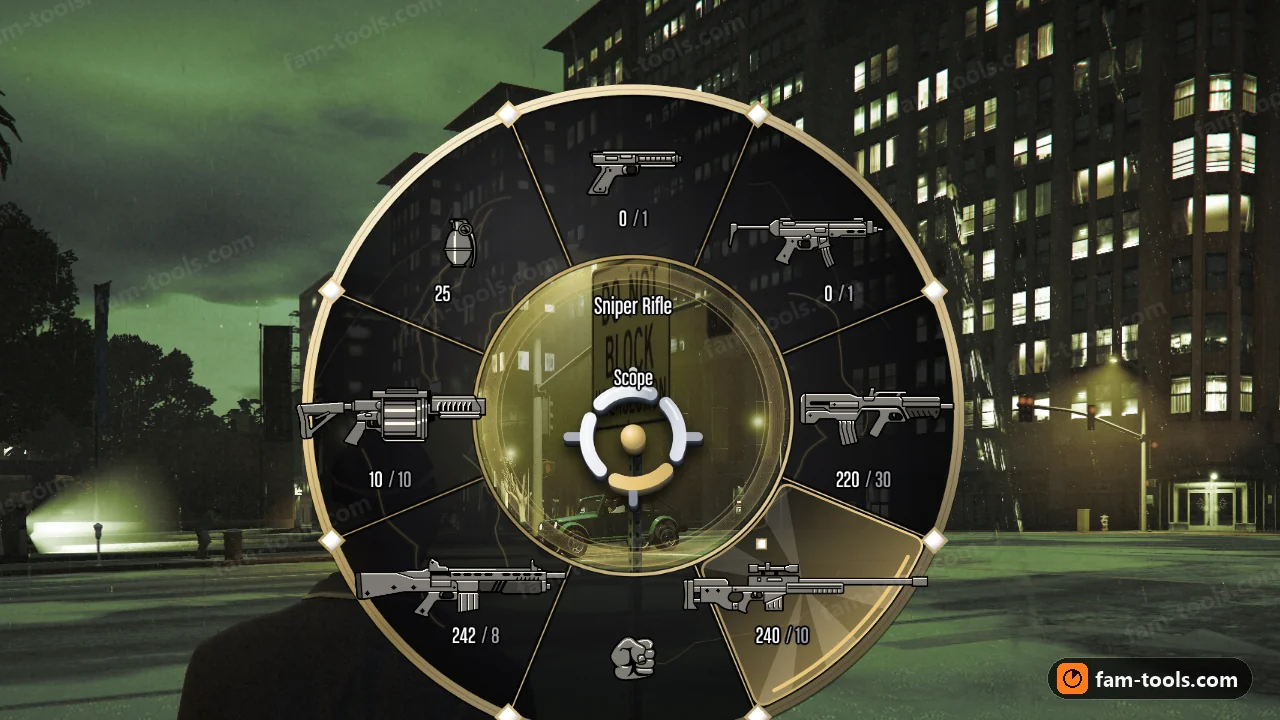
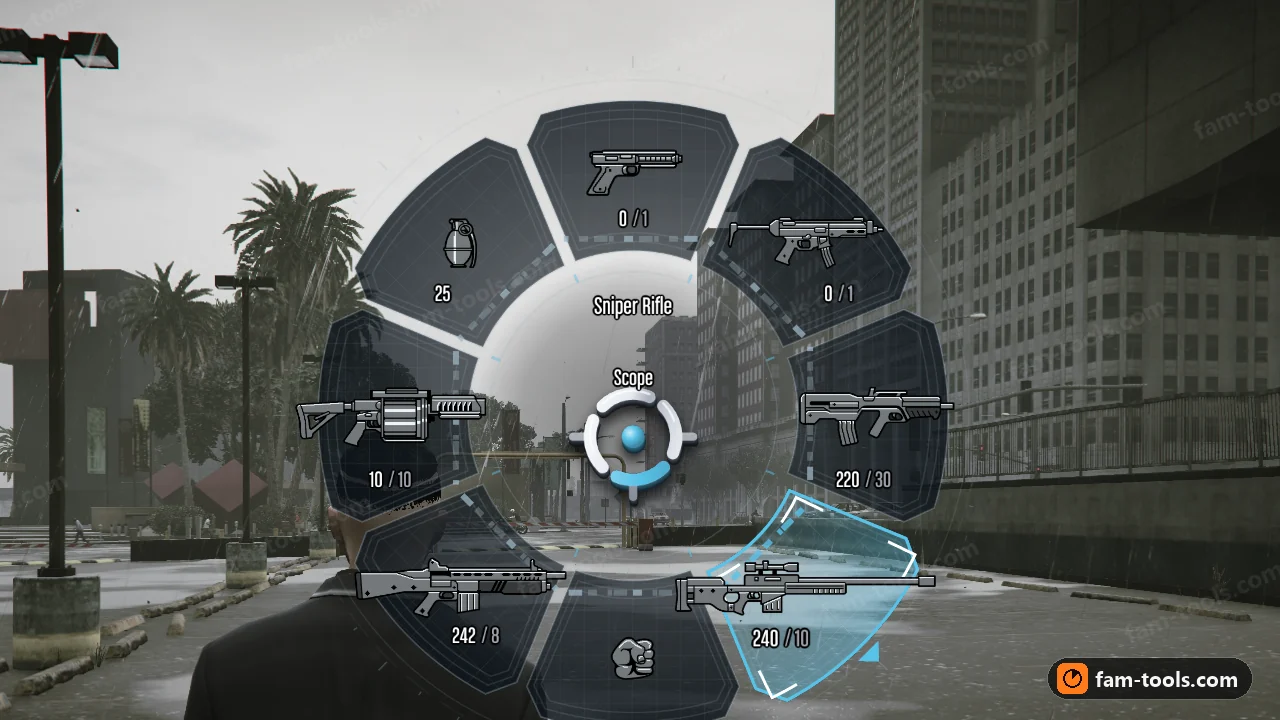
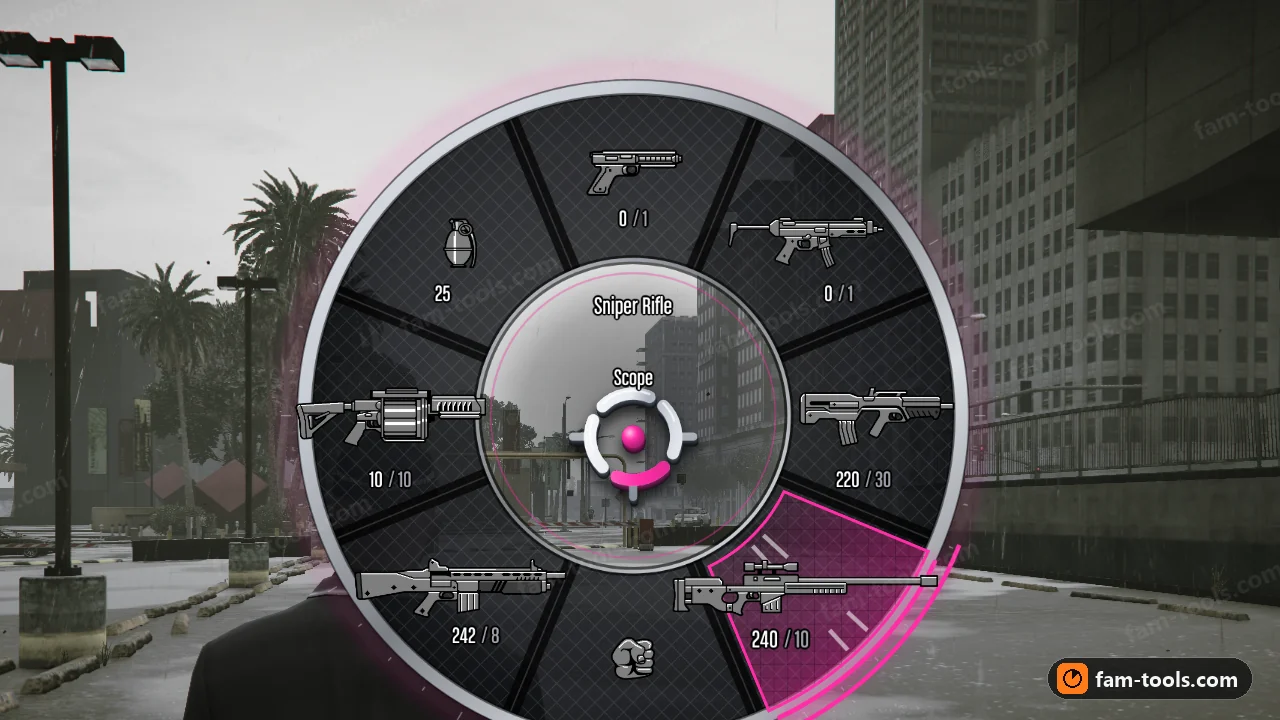
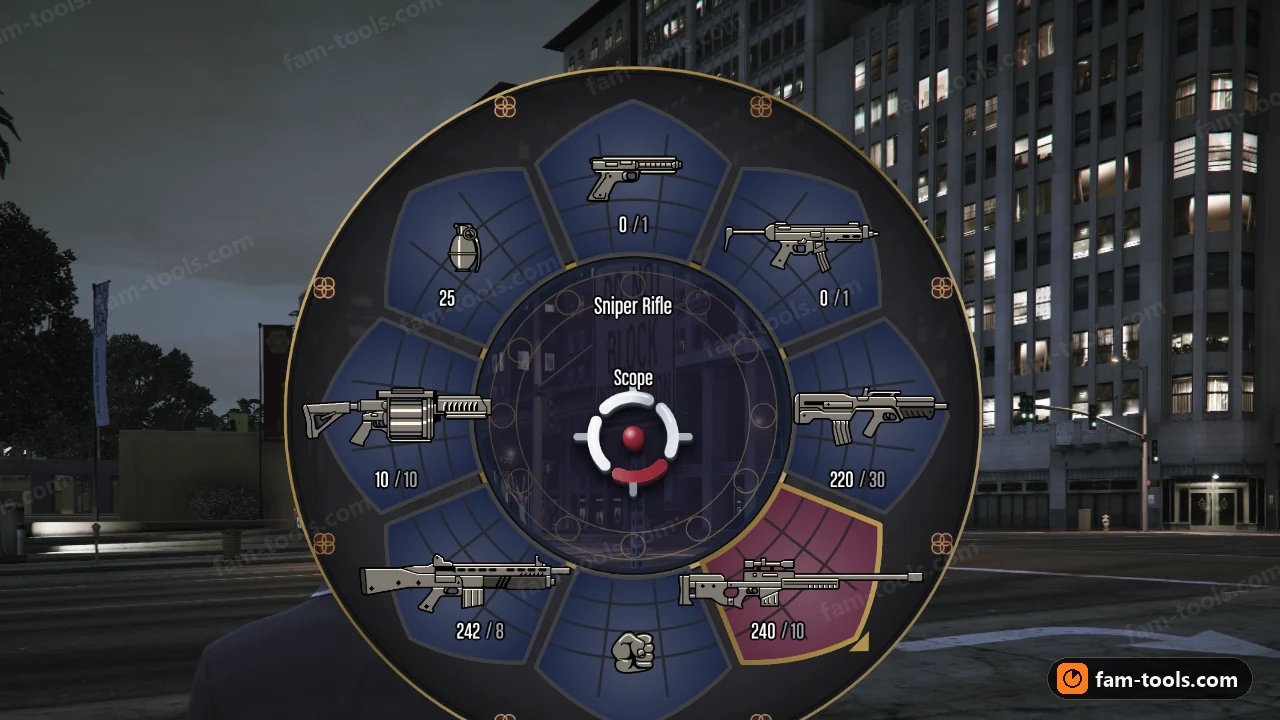
All 50 weapon wheel designs
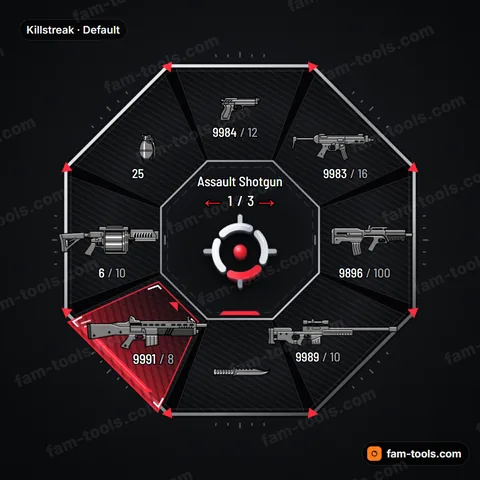
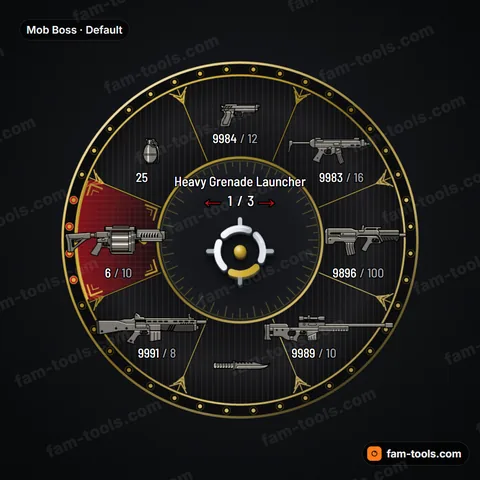
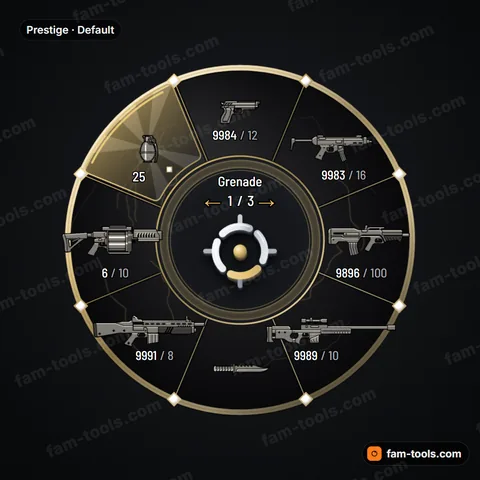
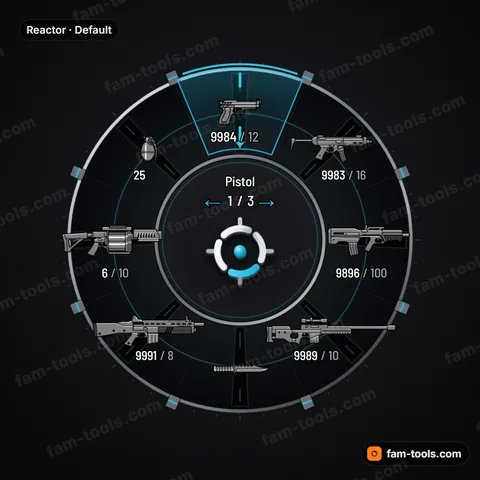
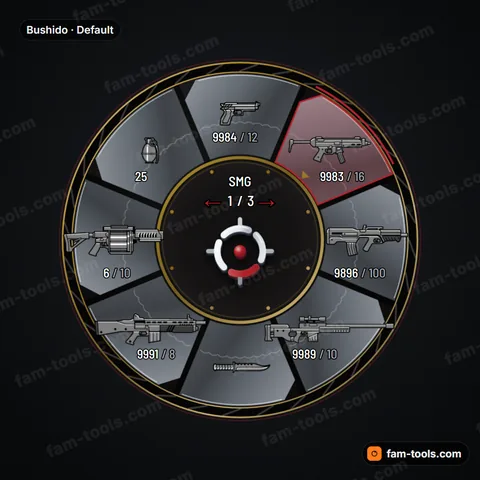
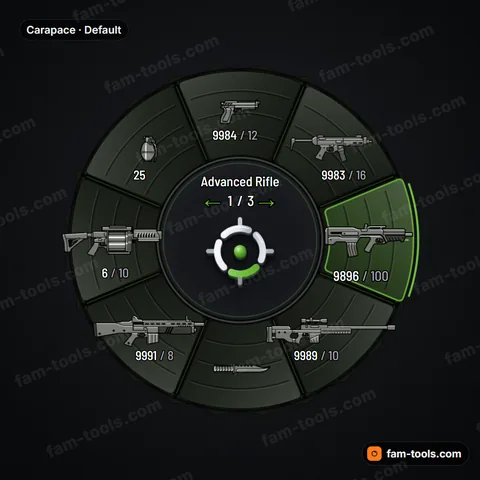
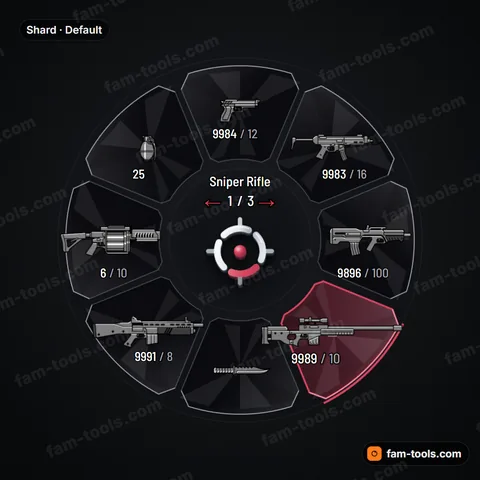
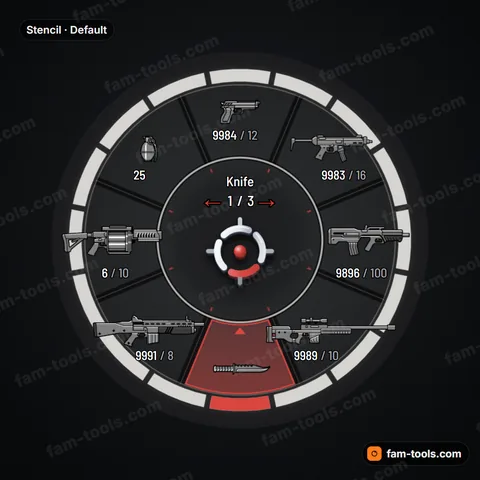
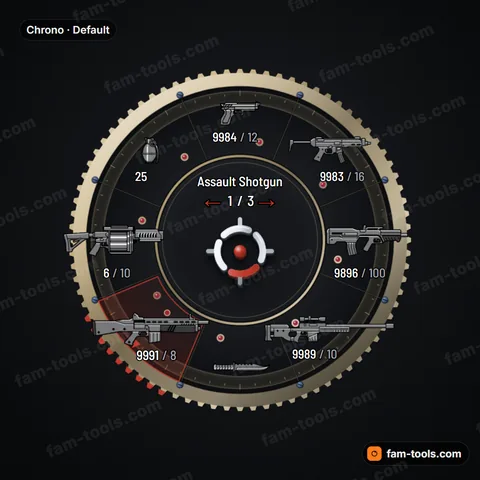
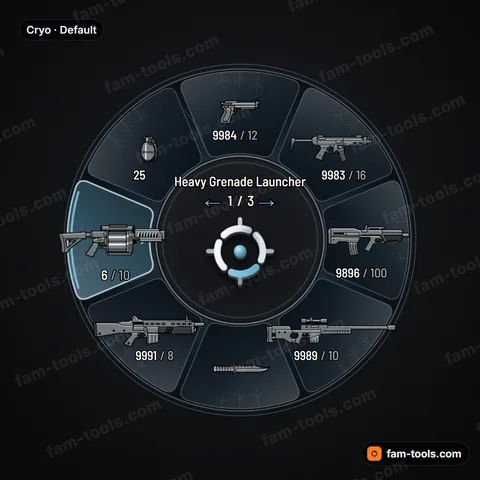
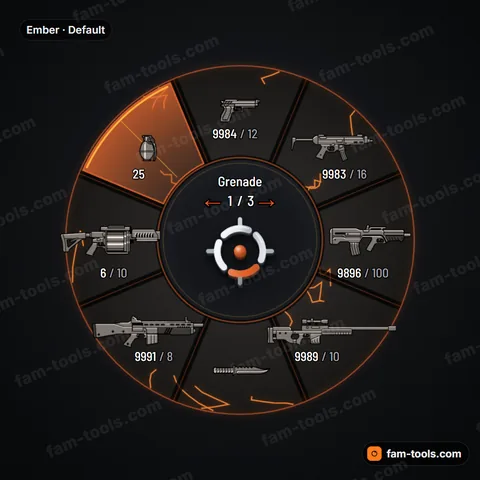
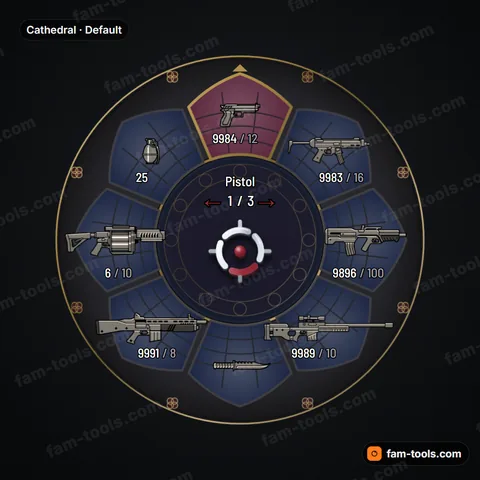
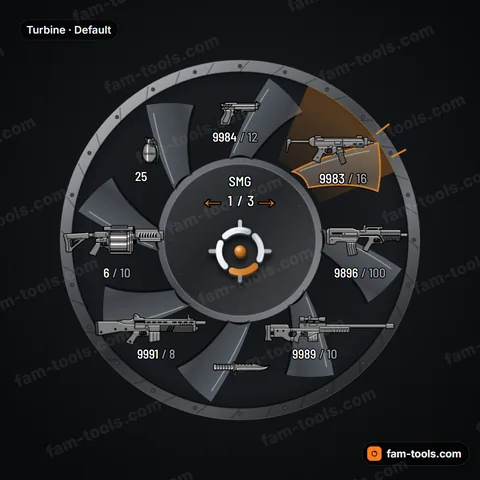
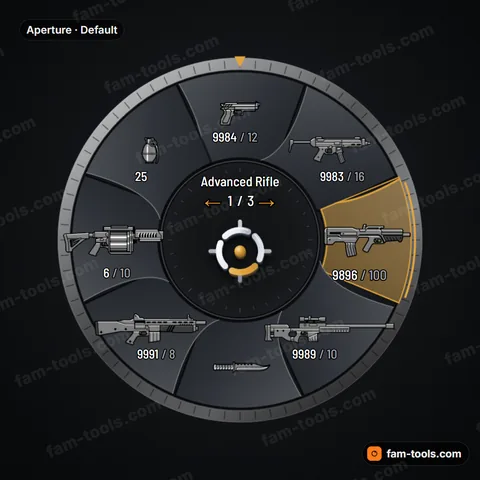
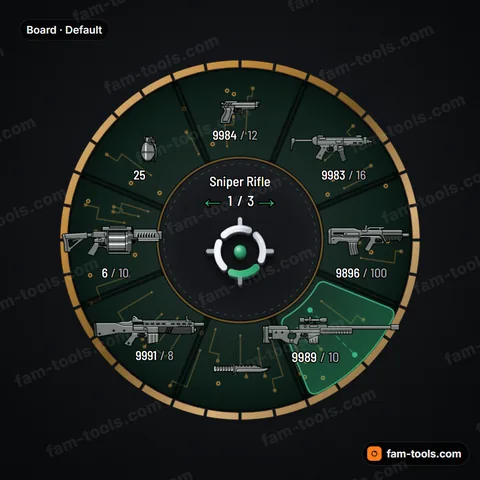
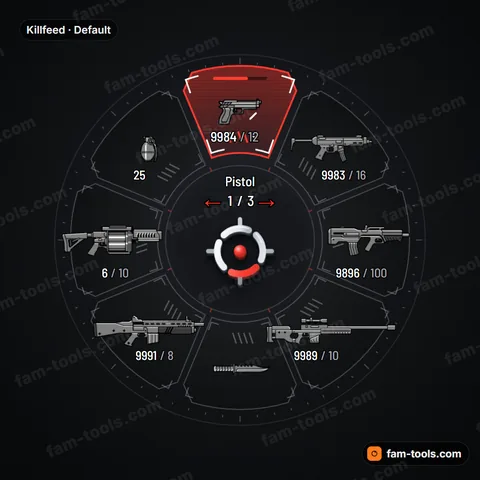
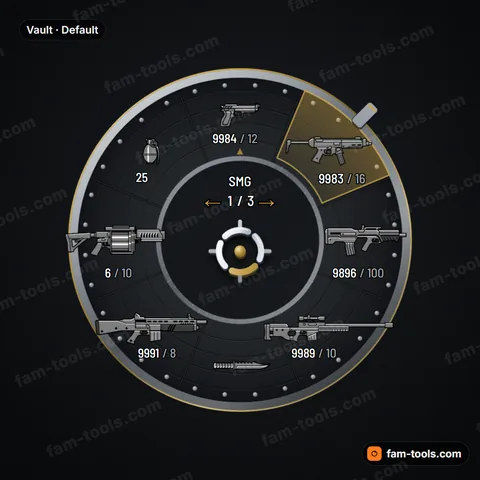
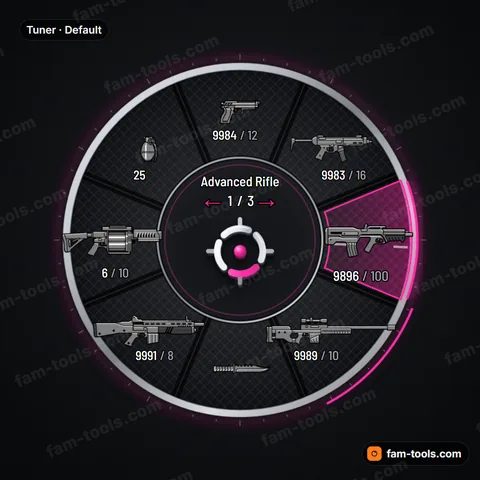
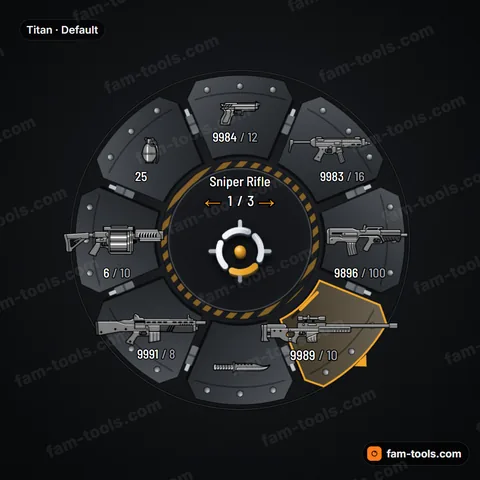
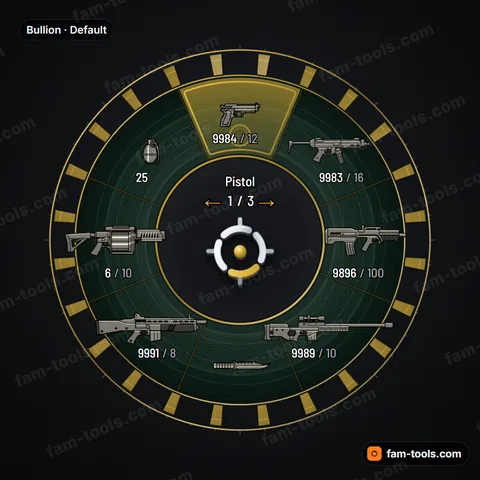
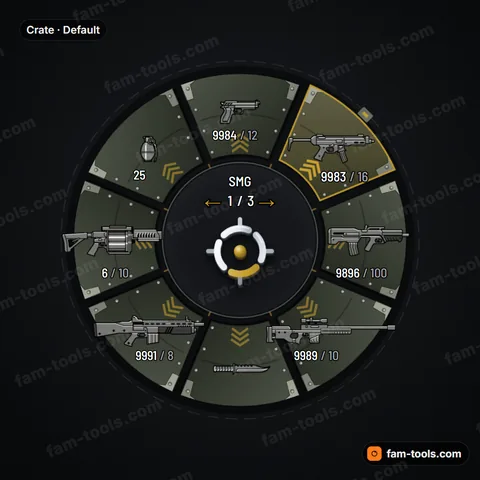
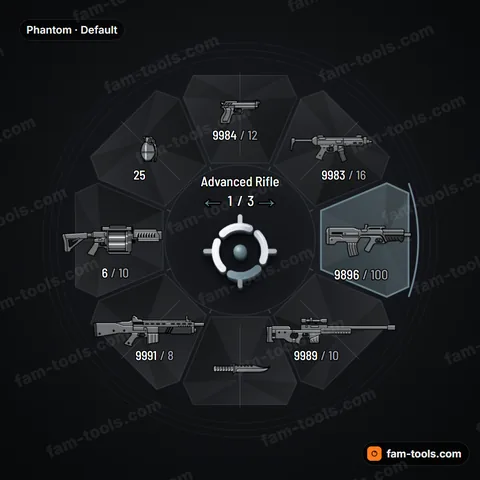
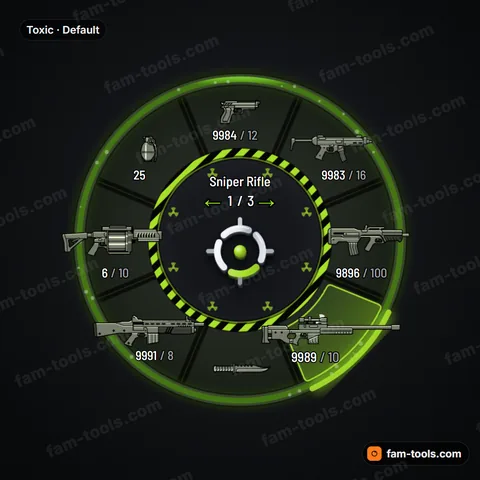
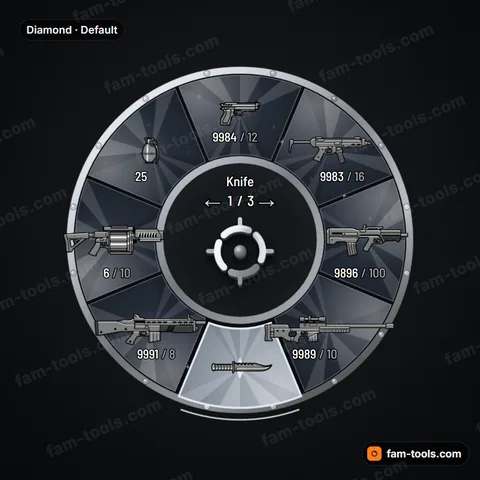
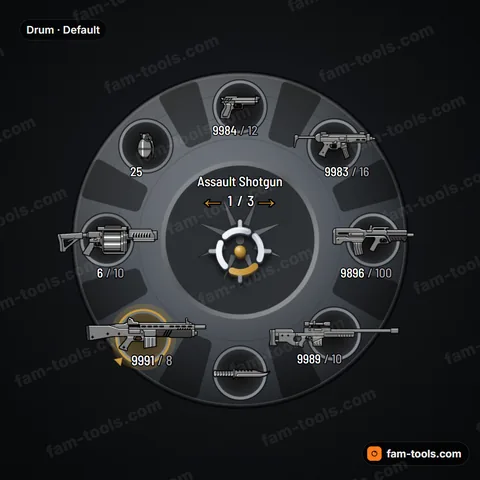
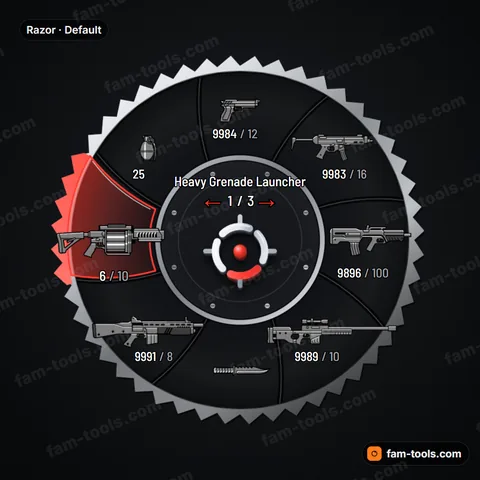
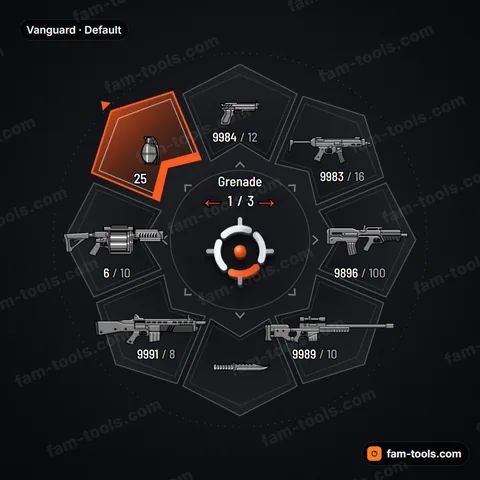
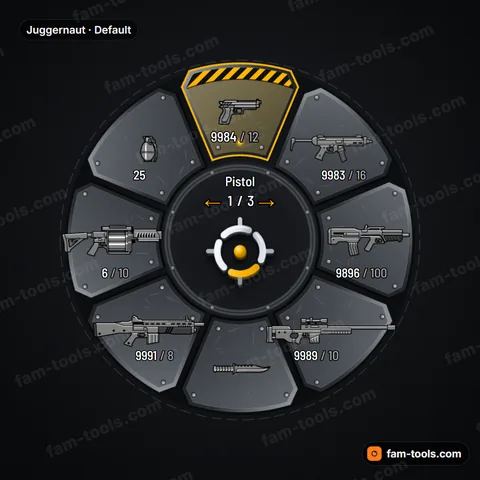
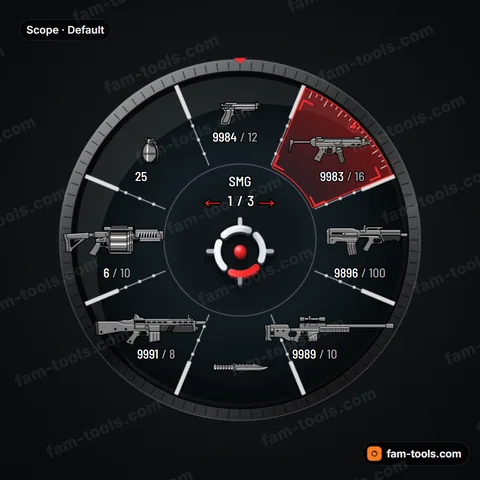
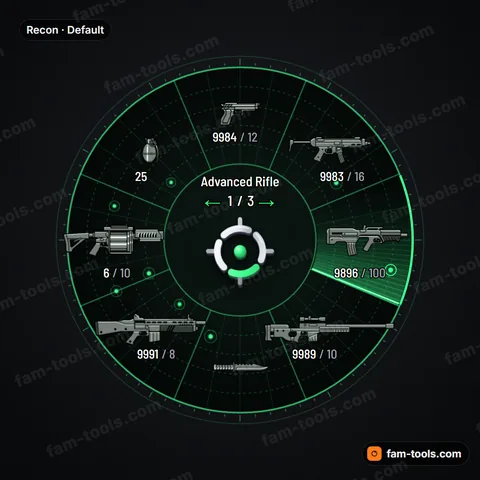
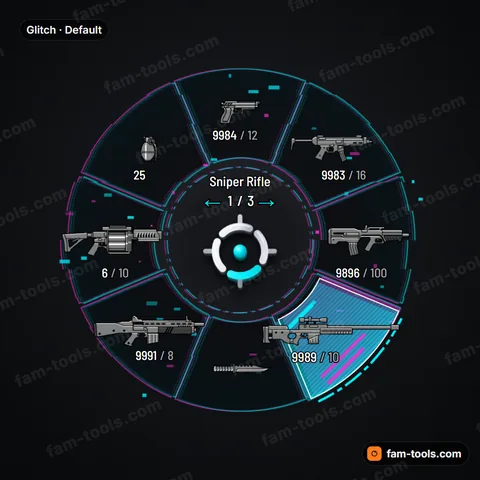
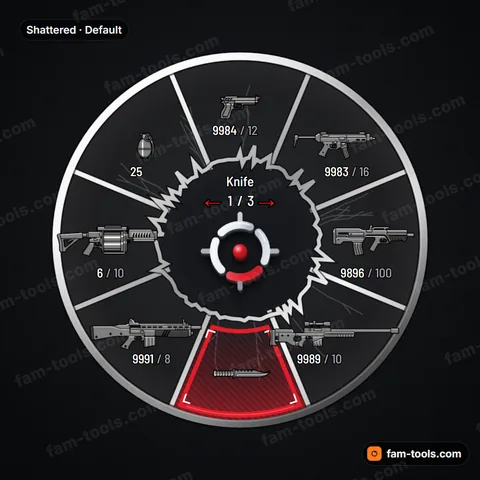
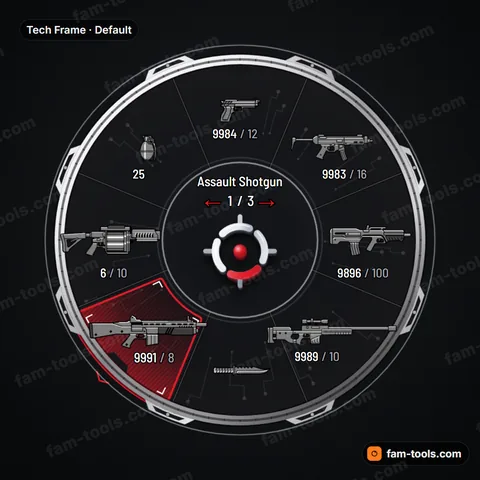
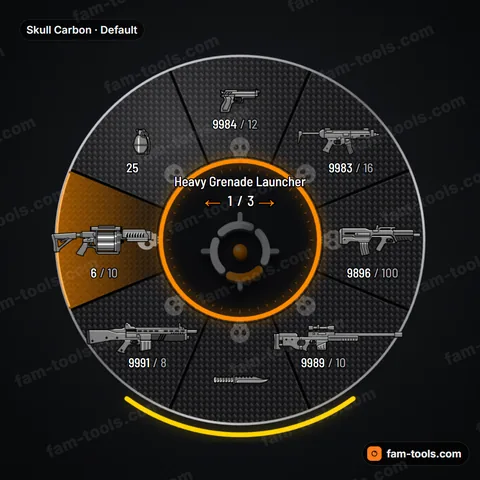
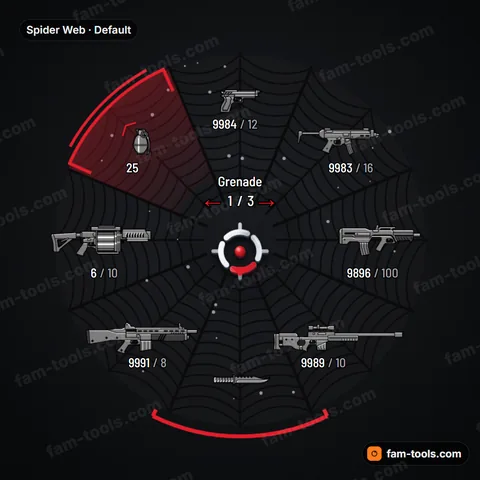
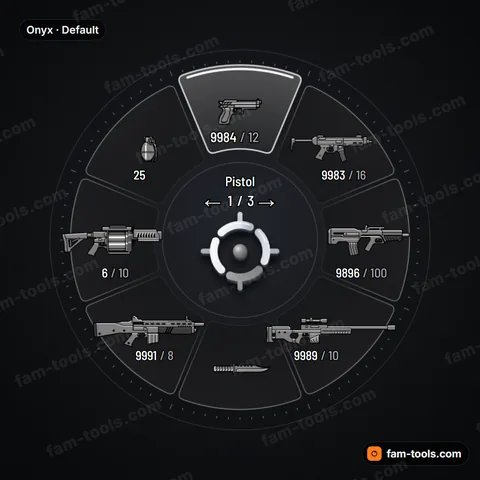
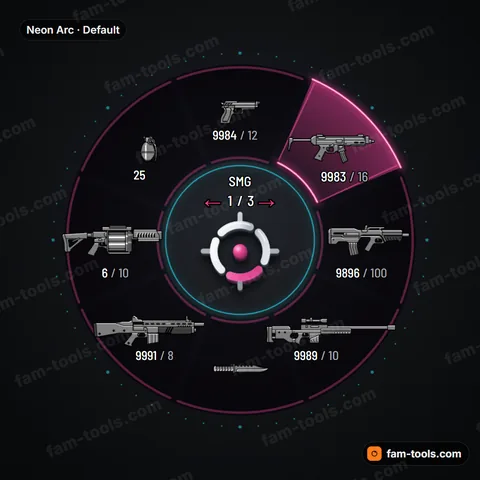
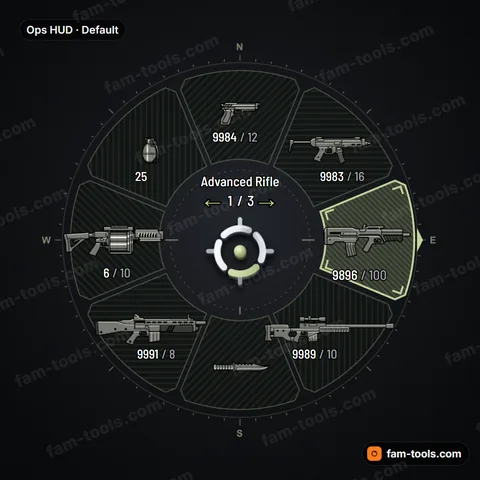
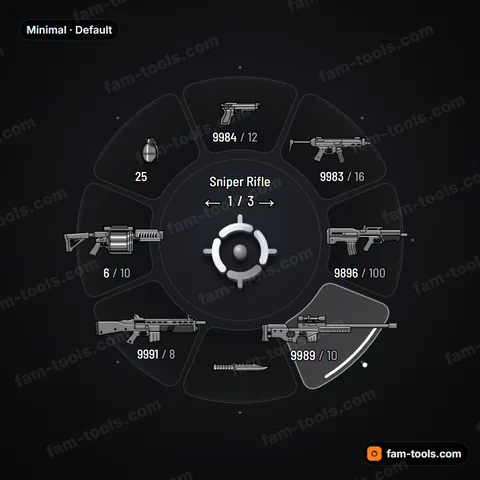
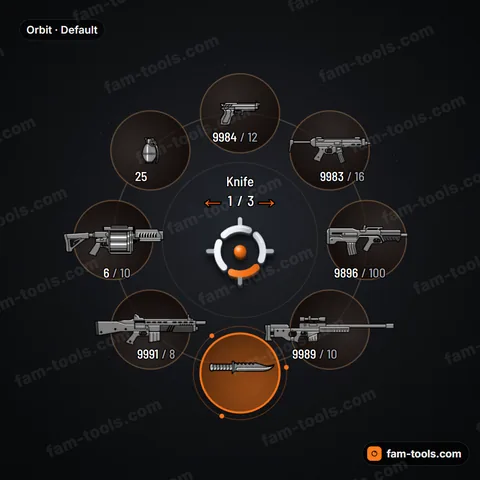
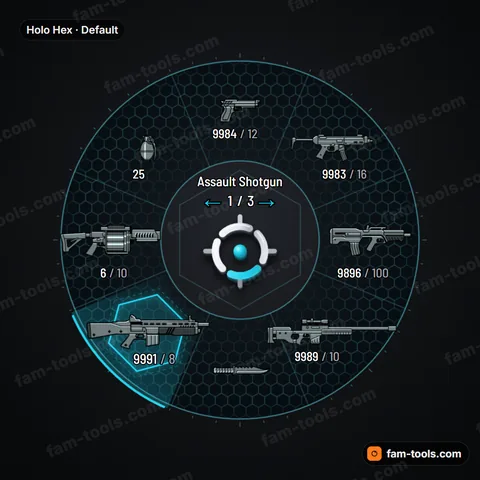
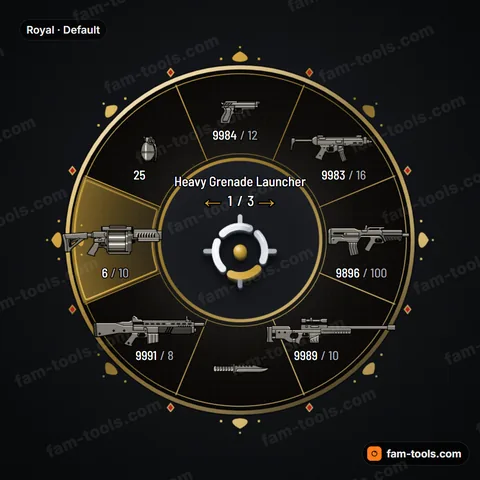
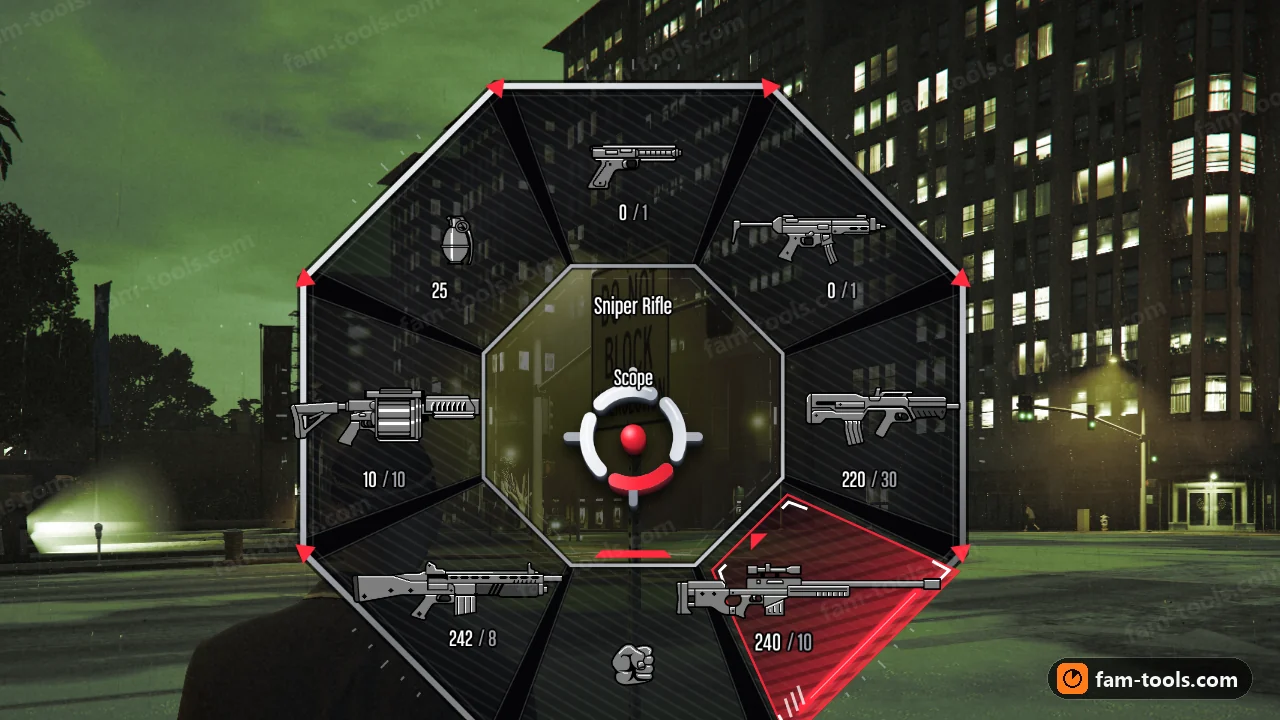
Every tile below is a render of the finished wheel, not a mock-up. The studio adds one more starting point on top of these: Original, classic default-style layout, recolourable — 51 in all.
50 of 50 shown
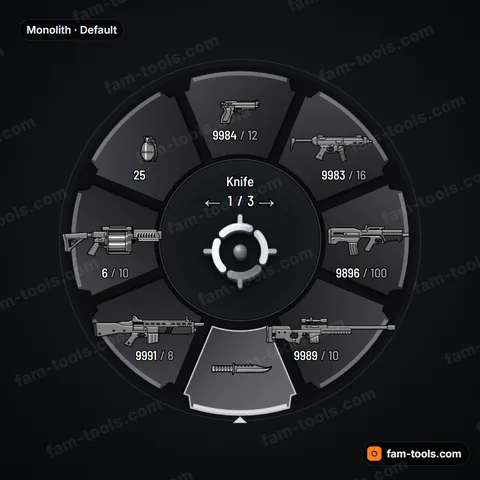
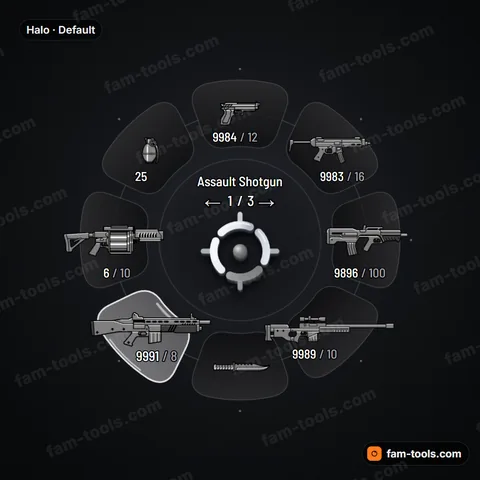
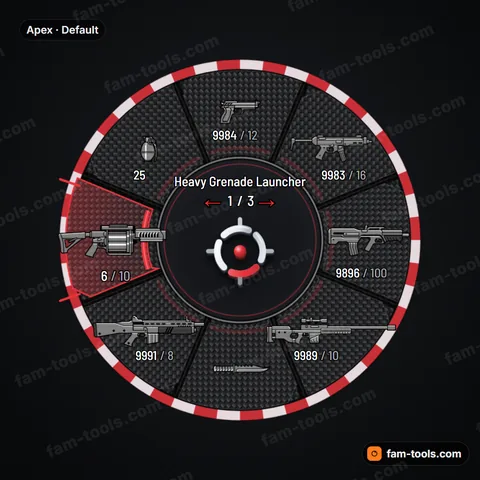
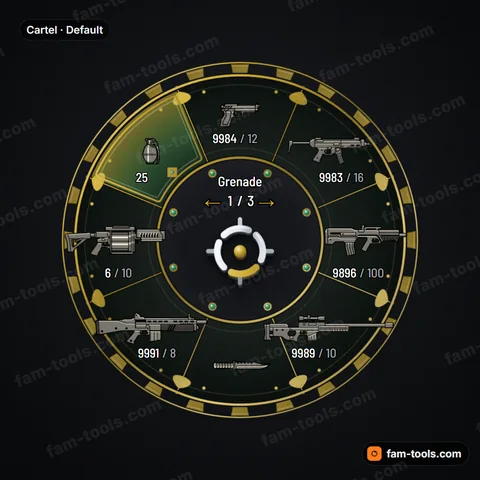
HOW IT WORKS
From a design to a wheel in your resources folder
Pick a design
Start from 50 rendered designs, filter them by style, and match one to the palette your HUD already uses.
Make it yours
Colours, palette, shape, effects, selection motion, size and your own centre logo, all edited live in the browser.
Test it
Open the wheel, select and cycle weapons in the preview exactly the way the game does it.
Buy and install
Built from your exact settings right after payment and delivered as the pityus_weaponwheel resource.
What lands in your resources folder
- pityus_weaponwheel/stream/hud.gfx
- The wheel itself: the game HUD scaleform, rebuilt with your artwork and colours baked in.
- pityus_weaponwheel/stream/hud.ytd
- The texture dictionary the scaleform pulls its bitmaps from, at the same format and mip count as the stock file.
- pityus_weaponwheel/fxmanifest.lua
- A plain cerulean manifest. No framework dependency, no exports, nothing to configure.
- pityus_weaponwheel/README.txt
- The three install lines and your licence reference.
Installing it
- Copy the pityus_weaponwheel folder into your server's resources directory. Anywhere in resources works. It is a streaming resource, so load order against your framework does not matter.
- Add ensure pityus_weaponwheel to server.cfg. Put it with your other streaming resources. Nothing else in the config has to change.
- Restart the server. The new wheel is served from that moment on.
- Each player restarts the game client once. The game caches HUD scaleforms for the length of a session, so a reconnect is not enough: the client has to be closed and opened again.
Full walkthrough in the setup guides.
The two HUD pieces players never stop looking at
Chat scrolls away, notifications fade, phones get closed. The minimap stays on screen the whole time, and the weapon wheel comes up every time someone switches from a pistol to a rifle or puts a weapon away. Those two elements carry more of your server's visual identity than any loading screen. When the map is a custom dark theme with a teal road color and the wheel is still the stock grey one from the base game, the mismatch is obvious the first time a player hits TAB. A custom weapon wheel from this shop is designed to sit next to a styled minimap and look like it came from the same hand: same accent, same mood, same level of detail.
What you actually get
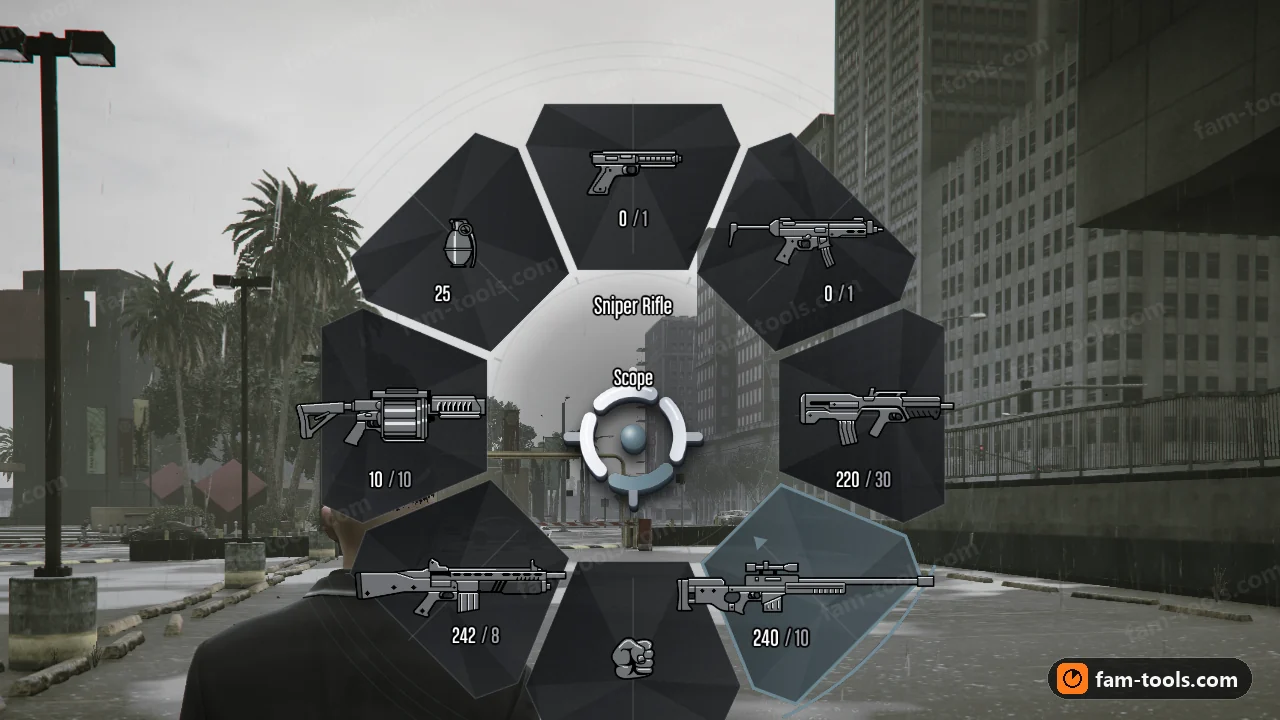
Each wheel is a native GTA V weapon wheel, not an overlay drawn on top of the game. It streams a replacement hud.gfx and hud.ytd as a normal FiveM resource, so there is no NUI page, no JavaScript running in the background and no framework dependency. It works the same on ESX, QBCore, QBox, vRP and standalone servers. You pick one of 50 designs, choose a palette, and tune it in the online studio before you pay. After a one-time Stripe payment the resource is built automatically from your exact settings, placed in your account for download at any time and also sent to you as a Discord DM.
Matching palettes between map and wheel
Every design ships with several palettes, and each palette is built around one accent color. That accent is the thread that ties the wheel to your minimap. If your map uses amber roads and a charcoal background, a wheel in an amber palette with a dark base picks up exactly those two notes. If your radar is an icy blue night theme, a cold palette like Glacier or Arctic keeps the whole HUD in the same temperature. In the studio you can go further and set individual colors for the accent, base, icons, weapon name, ammo count and clip count, so the wheel text can use the same white or off-white as your map labels.
Readability comes first
A HUD that looks good in a screenshot but is hard to read in a firefight is a bad HUD. The wheels keep the layout players already know: eight slots, a weapon icon in each, ammo and clip counts under the icon, and the selected weapon's name with its attachment shown in the center. The selected slot is always marked clearly, whether that is a filled wedge, a framed tile, a sweep beam or a hazard stripe depending on the design. The studio lets you change icon size and wheel size (small, normal or large), so you can keep the wheel proportional to your minimap and the rest of your HUD.
Pricing and what happens after checkout
A wheel costs $15 USD with the standard 3D center mark, or $16 USD if you want your own logo image baked into the center of the wheel. It is a single one-time payment through Stripe. The build starts automatically once payment clears. Your design is saved exactly as you configured it, so the file you download matches the preview you approved. If you later want a different design or a new palette for a seasonal event, that is a new order, which also means you can keep your current wheel and your new one side by side. Install is a folder in resources, one ensure line and a restart.
LEARN
Weapon wheel guides
Matching Your Minimap and Weapon Wheel Into One HUD Style
A practical guide to giving your FiveM-compatible minimap and weapon wheel one HUD style: accent colors, base tones, text, detail level and size.
Installing a Custom Weapon Wheel Alongside a Custom Minimap on FiveM
Step-by-step: install a custom FiveM-compatible weapon wheel alongside a custom minimap resource. Folder, server.cfg order, restart and what players must do.
Choosing HUD Colors That Stay Readable Day and Night
How to choose minimap and weapon wheel colors that stay readable in bright daylight, dark nights and weather on FiveM servers, and how to test them.
A Walkthrough of the Weapon Wheel Studio Controls
A walkthrough of every control in the FiveM-compatible weapon wheel studio: palettes, colors, shape, effects, motion, size, icons, logo and live preview.
QUESTIONS
Weapon wheel FAQ
Does the weapon wheel replace the GTA V wheel or sit on top of it?
It replaces it. The resource streams a new hud.gfx and hud.ytd, which are the files the game itself uses to draw the weapon wheel. That means no NUI overlay, no browser page and nothing drawn on top of the game. Players open it with TAB exactly as before and it behaves like the native wheel, because it is the native wheel with a new design.
Which frameworks does it work with?
All of them, because it does not talk to a framework at all. It is a streamed asset resource, so ESX, QBCore, QBox, vRP and fully standalone servers load it the same way. Your inventory, weapon scripts and job systems keep working as they did, since the wheel only changes how the native weapon selector looks.
How do I match the wheel to the minimap I already use?
Start with the accent color of your minimap, usually the road, route or border color. Pick a design palette with a similar accent, then open the colors panel in the studio and set the base and text colors to sit close to your map's background and label colors. The live preview shows both on screen, so you can judge the pair before you buy.
What is the difference between the $15 and $16 option?
The $15 wheel uses the standard 3D center mark. The $16 wheel bakes your own logo image into the center of the wheel. In both cases you can adjust the center logo's 3D effect, finish, size and opacity in the studio, so a server logo can sit subtly in the hub or stand out as the main feature.
How do I install it?
Put the pityus_weaponwheel folder in your resources directory, add ensure pityus_weaponwheel to server.cfg and restart the server. Because the wheel is a streamed game asset, each player needs to restart FiveM once after joining so the new files load. After that it shows up every time they press TAB.
Where do I get the files after paying?
The resource is built automatically after payment. You can download it from your account whenever you need it, for example after moving to a new host, and a copy is also sent to you as a Discord DM so you have it straight away.
Can I change the design after I buy it?
The design is saved exactly as you configured it in the studio, and that is what gets built. If you want another design or a different palette, for example a winter set to match a winter minimap, that is a new order. Take your time in the live preview before checkout so the wheel is right the first time.
Does the preview show what players will see in game?
Yes, the studio preview matches the in-game wheel. You can open and close it with TAB, select slots with 1 to 8 or the mouse, cycle weapons with Q and E or the scroll wheel, switch scenes, try vehicle mode and compare your design against the original GTA wheel before you order.