TWITCH · twitch_panel
Twitch panel, 320x100
320 by 100 pixels, sitting under the stream, clicked by the people who already decided they like you.
- 320×100
- target size
- 960×300
- still rendered at
- Yes
- animated
- 124
- designs with this render
Panels are the stack of small images under a Twitch stream, on the About tab. Each one is an image with a link and a short description, and 320 pixels is the maximum width Twitch renders, so anything wider is scaled down. 100 pixels of height is the common convention and what the pack renders.
What panels are for is navigation, not persuasion. Somebody looking at your panels has already watched for a while. The ones that get clicked are the server invite, the rules or application link, and the Discord. A panel that is a decorative header with no link is a wasted slot. The 320x100 layout in a pack is therefore a mark, a short label and nothing else, because that is all that reads at the size.
Twitch renders panel images as stills, so the animated version is not for Twitch. It is for Discord: a 320x100 animated strip is an excellent announcement graphic for a live-now ping, and it is small enough to post without hitting any limit. That is the reason the GIF is in the pack at all, and it is why it is built to a 3MB budget rather than a 7MB one.
The still renders at 960x300, three times the target, which is worth it here because panels are rendered at device density and a soft panel against Twitch's crisp interface type is immediately obvious.
Where it goes
Your channel's About page, in a panel with a linked image
- Target size320×100
- Still render960×300
- Animated render960×300
- Encoded asGIF 18fps, 3.2s · under 3.0MB
- Transparencyopaque
- PlatformTwitch
Limits to respect
- 320 pixels is the maximum panel width Twitch renders
- Twitch displays panel images as stills
- Animated GIF at 18fps over 3.2 seconds, under 3MB, for Discord use
This format across 124 designs
Every example below is the same slot, laid out at 320×100 by a different design.

Anime Rooftop Anime320×100 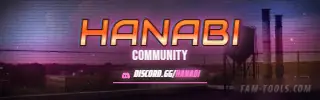
Anime Rooftop Grunge320×100 
Anime Rooftop Painted320×100 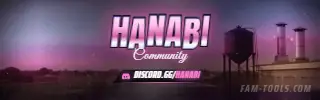
Anime Rooftop Photoreal320×100
What goes wrong
The four failures that cost people the most time on this slot.
- Making panels wider than 320, which Twitch scales down and softens
- Using panels as decoration with no link attached
- Expecting the animated version to move on Twitch
- Fitting a paragraph of rules into 320x100 instead of linking to them
Questions about this size
3 answers.
What size are Twitch panels?
320 pixels wide is the maximum Twitch renders, and 100 pixels tall is the usual convention. Anything wider is scaled down and looks soft.
Do animated Twitch panels work?
No. Twitch shows panel images as stills. The animated 320x100 in a pack is there for Discord live-now announcements.
What panels should a roleplay streamer have?
The server invite, the rules or whitelist application, the Discord, and anything you are asked for repeatedly in chat. Every panel should link somewhere.
Formats that go with it
The other slots on the same journey.
Twitch offline screen, 1920x1080
Most of the hours in a week your channel is offline. The offline screen is doing the selling for all of them.
Discord server banner, 960x540
The server banner slot does not exist until boost Level 2, which is why half the people who buy one cannot upload it.
Animated banner, 468x60
Sixty pixels of height, one line of type, and a scroll that will not wait. The oldest banner on the web is also the least forgiving.
Pick the artwork, not the size. 124 designs in the catalogue carry a preview of this exact format.
FAM Tools is an independent studio. We are not affiliated with, endorsed or sponsored by Take-Two Interactive, Rockstar Games, Cfx.re or the FiveM project, and we neither own nor license any Grand Theft Auto asset. Every graphic shown on this page was drawn and rendered here. Platform names are used only to describe which slot a file is sized for.