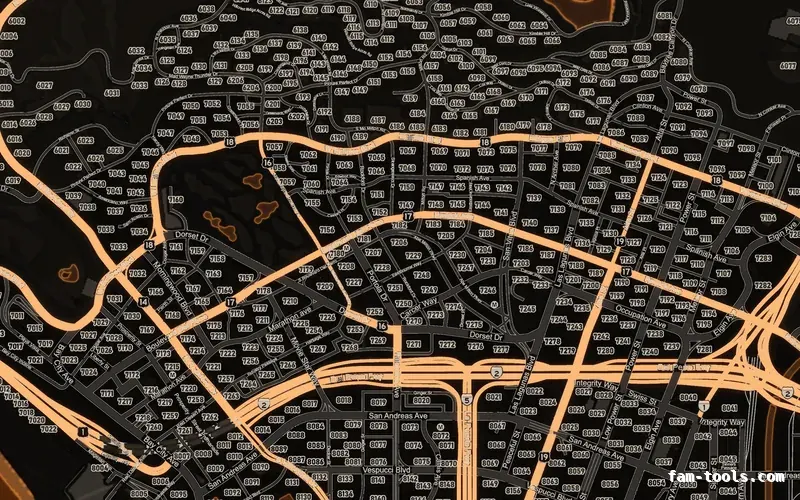
Minimaps
Minimaps for FiveM
Twelve colour palettes across three base map styles, each one a drop-in resource. Add your logo and your district labels in the editor.
From $8.0036 finished mapsBrowse the minimaps
FAM-261023-261025-UL4B9this weekendTick it in your cart Halloween Edition36 maps, limited runlimited runShop the drop FREE TOOL · ZONES
Draw the zone on the real GTA 5 map and copy it as code that runs. A circle, a box with a heading, or a free polygon you click out corner by corner — then pick your library and the call appears underneath with the coordinates already in it. ox_lib zones, PolyZone, ox_target and qb-target are all written from the same drawing, and you can paste a zone you already have back in to move it.
The syntax for each library was taken from its own source rather than from memory: ox_lib v3.40.3, ox_target v1.18.1, PolyZone v2.6.2 and the current qb-target templates. Nothing is uploaded — the drawing and the code generation both happen in your browser.
Loading the map…
Click to move the centre. Drag to pan, Ctrl and scroll to zoom.
For a circle these two only set the centre, z 31: a sphere's height is its radius. ox_lib and ox_target both test in three dimensions, and PolyZone's CircleZone takes no minZ or maxZ at all — this page sets useZ = true so it tests as a sphere, because with useZ = false it is a cylinder of infinite height.
The ground figure is this site's own height sample, a median of the world objects it catalogues, so treat it as a starting point and check the number in game with /coords or an admin menu before you ship a thin zone.
ox_lib and PolyZone zones are plain areas: they tell you when a player crosses the edge and nothing more. Pick ox_target or qb-target below if you want a third-eye option on it, and the label and event fields appear here.
Client-side. Needs ox_lib started before your resource and shared_script '@ox_lib/init.lua' in your fxmanifest. thickness is the full height of the prism, centred on the Z of the points.
local zone = lib.zones.sphere({
    name = 'my_zone',
    coords = vec3(195.2, -933.8, 31.0),
    radius = 10.0,
    debug = true,

    onEnter = function(self)
        print(('entered %s'):format(self.name))
    end,

    onExit = function(self)
        print(('left %s'):format(self.name))
    end,
})Paste the call out of a resource and it comes back onto the map, where you can move it, reshape it and export it to any of the four libraries. It reads lib.zones.*, PolyZone:Create, BoxZone:Create, CircleZone:Create, the ox_target add*Zone exports and the qb-target Add*Zone exports. A bare list of coordinates works too.
HOW TO USE IT
Pick the shape, click the map, and set minZ and maxZ to the band the zone should actually cover. Then copy the call into a client script in your resource. The only thing the page cannot do for you is confirm the height: the Z it offers is a sample, so stand in the spot in game once and check it.
Client-side. Needs ox_lib started before your resource and shared_script '@ox_lib/init.lua' in your fxmanifest. thickness is the full height of the prism and it is centred on the Z of the points, so these points at 12.33 with thickness 4 cover 10.33 to 14.33.
-- client.lua
-- One flag for every zone in the file, so debug never ships by accident.
local drawZones = false

local shop = lib.zones.poly({
    name = 'vespucci_shop',
    points = {
        vec3(-1222.4, -906.8, 12.33),
        vec3(-1215.1, -902.4, 12.33),
        vec3(-1210.6, -910.2, 12.33),
        vec3(-1218.0, -914.6, 12.33),
    },
    thickness = 4.0,
    debug = drawZones,

    onEnter = function(self)
        lib.showTextUI('[E] Open the shop')
    end,

    onExit = function(self)
        lib.hideTextUI()
    end,
})

-- The zone is a handle, not a one-shot call: keep it and you can
-- turn the drawing on from a command while you are placing things.
RegisterCommand('shopzone', function()
    shop:setDebug(not shop.debug)
end, false)Client-side. Needs PolyZone's files imported in dependency order: client.lua, BoxZone.lua, EntityZone.lua, CircleZone.lua, ComboZone.lua. Each zone name has to be unique, which is why the floor carries its own.
-- The height trap, written out. One outline, three floors, three zones.
-- A single tall zone would fire the ground-floor shop for somebody
-- standing on the second-floor balcony above it.
local outline = {
    vector2(-1222.4, -906.8),
    vector2(-1215.1, -902.4),
    vector2(-1210.6, -910.2),
    vector2(-1218.0, -914.6),
}

local floors = {
    { name = 'tower_g',  minZ = 11.8, maxZ = 15.2 },
    { name = 'tower_1',  minZ = 15.2, maxZ = 18.6 },
    { name = 'tower_2',  minZ = 18.6, maxZ = 22.0 },
}

for _, floor in ipairs(floors) do
    local zone = PolyZone:Create(outline, {
        name = floor.name,
        minZ = floor.minZ,
        maxZ = floor.maxZ,
        gridDivisions = 30,
        debugPoly = false,
    })

    zone:onPlayerInOut(function(isPointInside)
        if isPointInside then
            print(('on %s'):format(floor.name))
        end
    end, 500)
endA polygon with no height is a column that reaches from the sea bed to the sky. It works perfectly at ground level, and then fires for somebody on the roof, in the basement car park, or in an interior that happens to sit under your outline.
The test uses one point, at the ped's feet. A two-unit slab is fine on flat tarmac and starts dropping out on a kerb, a ramp or a staircase. Three units above the floor and one below is a sane starting shape.
A circle is one subtraction and a compare, so it is the cheapest test there is. A polygon costs more but follows the real boundary — and PolyZone's gridDivisions exists precisely to make that cost nearly flat for big outlines.
PolyZone, and therefore qb-target, keys its zones by name across the whole client. Two zones called shop in two resources collide, and the symptom is one of them silently never firing.
QUESTIONS
MORE
The same map with a coordinate under every click, a height sample and a pin list that copies out as a Lua table.
Blip creatorPlace blips on the map, pick the sprite and the colour, and download a resource that draws them.
ymap builderPlace props by coordinate and get CMapData XML with the streaming extents already calculated.
All the free toolsThe hash calculator, the flag calculators, the manifest generator and the rest of the set.
ALSO FREE
Picked because they touch the same files, natives or part of the game.
FROM THE SHOP
The free tools and the paid work come out of the same place. These are the lines closest to what this page is about.
Grand opening: 25% off every product with FAM-261023-261025-UL4B9, until 25 October. It is applied at checkout.
Twelve colour palettes across three base map styles, each one a drop-in resource. Add your logo and your district labels in the editor.
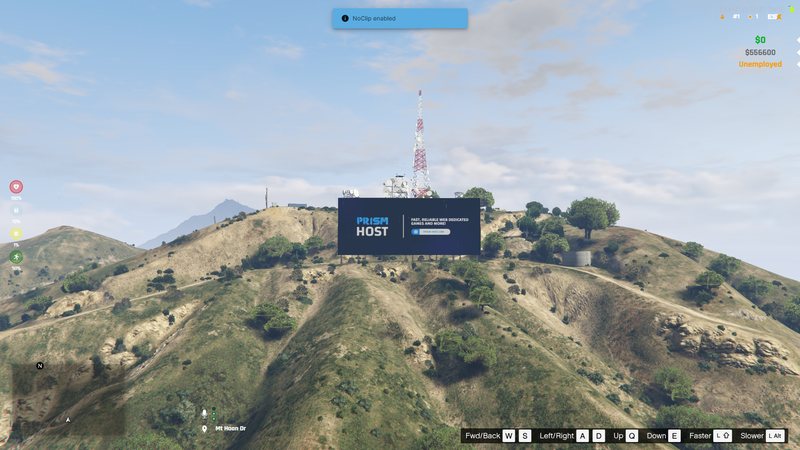
Your server name standing on the hillside in real 3D geometry. It ships as a pure map resource with no script, so there is nothing to break.