Graphics packs
Graphics packs for FiveM
One design, cut to every slot your server shows up in: the server list strip, the Discord header, the stream art, each composed for its own crop.
From $12.00124 designs · 20 formatsBrowse the designs
FAM-261023-261025-UL4B9this weekendTick it in your cart Halloween Edition36 maps, limited runlimited runShop the drop FREE TOOL · RUNS IN YOUR BROWSER
Drop in folders of images and get everything a FiveM texture dictionary needs, built in this tab: every picture resized to a power of two with the fit you chose, a full mipmap chain, genuine DXT1 or DXT5 .dds files, a report of what each one costs in FiveM streaming memory at every size and compression, names a .ytd will actually match, and the stream layout with its fxmanifest.lua.
It stops one step short of the finish line, and it says so everywhere: this page does not produce a binary .ytd file.
This tool does not write a .ytd file. A browser tab cannot build the RSC7 container the game loads, and we are not going to pretend it can. What it does produce is everything that goes inside one: each image resized to a power of two, a full mipmap chain, genuine DXT1 or DXT5 block compression in a real .dds, the sanitised texture names, the folder layout, the fxmanifest.lua, and the CodeWalker .ytd.xml that describes the dictionary. Converting that into a binary .ytd is one step in CodeWalker, OpenIV, or the PowerShell script that comes in the zip. Everything happens in this tab; nothing is uploaded.
One folder becomes one texture dictionary, named after the folder. Drop several and you get several dictionaries in one resource.
Squash the image into the power-of-two box. Correct for anything whose UVs already span the whole texture — a sign, a livery, a flat panel.
With the mipmap chain, which is the chain plus about a third again. These are the numbers that decide whether a server runs out of streaming memory, and they are not the file size on disk — the .ytd container is compressed, which is why people underestimate this by a factor of three.
| Size | DXT1 | DXT5 | Uncompressed |
|---|---|---|---|
| 2048×2048 | 2.67 MB | 5.33 MB | 21 MB |
| 1024×1024 | 683 KB | 1.33 MB | 5.33 MB |
| 512×512 | 171 KB | 341 KB | 1.33 MB |
| 256×256 | 43 KB | 85 KB | 341 KB |
Four bits a pixel. The default for anything opaque — signs, walls, liveries, decals with no soft edge. Eight times smaller than uncompressed and the one everybody should be using.
Eight bits a pixel, with a separate interpolated alpha block. The right choice the moment you need a real soft edge: glass, foliage, a logo with a feathered shadow, a UI texture.
Thirty-two bits a pixel and no block artefacts. Only for the handful of things block compression visibly ruins: a gradient palette strip, a one-pixel line pattern, a colour lookup. Eight times the memory of DXT1.
BE CLEAR ABOUT THIS
A tool that overstates what it did costs you an evening finding out. So here is the line, exactly.
| You get | What it is |
|---|---|
| *.dds | One DDS per image: power-of-two dimensions, a full mipmap chain down to 4 pixels, and real block compression — DXT1 at four bits a pixel, DXT5 at eight with an interpolated alpha block, or A8R8G8B8 uncompressed. These are finished files. Any tool that reads DDS will open them, and OpenIV will import them straight into a texture dictionary. |
| <dict>.ytd.xml | The CodeWalker description of the dictionary: every texture with its name, pixel size, mip count, format and DDS file name. Feed this plus the DDS files to CodeWalker and you get the binary .ytd out the other side. |
| convert.ps1 | A PowerShell script that drives CodeWalker.Core.dll over every dictionary in the zip, writes the .ytd files and then reloads each one to print its texture count back at you. Point one variable at your CodeWalker folder and run it. |
| fxmanifest.lua and stream/ | The resource around it: a manifest with fx_version cerulean, the files list, and the folder the finished dictionaries belong in. |
| The memory report | Per texture and per dictionary, the bytes it occupies in video memory — not the file size on disk, which is smaller and misleading. |
| Not a .ytd | Nothing in the zip is a .ytd. A .ytd is an RSC7 resource container with its own paged virtual and physical memory layout, and writing a valid one from a browser tab is a project rather than a feature. We would rather hand you correct DDS files and the one command that finishes the job than ship something that produces a file the game rejects. |
The alternative honest answer was "here are some resized PNGs, good luck". That leaves you doing the part that actually takes time: deciding a format per texture, building mipmaps, getting the names right, and clicking through an import dialog once per image. The DDS files and the XML move all of that into the browser and leave you with a single conversion for the whole folder. The pipeline is what we tested, not just the encoder: the DDS files this page produces were run through CodeWalker, the resulting .ytd was loaded back, and the textures came out with the right names, sizes, formats and mip counts.
The DDS encoder itself was checked against an independent decoder rather than against itself: a 128×128 gradient with an alpha ramp encoded to DXT1 and DXT5, decoded by a library that had nothing to do with writing it, came back at 42.4 dB on the colour channels and 53.2 dB on alpha — which is what correct BC1 and BC3 output looks like. The uncompressed path round-trips bit for bit.
HOW TO USE IT
Six steps, and the third one is where people lose a day.
The folder name becomes the dictionary name, so shop_signs gives you shop_signs.ytd. Drop several folders at once and you get several dictionaries inside one resource — which is what you want when a map has signs, roads and interiors that are updated separately.
Set the ceiling to the biggest texture this set is allowed to be and let each image round to the nearest power of two under it. 1024 is the right ceiling for almost everything; 2048 is for a surface a player reads from a metre away. Rounding down rather than up is the single cheapest optimisation available to you.
This is the one that wastes evenings. The texture name inside the dictionary has to match the name the material references, exactly, lowercase, with no extension. The tool lowercases everything and turns spaces and dashes into underscores — then shows you the list so you can fix it before export rather than after a failed test.
They cost about a third more memory and they are the difference between a surface that sits still and one that crawls whenever the camera moves. We measured it on our own streamed textures: per-pixel flicker on a rotating view dropped roughly 40 per cent once the chain went in. Turn them off only for a UI atlas that is always drawn at native size.
Run convert.ps1 or import the XML in CodeWalker. The script reloads each .ytd after writing it and prints the texture count — if that number is lower than the number of DDS files, a name or a path is wrong and you have found it in two seconds instead of in game.
The .ytd on disk is compressed and looks reassuringly small. The number that matters is the one in the report, because that is what sits in video memory on every client for as long as the resource is started. A dozen 2048 DXT5 textures is 64 MB from one resource before anybody else loads theirs.
One Item per texture. The FileName is relative, so the DDS files have to stay in the same folder as this XML.
<?xml version="1.0" encoding="UTF-8"?>
<TextureDictionary>
  <Item>
    <Name>shop_sign_01</Name>
    <Unk32 value="0" />
    <Usage>DEFAULT</Usage>
    <UsageFlags>NOT_HALF, HD_SPLIT</UsageFlags>
    <ExtraFlags value="0" />
    <Width value="1024" />
    <Height value="512" />
    <MipLevels value="8" />
    <Format>D3DFMT_DXT5</Format>
    <FileName>shop_sign_01.dds</FileName>
  </Item>
</TextureDictionary>This is what convert.ps1 in the zip does for every dictionary at once. The last block is the part worth keeping: it reloads the file you just wrote and tells you whether the textures actually went in.
$cw = 'C:\CodeWalker'
Get-ChildItem -LiteralPath $cw -Filter *.dll | ForEach-Object {
  try { [Reflection.Assembly]::LoadFrom($_.FullName) | Out-Null } catch {}
}

$folder = 'C:\work\import\my_signs'
$xml = [IO.File]::ReadAllText("$folder\my_signs.ytd.xml")
$ytd = [CodeWalker.GameFiles.XmlYtd]::GetYtd($xml, $folder)
[IO.File]::WriteAllBytes('C:\work\my_signs.ytd', $ytd.Save())

$check = New-Object CodeWalker.GameFiles.YtdFile
$check.Load([IO.File]::ReadAllBytes('C:\work\my_signs.ytd'))
$check.TextureDict.Textures.data_items | ForEach-Object {
  Write-Output ("{0} {1}x{2} {3} mips={4}" -f $_.Name, $_.Width, $_.Height, $_.Format, $_.Levels)
}A .ytd inside stream/ is picked up by the streaming system on its own. The files block is there so a missing dictionary shows up as an error instead of silently never loading.
fx_version 'cerulean'
games { 'gta5' }

name 'my_signs'
author 'you'
description 'Streamed texture dictionaries'
version '1.0.0'

this_is_a_map 'yes'

files {
    'stream/my_signs.ytd',
}Block compression works on 4×4 blocks and the hardware mipmap chain only halves cleanly from a power of two. A 1000×700 texture will usually load and then behave badly: the mip chain is wrong, the surface samples soft at distance, and some drivers quietly pad it to 1024×1024 in memory — so you pay for 1024 and look like 1000. That is the worst of both, and it is why this tool refuses to hand you a non-power-of-two file at all.
QUESTIONS
MORE
The full manifest rather than the two lines this tool writes: script order that works, a ui_page whose files list will not load blank, and data_file entries picked from the published type list.
The script thumbnail creatorWhen the resource is finished: the cfx.re release banner, a YouTube thumbnail, the Discord embed, a Tebex package image and the 96×96 server icon, from one screenshot.
The inventory icon makerFor the other kind of image a resource ships: square inventory icons with the background trimmed off, plus the items.lua to go with them.
All the free toolsThe interactive map, the hash calculator, the animation list and the reference tables.
ALSO FREE
Picked because they touch the same files, natives or part of the game.
FROM THE SHOP
The free tools and the paid work come out of the same place. These are the lines closest to what this page is about.
Grand opening: 25% off every product with FAM-261023-261025-UL4B9, until 25 October. It is applied at checkout.
One design, cut to every slot your server shows up in: the server list strip, the Discord header, the stream art, each composed for its own crop.
The one screen every player sees on every connect. Drag widgets onto a canvas, drop in a video background, and point your server at a single URL we host.
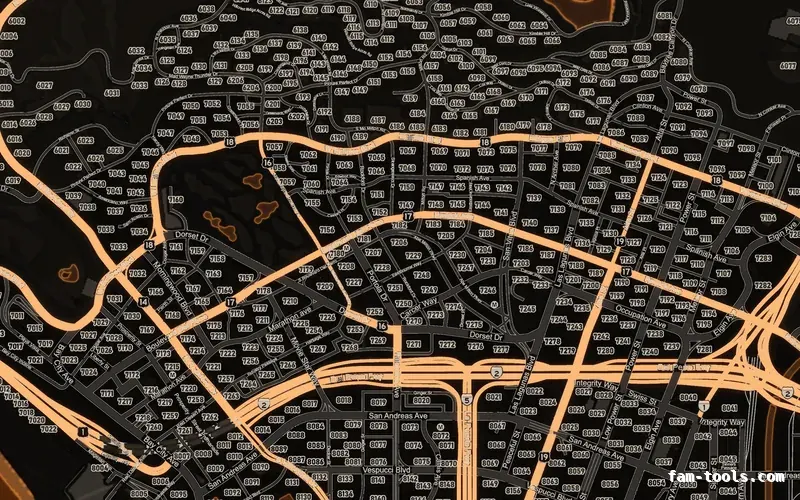
Twelve colour palettes across three base map styles, each one a drop-in resource. Add your logo and your district labels in the editor.