Graphics packs
Graphics packs for FiveM
One design, cut to every slot your server shows up in: the server list strip, the Discord header, the stream art, each composed for its own crop.
From $12.00124 designs · 20 formatsBrowse the designs
FAM-261023-261025-UL4B9this weekendTick it in your cart Halloween Edition36 maps, limited runlimited runShop the drop FREE TOOL · RUNS IN YOUR BROWSER
Drop in a screenshot, type a title and a tagline, and get the whole release kit in one go: the cfx release banner for your forum topic, a FiveM YouTube thumbnail for the showcase video, the Discord embed image, the Tebex banner at a size that will not get cropped, a square icon and the 96×96 PNG the server list actually requires. Every pixel is drawn by this tab — nothing is uploaded to us.
One is enough. Two or three unlock the multi-shot layouts. Nothing is uploaded — the artwork is drawn by this tab and the zip is built here too.
Measured on the live Releases feed: of 136 images in the newest 24 release topics, 50 are exactly 1920×1080 and almost every other wide one is 1920 across. Discourse then rewrites the inline copy to 690 px and builds the topic card at 1024×576.
The square icon and the 96×96 server icon ignore this and use the centred layout, because a side panel in a 96 pixel square is four pixels of colour.
3× turns the YouTube thumbnail into the 3840×2160 its own help page asks for. The server icon stays 96×96 at every setting.
The guide is preview only. It is never drawn into a download.
THE SIZES
We looked these up rather than guessing, and two of the five are not what people assume.
| Export | Pixels | Why that size |
|---|---|---|
| Cfx.re release banner | 1920×1080 | Measured on the live Releases feed: of 136 images in the newest 24 release topics, 50 are exactly 1920×1080 and almost every other wide one is 1920 across. Discourse then rewrites the inline copy to 690 px and builds the topic card at 1024×576. |
| YouTube thumbnail | 1280×720 | YouTube asks for 16:9 with a minimum width of 640 px. Its own help page now recommends 3840×2160, which is this canvas at 3× — 1280×720 is the long-standing safe size and stays well inside the 2 MB mobile upload cap. |
| Discord embed image | 1200×630 | Discord publishes no embed image size — its developer reference only passes width and height through. What it actually reads from a shared link is og:image, and the Open Graph guidance is at least 1200×630, kept near 1.91:1, under 8 MB. Our own card is 1200×630 for the same reason. |
| Tebex package image | 1920×1080 | The one destination with no useful published size. Tebex documents the store logo (PNG or WEBP, min width 500 px, max 5 MB) and the favicon (min 25×25), and for the package image itself only "Use PNG ≤165px height" — guidance left over from the old templates. 1920×1080 is what script stores upload, and a 16:9 file downscales into every template without a crop. |
| Square icon | 512×512 | The common denominator for the square slots around a release: Discord server and application icons, a GitHub organisation avatar, a Tebex category tile. 512×512 is the largest of those and downsamples cleanly to 128 and 64. |
| FiveM server icon | 96×96 | The only size in this list that the game itself fixes. The Cfx.re server manual says of load_server_icon: "The icon needs to be a 96x96 PNG file." Anything else is ignored, so this one never scales with the multiplier. |
The cfx.re forum runs Discourse, and Discourse rewrites every inline image to 690 pixels wide before anyone sees it. Your beautiful 4K banner is served to the reader as a 690 pixel thumbnail with a lightbox behind it, and the topic list card is a 1024×576 crop. So the reason to upload 1920×1080 is not sharpness — it is that the 2× retina version and the card crop both come out of that one file. The reason your title matters more than your screenshot is that it has to survive being shown at 690 pixels across. If the type is not readable at a third of the size, the banner does not work, which is why every layout here keeps it large and out of the corners.
HOW TO USE IT
Five minutes, and the order matters more than you would think.
Press F12 in a well-lit spot with the HUD hidden and the camera low. You need empty space in the bottom third for the type to sit on — a shot where the action fills every corner has nowhere for a title to go. Two or three shots unlock the two-up and three-up layouts, which is what you want when the script has both a UI and an in-world half.
Three or four words. "Advanced Garage" reads at 690 pixels; "Advanced Garage System with Impound and Keys" does not, and the fitter will shrink it until it is grey mush. Put the detail in the tagline, which is allowed to be a full line, and keep the badge to one word — a price, FREE, or a version number.
Push the strength up until the title separates cleanly from the screenshot, then stop. A screenshot with a bright sky needs a lot; a night interior needs almost none. This one slider decides whether the banner reads, and no amount of colour picking fixes a title sitting on an unscrimmed daylight sky.
Click through to the square icon and the server icon tabs. They drop your layout and your tagline on purpose, and the 96×96 draws a mark only. If the mark is wrong, shorten the badge — it is the badge, or the first letters of the title, that ends up in it.
1× is already the recommended size for four of the six. Go to 3× only for the YouTube thumbnail, where it produces the 3840×2160 that Google's own help page now asks for. Remember the upload caps while you are up there: Discourse stops at 10 MB, YouTube at 2 MB from a phone, Open Graph images at 8 MB.
The banner goes first in the forum post, above the feature list. The square icon is your Discord server and GitHub avatar. The 96×96 goes beside server.cfg with load_server_icon yourfile.png added — and that name is case sensitive, which is the usual reason an icon never appears.
Every export enforces a legibility floor: a tagline that would land under about 11 pixels, or a title under about 15, is dropped rather than drawn. It looks severe in the preview and it is deliberate — a 96×96 server icon with a sentence crushed into it reads as a smudge in the server list, which is worse than a clean two-letter mark. The preview is rendered at reduced size but the floors are scaled with it, so what you see dropped in the preview is exactly what is dropped in the file.
QUESTIONS
MORE
Prepare a folder of images into a texture dictionary: power-of-two resizing, mipmaps, DXT1 and DXT5 DDS files, the memory cost of each choice and the CodeWalker import file that turns them into a .ytd.
The fxmanifest.lua generatorThe manifest that ships with the release: script order that works, a ui_page whose files list will not load blank, and data_file entries from the published list.
The inventory icon makerIf the release adds items, this trims and squares the icons and writes the matching items.lua for ox_inventory, qb-core and ESX.
All the free toolsThe interactive map, the hash calculator, the animation list and the reference tables.
ALSO FREE
Picked because they touch the same files, natives or part of the game.
FROM THE SHOP
The free tools and the paid work come out of the same place. These are the lines closest to what this page is about.
Grand opening: 25% off every product with FAM-261023-261025-UL4B9, until 25 October. It is applied at checkout.
One design, cut to every slot your server shows up in: the server list strip, the Discord header, the stream art, each composed for its own crop.
The one screen every player sees on every connect. Drag widgets onto a canvas, drop in a video background, and point your server at a single URL we host.
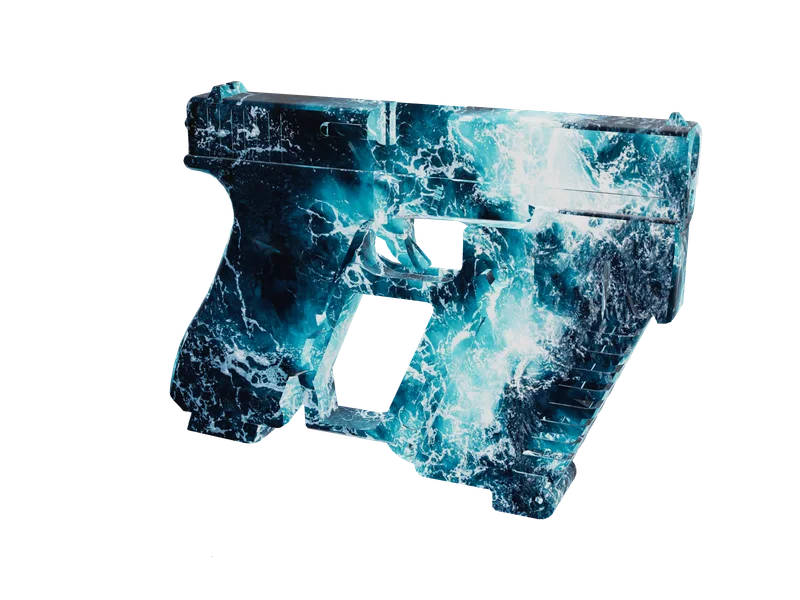
Put your own artwork on any model in the library and export it as its own resource, inventory icons cut to match. The first one costs nothing.