Grand opening25% off everything with FAM-261023-261025-UL4B9this weekendTick it in your cart Halloween Edition36 maps, limited runlimited runShop the drop

FREE TOOL · PlaySoundFrontend

FiveM sound list

Every sound name GTA 5 ships, with the sound set it is filed under — 2,202 pairs, 1,872 distinct names across 498 sets. Search either half, filter to one set, and copy the name, the set, or a PlaySoundFrontend call that is ready to paste. The pairing is the useful part: a name on its own plays nothing.

Names from the publicly published GTA V data dumps. 563 of the rows have no sound set in the dump and are shown as such; 142 names appear under more than one set.

2,202 of 2,202 pairs

  • 01no sound set
  • 02no sound set
  • 03no sound set
  • 04no sound set
  • 05no sound set
  • 05
  • 06no sound set
  • 07no sound set
  • 07
  • 10_SEC_WARNING
  • 10_Secondsno sound set
  • 10_Secs_Countdown
  • 10s
  • 10S
  • 1st_Person_Transition
  • 1st_Place_Gain
  • 1st_Place_Lose
  • 20_Secs_Remaining
  • 30_Secs_Remaining
  • 321
  • 321
  • 321
  • 321
  • 321
  • 3_2_1
  • 3_2_1_fire
  • 3_2_1_NON_RACE
  • 5_SEC_WARNING
  • 5_Second_Timer
  • 5s
  • 5S
  • 5s_To_Event_Start_Countdown
  • Accept_Ghosting_Mode
  • ACID_BATH_FALL
  • Activateno sound set
  • Activate_From_Vehicleno sound set
  • Activate_Privacy_Glass
  • Activate_Trap
  • Activeno sound set
  • Active
  • Active
  • Active_Empty
  • ADD_SPAWN_POINTno sound set
  • Air_Defences_Activated
  • Air_Defences_Disabled
  • Air_Defenses_Disabled
  • Air_Drop_Package
  • Air_Drop_Parachute
  • Airhorn
  • Airhorn
  • Airhorn_Blast_Long
  • Alarm_Exterior
  • Alarm_Interior
  • Alarm_Interior_Gate_Loop
  • alarm_loop
  • alarm_loop
  • alarm_loop
  • Alarm_Oneshot
  • ALARMS_KLAXON_03_CLOSEno sound set
  • ALARMS_KLAXON_03_FARno sound set
  • ALERT
  • All
  • all
  • All_Connected_Correctno sound set
  • All_Connected_Incorrectno sound set
  • Altitude_Beeps
  • Altitude_Checkpoint
  • Altitude_Warning
  • Altitude_Warning_Loop
  • Altitude_Warning_Loop
  • Amanda_Pulls_Away
  • AMBIENT_SEX
  • Answer_Phone
  • Apt_Style_Purchase
  • AR_Off
  • AR_On
  • Architect_Fall
  • Armno sound set
  • ARM_2_REPO_DOOR_KICK_OPENno sound set
  • ARM_2_Repo_Ignite_Petrolno sound set
  • ARM_3_CAR_GLASS_CRASHno sound set
  • ARM_3_PISTOL_COCKno sound set
  • ARM_WRESTLING_ARM_IMPACT_MASTERno sound set
  • ARM_WRESTLING_WHOOSH_MASTERno sound set
  • ARM_WRESTLING_WOOD_CREEK_MASTERno sound set
  • Armedno sound set
  • Arming_Countdownno sound set
  • Arming_Countdown
  • Armour_Off
  • Armour_On
  • Armour_Pickup_Loop
  • Arrive_Horn
  • Arrive_Station
  • ascend
  • ascend_lose
  • ascend_win
  • ASS_PAYPHONE_RING_masterno sound set
  • ASSASSINATIONS_HOTEL_TIMER_COUNTDOWN
  • ATM_WINDOW
  • Attach
  • Attach
  • Attach
  • Attach_Cargo
  • Attach_Cargo
  • Attach_Container
  • Attach_Container_Fail
  • Attach_Wireno sound set
  • Attack_Big_Shake_Hit
  • attract
  • Attract
  • attract_loopno sound set
  • BACKno sound set
  • Backno sound set
  • BACK
  • BACK
  • BACK
  • Back
  • BACK
  • BACK
  • BACK
  • BACK
  • Backgroundno sound set
  • Background
  • Background
  • Background
  • Background
  • Background
  • Background
  • Background_Humno sound set
  • Background_Hum
  • Background_Loopno sound set
  • Background_loopno sound set
  • Background_Loop
  • background_loop
  • Background_Sound
  • BANK_DOOR_OPEN
  • Banshee2_Upgrade
  • Bar_Cut
  • BAR_DELIVER_BOOZE_RATTLE_MASTERno sound set
  • Bar_Lower_And_Lock
  • Bar_Unlock_And_Raise
  • Barge_Door
  • Barge_Door
  • Barge_Door_Glass
  • Barge_Door_Metal
  • Barge_Door_Metal
  • Barge_Door_Metal_Bars
  • BASE_JUMP_PASSED
  • BASEJUMPS_CHOPPER_WIND_WAITno sound set
  • BBQ_EXPLODE
  • Beaconno sound set
  • Beacon
  • Beast_Attackno sound set
  • Beast_Attack
  • Beast_Calls
  • Beast_Checkpointno sound set
  • Beast_Checkpoint_NPCno sound set
  • Beast_Cloakno sound set
  • Beast_Dieno sound set
  • Beast_Jumpno sound set
  • Beast_Jump
  • Beast_Jump_Landno sound set
  • Beast_Jump_Land
  • Beast_Sprint_Loopno sound set
  • Beast_Sprint_Loop
  • Beast_Uncloakno sound set
  • Beat_Pulse_Default
  • Become_Attacker
  • Become_Attacker
  • Become_Hunted
  • Become_JN
  • Become_JN
  • Become_JN
  • Become_Slasher
  • Become_Target
  • Bedno sound set
  • Bed
  • Bed
  • Beep_Green
  • Beep_Red
  • Bell
  • Bell_01
  • Bell_02
  • BIG_STOPno sound set
  • big_winno sound set
  • Bike_Bell
  • biker_formation_blips_soundsetno sound set
  • BIKER_PROP_GRIND
  • Biker_Ride_Off
  • Biker_Ring_Tone
  • bin_bag_bugs
  • Birds
  • Blade_Appearno sound set
  • Bleepno sound set
  • Blip_Pickup
  • Blip_Pickup
  • Blow_Cell_Door
  • BLOWOUT
  • BLOWOUT_B
  • Blowtorch_Cut_Loop
  • Blowtorch_Loop
  • Blowtorch_Off
  • Blowtorch_On
  • Blue_Target_Charge
  • Blue_Target_Explode
  • BOAT_WAVE_HIT_SCRIPTno sound set
  • BOATS_PLANES_HELIS_BOOM
  • BODY_FALL_DIVE_WATER_MASTER
  • Bomb_Arm
  • Bomb_Armedno sound set
  • Bomb_Armed
  • Bomb_Armed
  • Bomb_Collect
  • Bomb_Collect
  • Bomb_Collected
  • Bomb_Countdown
  • Bomb_Countdown_Beep
  • Bomb_Defuse
  • bomb_deployed
  • Bomb_Detonateno sound set
  • Bomb_Detonate
  • Bomb_Disarmedno sound set
  • Bomb_Disarmed
  • Bomb_Disarmed
  • Bomb_Passed
  • Bomb_Releaseno sound set
  • Bomb_Timer_Loopno sound set
  • bombs_empty
  • boot_pop
  • Bootupno sound set
  • Boss_Blipped
  • Boss_Message_Orangeno sound set
  • Boss_Message_Orange
  • Boss_Message_Orange
  • bottles_loop
  • Bounds_Timer_Pulse
  • Bounds_Timer_Reset
  • Boxcar_Door_Limit
  • Boxcar_Door_Slide
  • Brawl_Start_Oneshot
  • Brawl_Walla_Loop
  • Breaker_01no sound set
  • Breaker_02no sound set
  • BreakerDown
  • BreakerUp
  • BRUSHES_HIT_CAR
  • BRUSHES_MOVE
  • BRUSHES_SPINNING
  • BUILDING_SITE_CRASH
  • BULL_SHARK_TESTOSTERONE_END_MASTERno sound set
  • BULL_SHARK_TESTOSTERONE_START_MASTERno sound set
  • Bumpno sound set
  • Bunker_Alarm_Exterior
  • Bunker_Alarm_Interior
  • Bunker_Hatch
  • Burglar_Bell
  • Buried_Stash_Shard
  • BUS_HORN
  • Bus_Schedule_Pickup
  • Business_Restart
  • Business_Restart
  • Business_Shutdown
  • Business_Shutdown
  • BUTTON
  • CABLE_SNAPS
  • Cable_Strain
  • cache_attract_loop
  • Cage_Rattle
  • Calculate_Outcome
  • CAM_PAN_DARTS
  • CAMERAno sound set
  • Camera_Destroy
  • CAMERA_FOLEY
  • Camera_Hum
  • Camera_Move_Loop
  • Camera_Offline
  • Camera_Online
  • Camera_Shootno sound set
  • Camera_Shoot
  • Camera_Shoot
  • Camera_Zoomno sound set
  • Camera_Zoom
  • Camera_Zoom
  • CANCELno sound set
  • Cancel
  • CANCEL
  • Cancel
  • CANCEL
  • CANCEL
  • CANCEL
  • CANCEL
  • CANCEL
  • cannon_activating_loop
  • cannon_active
  • cannon_active_loop
  • cannon_charge_fire_loop
  • cannon_charge_fire_loop
  • CAR_BIKE_WHOOSH
  • Car_Creak
  • car_crushed

Showing 300. Filter by set or type a fragment to get to a short list faster.

There is no audio on this page, and that is deliberate. No free, redistributable copy of GTA 5’s audio exists — it belongs to Rockstar — so hosting or hotlinking it would be infringement, whatever it did for our traffic. The names and sets here are the reference; the game is the player. Paste the test command below into a resource and you can hear any row in about ten seconds.

HOW TO USE IT

Four steps, and the one everybody skips

Get the sound audible as a flat 2D frontend sound first. Placement is a separate problem and debugging both at once is what eats the afternoon.

  1. 01 Find the pair, not the name

    Filter by sound set, or search a name and read which set it came out of. Copy both, or copy the finished call.

  2. 02 Try it as a frontend sound first

    PlaySoundFrontend with a sound id of -1 is the cheapest test there is: no entity, no coordinates, no range to get wrong.

  3. 03 Move it into the world once it plays

    When you can hear it, swap in PlaySoundFromEntity or PlaySoundFromCoord. Debugging placement and name resolution at the same time is how afternoons disappear.

  4. 04 Keep an id only if you need one

    GetSoundId, then StopSound and ReleaseSoundId. For a one-shot UI blip, -1 and nothing else.

A test command you can leave in a dev resource

Client-side. /soundtest SELECT HUD_FRONTEND_DEFAULT_SOUNDSET — the sound id is only taken when the script wants to wait for the sound to finish, and it is released afterwards.

local function playUi(name, soundSet)
    PlaySoundFrontend(-1, name, soundSet, true)
end

playUi("SELECT", "HUD_FRONTEND_DEFAULT_SOUNDSET")

RegisterCommand("soundtest", function(_, args)
    local name, soundSet = args[1], args[2]
    if not name then
        print("usage: /soundtest NAME [SOUNDSET]")
        return
    end

    local id = GetSoundId()
    PlaySoundFrontend(id, name, soundSet, true)

    CreateThread(function()
        while not HasSoundFinished(id) do
            Wait(100)
        end
        ReleaseSoundId(id)
    end)
end, false)

THE THREE NATIVES

Frontend, from an entity, or from a coordinate

All three resolve the name and the set identically. What differs is where the sound exists in the world — and therefore who can hear it.

Nowhere — 2DPlaySoundFrontendPlaySoundFrontend(soundId, audioName, audioRef, p3)

Plays flat in the player’s ears at the same volume wherever they are standing. This is the one for interface noise: a menu click, a countdown beep, a mission-passed sting, a notification. It has no position, so distance, walls and camera direction change nothing.

Because it is not positional, nobody else hears it. Every player who should hear a frontend sound needs their own client to call it.

On an entityPlaySoundFromEntityPlaySoundFromEntity(soundId, audioName, entity, audioRef, isNetwork, p5)

Anchors the sound to a ped, vehicle or object and follows it. Volume falls off with distance and the sound pans as the player moves around it, which is what you want for a machine, a radio, a door or an alarm on a specific thing.

The entity has to exist on the client doing the playing. Pass an entity the client cannot see and you get silence rather than an error.

At a world positionPlaySoundFromCoordPlaySoundFromCoord(soundId, audioName, x, y, z, audioRef, isNetwork, range, p8)

Pins the sound to a fixed point with an explicit audible range in metres. Use it when there is nothing to attach to: a spot on the ground, a planted charge, a point inside a building.

The range argument is a real cutoff. Leave it at 0 and the sound is effectively inaudible, which looks exactly like a wrong sound set.

The same name and set, placed in the world

Client-side. The 30 on PlaySoundFromCoord is the audible range in metres — it is a real cutoff, not a hint.

local name, soundSet = "Beep_Red", "DLC_HEIST_HACKING_SNAKE_SOUNDS"

PlaySoundFromEntity(-1, name, PlayerPedId(), soundSet, true, 0)

local x, y, z = 195.2, -933.8, 30.7
PlaySoundFromCoord(-1, name, x, y, z, soundSet, true, 30, false)

Signatures from the FiveM native reference: PLAY_SOUND_FRONTEND, PLAY_SOUND_FROM_ENTITY and PLAY_SOUND_FROM_COORD.

WHEN NOTHING PLAYS

Four reasons, in the order they happen

None of them produce an error. The natives return void and the console stays empty, which is why a wrong sound set can cost an hour.

The name is not in that set

A sound name is only looked up inside the set you pass. If the name is not in that set the native does nothing at all: no error, no console line, no return value to check. That is the whole reason this page exists — the pairing is the data, not the name on its own.

The same name lives in several sets

SELECT, BACK, CANCEL, Hack_Success and 138 other names appear under more than one sound set, with different audio behind each one. Copying SELECT out of a tutorial and pairing it with the set your own menu happens to use is the most common way to get the wrong click, or no click.

The set is not resident yet

A large number of the mission and DLC sets only exist in memory while their audio bank is loaded. If a name and set pair is right and still silent, request the bank first with RequestScriptAudioBank and try again once it returns true.

You passed a sound id you never released

Pass -1 as the sound id for fire-and-forget playback. Only call GetSoundId when you intend to stop, move or query the sound later, and call ReleaseSoundId when you are done — ids are not recycled for you, and a script that leaks them eventually stops getting new ones.

Loading a sound set’s audio bank first

Client-side. Many mission and DLC sets only exist in memory while their bank is loaded. If a correct pair is still silent, this is the next thing to try.

local bank = "DLC_HEIST_HACKING_SNAKE_SOUNDS"

if not RequestScriptAudioBank(bank, false) then
    local tries = 0
    while not RequestScriptAudioBank(bank, false) and tries < 100 do
        Wait(50)
        tries = tries + 1
    end
end

PlaySoundFrontend(-1, "Beep_Red", bank, true)

REQUEST_SCRIPT_AUDIO_BANK returns true once the bank is resident, and GET_SOUND_ID says in its own documentation that ids are not cleaned up for you — pass -1 unless you genuinely need to stop or query the sound later.

ONE MORE THING

Case matters more than the natives let on

HUD_FRONTEND_DEFAULT_SOUNDSET contains both BACK and Back, and both CONTINUE and continue. They are separate entries in the game data.

Copy the name from a row here rather than retyping it, and keep the capitalisation exactly as it appears. One row in the dump — Click_Special — even carries its sound set with a leading space in the game data; it is shown trimmed here, because a leading space would be a broken string literal in Lua. Nothing else on this page has been altered: no name was renamed, merged or invented, and a pair that is not in the dump is not on this page.

QUESTIONS

About sounds in FiveM

Why does PlaySoundFrontend play nothing?
Nine times out of ten the name and the sound set do not belong together. The game resolves a sound name inside the set you hand it, and when the name is not in that set the native returns quietly and plays silence — there is no error and nothing in the console. Check the pair on this page first, then make sure the set is actually loaded: a lot of the mission and DLC sets need RequestScriptAudioBank before anything in them will play.
What is a sound set, exactly?
A named bundle of sounds the audio designers grouped together, usually per menu, per mission or per DLC. The set is the namespace: the same short name can mean a different sound in two sets, and a name is only findable inside the set it was filed under. That is why every row here carries both halves, and why copying a bare name out of a forum post so often does nothing.
What is the difference between PlaySoundFrontend, PlaySoundFromEntity and PlaySoundFromCoord?
Position. PlaySoundFrontend is flat 2D audio that plays in the player’s ears at a constant volume — the right choice for interface sounds. PlaySoundFromEntity pins the sound to a ped, vehicle or object so it attenuates and pans as the player moves around it. PlaySoundFromCoord does the same at a fixed world position and takes an explicit range in metres, which is a genuine cutoff rather than a hint. All three resolve the name the same way, so get it playing as a frontend sound before you add placement.
Why do some rows have no sound set?
563 of the rows in the dump record 0 as their audio ref, which means the name is not filed under a parent set. Those are shown here with no set and a call that passes nil in its place. Expect a lower hit rate from them: a good number are mission and cutscene audio that was only ever triggered from the context it was authored for, and passing the name with no set is not going to recreate that context.
Can I listen to the sounds on this page?
No, and we are not going to pretend otherwise. There is no free, redistributable copy of GTA V’s audio — it is Rockstar’s, and hosting or hotlinking ripped game audio would be copyright infringement whatever it did for our traffic. The names and sets here are the reference; the game is the player. Drop the test command from this page into a resource, type /soundtest NAME SOUNDSET in-game, and you will hear it in a couple of seconds.
Where does this list come from?
The publicly published GTA V data dumps (DurtyFree’s soundNames.json), the same source behind this site’s prop, ped, vehicle and animation references. 2,202 name-and-set pairs, 1,872 distinct names, 498 sets. Nothing is invented and nothing is padded: if a pair is not in the dump it is not on this page.

Names from the publicly published GTA V data dumps. The audio itself is the property of Take-Two Interactive and Rockstar Games — see our trademark and IP notice.

ALSO FREE

Tools that go with this one

Picked because they touch the same files, natives or part of the game.

FROM THE SHOP

What we build when it is not free

The free tools and the paid work come out of the same place. These are the lines closest to what this page is about.

Grand opening: 25% off every product with FAM-261023-261025-UL4B9, until 25 October. It is applied at checkout.

Loading screens

Loading screens for FiveM

The one screen every player sees on every connect. Drag widgets onto a canvas, drop in a video background, and point your server at a single URL we host.
Free50 live widgets · 30 fontsOpen the screen builder
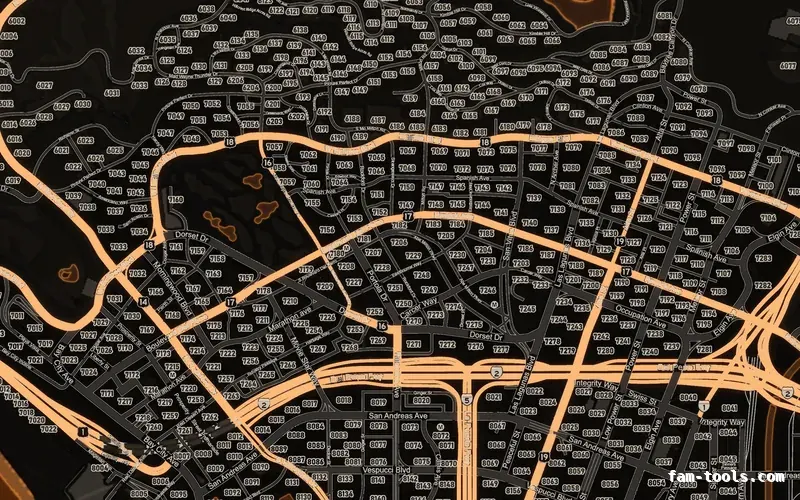
Orange EMBER FiveM-compatible minimap for GTA 5 — google style — showing Los Santos street detail
Minimaps

Minimaps for FiveM

Twelve colour palettes across three base map styles, each one a drop-in resource. Add your logo and your district labels in the editor.

From $8.0036 finished mapsBrowse the minimaps