
Graphics packs
Graphics packs for FiveM
One design, cut to every slot your server shows up in: the server list strip, the Discord header, the stream art, each composed for its own crop.
From $12.00124 designs · 20 formatsBrowse the designs
FAM-261023-261025-UL4B9this weekendTick it in your cart Halloween Edition36 maps, limited runlimited runShop the drop FREE TOOL · VEHICLE HANDLING
A handling.meta is forty-odd numbers that only make sense together, and the usual way to learn them is to copy a file off a forum and change things until the car stops flipping. This loads the game's own values for a vehicle as your starting point, tells you what each field is understood to do and the range Rockstar actually ships it in, and gives you both the file you ship and the Lua you test with.
176 vehicles read out of the base game's own handling.meta, 43 editable CHandlingData fields plus the two vectors, and all 32 strHandlingFlags bits. Nothing you paste leaves your browser.
176 handling entries read straight out of the base game's handling.meta. Pick one and every field below fills with what Rockstar shipped.
176 of 176 shown.
Paste the whole file. Several entries are fine — it reads all of them and lets you pick. Nothing is uploaded; the parse runs in this tab.
ESTIMATED, NOT MEASURED
First gear works out at 22.1 m/s², and each shift costs 0.30 s on the published clutch formula. The driven-wheel share is 1 because fDriveBiasFront is 0.2.
Where the drive goes. 0 is rear-wheel drive, 1 is front-wheel drive, anything in between is all-wheel drive.
Values above 0.9 snap to 1.0 and values below 0.1 snap to 0.0, so there is no such thing as 95 percent front drive.
effect community-understoodgame file: 0 … 1
Number of forward gears.
Game builds up to b1493 cap the top gear at 7; b1604 and newer allow 10. The reference also warns that vehicles do not downshift properly out of 8th and above.
effect community-understoodgame file: 1 … 6
Engine torque, normalised by weight. This is the single biggest lever on acceleration.
The published formula is torque in Nm divided by curb weight in kg. The game then runs a roughly flat torque curve that drops to about 60 percent past 80 percent of the rev range.
effect community-understoodgame file: 0.05 … 0.68
How fast the engine picks up and drops revs while the drive is not engaged — clutch in, neutral, handbrake on.
effect community-understoodgame file: 0.5 … 1.3
Upshift speed. The published formula is 0.9 divided by the shift time in seconds, so 1.0 is a 0.90 second shift and 2.0 is a 0.45 second shift.
effect community-understoodgame file: 0.9 … 6
Downshift speed, on the same scale as the up-shift field.
effect community-understoodgame file: 0.9 … 6
The speed at which top gear hits the rev limiter. This is what sets the gearing, not the top speed on its own.
The published formula is top gear speed in km/h multiplied by 0.75, which is how the top-speed estimate on this page is worked out. Drive force and drag decide whether the car gets there.
effect community-understoodgame file: 20 … 255
Goes in your resource's data folder, with a data_file 'HANDLING_FILE' line in fxmanifest.lua pointing at it. This is the version you ship.
<?xml version="1.0" encoding="UTF-8"?>

<CHandlingDataMgr>
  <HandlingData>
    <Item type="CHandlingData">
      <handlingName>ADDER</handlingName>
      <fMass value="1800.000000" />
      <fInitialDragCoeff value="7.800000" />
      <fPercentSubmerged value="85.000000" />
      <vecCentreOfMassOffset x="0.000000" y="0.000000" z="0.000000" />
      <vecInertiaMultiplier x="1.000000" y="1.300000" z="1.500000" />
      <fDriveBiasFront value="0.200000" />
      <nInitialDriveGears value="6" />
      <fInitialDriveForce value="0.320000" />
      <fDriveInertia value="1.000000" />
      <fClutchChangeRateScaleUpShift value="3.000000" />
      <fClutchChangeRateScaleDownShift value="3.000000" />
      <fInitialDriveMaxFlatVel value="160.000000" />
      <fBrakeForce value="1.000000" />
      <fBrakeBiasFront value="0.450000" />
      <fHandBrakeForce value="0.700000" />
      <fSteeringLock value="42.000000" />
      <fTractionCurveMax value="2.500000" />
      <fTractionCurveMin value="2.380000" />
      <fTractionCurveLateral value="22.500000" />
      <fTractionSpringDeltaMax value="0.150000" />
      <fLowSpeedTractionLossMult value="1.500000" />
      <fCamberStiffnesss value="0.000000" />
      <fTractionBiasFront value="0.485000" />
      <fTractionLossMult value="1.000000" />
      <fSuspensionForce value="2.400000" />
      <fSuspensionCompDamp value="1.400000" />
      <fSuspensionReboundDamp value="2.100000" />
      <fSuspensionUpperLimit value="0.120000" />
      <fSuspensionLowerLimit value="-0.100000" />
      <fSuspensionRaise value="0.000000" />
      <fSuspensionBiasFront value="0.500000" />
      <fAntiRollBarForce value="0.900000" />
      <fAntiRollBarBiasFront value="0.600000" />
      <fRollCentreHeightFront value="0.410000" />
      <fRollCentreHeightRear value="0.410000" />
      <fCollisionDamageMult value="0.700000" />
      <fWeaponDamageMult value="1.000000" />
      <fDeformationDamageMult value="0.700000" />
      <fEngineDamageMult value="1.500000" />
      <fPetrolTankVolume value="65.000000" />
      <fOilVolume value="5.000000" />
      <fSeatOffsetDistX value="0.000000" />
      <fSeatOffsetDistY value="0.000000" />
      <fSeatOffsetDistZ value="0.000000" />
      <nMonetaryValue value="80000" />
      <strModelFlags>440010</strModelFlags>
      <strHandlingFlags>0</strHandlingFlags>
      <strDamageFlags>0</strDamageFlags>
      <AIHandling>AVERAGE</AIHandling>
      <SubHandlingData>
        <Item type="CCarHandlingData">
          <fBackEndPopUpCarImpulseMult value="0.075000" />
          <fBackEndPopUpBuildingImpulseMult value="0.030000" />
          <fBackEndPopUpMaxDeltaSpeed value="0.250000" />
        </Item>
        <Item type="NULL" />
        <Item type="NULL" />
      </SubHandlingData>
    </Item>
  </HandlingData>
</CHandlingDataMgr>A client script. Get in the car, type /handling in the F8 console, and the values are on the vehicle you are sitting in — no restart, no cache. The float and vector setters are documented; pushing the three flag words through SetVehicleHandlingInt is community practice rather than something the native reference states, so treat those three lines as the part to verify yourself.
local MODEL = 'adder'

local FLOATS = {
    fMass = 1800.0,
    fInitialDragCoeff = 7.8,
    fPercentSubmerged = 85.0,
    fDriveBiasFront = 0.2,
    fInitialDriveForce = 0.32,
    fDriveInertia = 1.0,
    fClutchChangeRateScaleUpShift = 3.0,
    fClutchChangeRateScaleDownShift = 3.0,
    fInitialDriveMaxFlatVel = 160.0,
    fBrakeForce = 1.0,
    fBrakeBiasFront = 0.45,
    fHandBrakeForce = 0.7,
    fSteeringLock = 42.0,
    fTractionCurveMax = 2.5,
    fTractionCurveMin = 2.38,
    fTractionCurveLateral = 22.5,
    fTractionSpringDeltaMax = 0.15,
    fLowSpeedTractionLossMult = 1.5,
    fCamberStiffnesss = 0.0,
    fTractionBiasFront = 0.485,
    fTractionLossMult = 1.0,
    fSuspensionForce = 2.4,
    fSuspensionCompDamp = 1.4,
    fSuspensionReboundDamp = 2.1,
    fSuspensionUpperLimit = 0.12,
    fSuspensionLowerLimit = -0.1,
    fSuspensionRaise = 0.0,
    fSuspensionBiasFront = 0.5,
    fAntiRollBarForce = 0.9,
    fAntiRollBarBiasFront = 0.6,
    fRollCentreHeightFront = 0.41,
    fRollCentreHeightRear = 0.41,
    fCollisionDamageMult = 0.7,
    fWeaponDamageMult = 1.0,
    fDeformationDamageMult = 0.7,
    fEngineDamageMult = 1.5,
    fPetrolTankVolume = 65.0,
    fOilVolume = 5.0,
    fSeatOffsetDistX = 0.0,
    fSeatOffsetDistY = 0.0,
    fSeatOffsetDistZ = 0.0,
}

local INTS = {
    nInitialDriveGears = 6,
    nMonetaryValue = 80000,
    strHandlingFlags = 0x0,
    strModelFlags = 0x440010,
    strDamageFlags = 0x0,
}

local VECTORS = {
    vecCentreOfMassOffset = vector3(0.0, 0.0, 0.0),
    vecInertiaMultiplier = vector3(1.0, 1.3, 1.5),
}

local function applyTo(veh)
    if not DoesEntityExist(veh) then return false end
    for key, value in pairs(FLOATS) do
        SetVehicleHandlingFloat(veh, 'CHandlingData', key, value)
    end
    for key, value in pairs(INTS) do
        SetVehicleHandlingInt(veh, 'CHandlingData', key, value)
    end
    for key, value in pairs(VECTORS) do
        SetVehicleHandlingVector(veh, 'CHandlingData', key, value)
    end
    return true
end

RegisterCommand('handling', function()
    local veh = GetVehiclePedIsIn(PlayerPedId(), false)
    if veh == 0 then
        print('^1Not in a vehicle.^7')
        return
    end
    if GetEntityModel(veh) ~= GetHashKey(MODEL) then
        print('^3This is not a ' .. MODEL .. '. Applying anyway.^7')
    end
    applyTo(veh)
    print('^2Handling applied to the vehicle you are in.^7')
end, false)
HOW TO USE IT
The fast loop is the runtime one. The meta file is what the server gives every player, and it is the thing you write once you have stopped guessing.
SetVehicleHandlingFloat applies to the vehicle you are sitting in immediately, which turns a two-minute loop into a two-second one. Ten minutes of that is worth an evening of the other.The files block makes it downloadable. The data_file block registers it as handling data. Miss either and the file is inert.
fx_version 'cerulean'
game 'gta5'

files {
    'data/handling.meta'
}

data_file 'HANDLING_FILE' 'data/handling.meta'Drop this in a client script and you can type /grip 2.8 in the F8 console mid-corner. This is how you find a traction curve value in minutes instead of evenings.
RegisterCommand('grip', function(_, args)
    local veh = GetVehiclePedIsIn(PlayerPedId(), false)
    if veh == 0 then return end
    local value = tonumber(args[1]) or 2.5
    SetVehicleHandlingFloat(veh, 'CHandlingData', 'fTractionCurveMax', value)
    SetVehicleHandlingFloat(veh, 'CHandlingData', 'fTractionCurveMin', value * 0.95)
end, false)
THE ESTIMATES
Two figures on this page are not in the file — they are worked out from it. Here is the whole model, so you can decide how much to trust it.
topSpeedKph = fInitialDriveMaxFlatVel ÷ 0.75. The community field reference gives that field's formula as top gear speed in km/h multiplied by 0.75, so this is just the inverse.vTop from the figure above, and gear g of N is assumed to top out at vTop × g ÷ N — evenly spaced gears.fInitialDriveForce × ω × N ÷ (vTop × g), where ω is that rev ceiling in radians per second. The wheel radius cancels out, which is why it is not an input.fTractionCurveMax × 9.81 × share, where share is 0.55 for rear drive, 0.45 for front drive and 1 for all-wheel drive. Those three shares are the one part of this that is a judgement call rather than a published figure.0.9 ÷ fClutchChangeRateScaleUpShift seconds, which is the published formula for that field.Formulas and field behaviour from ikt32/GTAVHandlingInfo — notes.json, the reference the Real Time Handling Editor ships against. It is community research, not Rockstar documentation, and it says so itself about several fields.
REFERENCE
With where the knowledge comes from, because there is no official handling.meta documentation and a page that pretends otherwise is lying to you.
| Field | Group | What it is understood to do | Source |
|---|---|---|---|
| fMass | mass | The mass used when this vehicle collides with something else. It is what decides who wins an impact. | community research |
| fInitialDragCoeff | mass | Aerodynamic drag. Higher is more drag, so the car gives up earlier on the top end. | community research |
| fPercentSubmerged | mass | How far the body sinks into water before it starts going down properly. | community research |
| fDriveBiasFront | drive | Where the drive goes. 0 is rear-wheel drive, 1 is front-wheel drive, anything in between is all-wheel drive. | community research |
| nInitialDriveGears | drive | Number of forward gears. | community research |
| fInitialDriveForce | drive | Engine torque, normalised by weight. This is the single biggest lever on acceleration. | community research |
| fDriveInertia | drive | How fast the engine picks up and drops revs while the drive is not engaged — clutch in, neutral, handbrake on. | community research |
| fClutchChangeRateScaleUpShift | drive | Upshift speed. The published formula is 0.9 divided by the shift time in seconds, so 1.0 is a 0.90 second shift and 2.0 is a 0.45 second shift. | community research |
| fClutchChangeRateScaleDownShift | drive | Downshift speed, on the same scale as the up-shift field. | community research |
| fInitialDriveMaxFlatVel | drive | The speed at which top gear hits the rev limiter. This is what sets the gearing, not the top speed on its own. | community research |
| fBrakeForce | grip | Braking force at the wheels. | community research |
| fBrakeBiasFront | grip | Brake distribution. 1 brakes only the front, 0 only the rear, 0.5 is even. | community research |
| fHandBrakeForce | grip | Braking force applied to the rear wheels by the handbrake. | community research |
| fSteeringLock | grip | Maximum steering angle in degrees. | community research |
| fTractionCurveMax | grip | Grip while the tyre is not slipping. Roughly the cornering force in g. | community research |
| fTractionCurveMin | grip | Grip once the tyre is slipping. The gap between this and the max is what a drift setup is made of. | community research |
| fTractionCurveLateral | grip | The slip angle at which grip peaks. Low values make the car respond instantly, high values make the loss of grip gradual. | community research |
| fTractionSpringDeltaMax | grip | How far the tyre sidewall is allowed to travel sideways. Mostly felt as the car settles out of a slide. | community research |
| fLowSpeedTractionLossMult | grip | Artificial wheelspin at low speed. 0 turns it off. | community research |
| fCamberStiffnesss | grip | A sideways force in the direction the body is rolling. Negative pushes uphill, positive pushes downhill. | community research |
| fTractionBiasFront | grip | Grip distribution front to rear. 0.5 is even. | community research |
| fTractionLossMult | grip | How much the surface under the tyre matters. 1.0 is the grip loss defined in materials.dat; lower makes wet and gravel feel like tarmac. | community research |
| fSuspensionForce | suspension | Spring rate. | community research |
| fSuspensionCompDamp | suspension | Damping on the way down. Higher is harder. | community research |
| fSuspensionReboundDamp | suspension | Damping on the way back up. Higher means it returns slower. | community research |
| fSuspensionUpperLimit | suspension | How far the suspension may compress from its resting position. | community research |
| fSuspensionLowerLimit | suspension | How far it may extend from its resting position. Normally negative. | community research |
| fSuspensionRaise | suspension | Ride height offset. Negative drops the car, positive lifts it. | community research |
| fSuspensionBiasFront | suspension | Spring force split front to rear. 0.5 is even. | community research |
| fAntiRollBarForce | suspension | Force carried across an axle from the compressed wheel to the other side. Reduces body roll. | community research |
| fAntiRollBarBiasFront | suspension | Which axle gets the anti-roll bar. 1 is front only, 0 is rear only. | community research |
| fRollCentreHeightFront | suspension | Front roll centre, measured from the bottom of the model. The closer it is to the centre of mass height, the less the body rolls. | community research |
| fRollCentreHeightRear | suspension | The same thing for the rear axle. | community research |
| fCollisionDamageMult | damage | Scales the damage an impact does to the vehicle. | community research |
| fWeaponDamageMult | damage | Scales damage taken from gunfire and explosions. | community research |
| fDeformationDamageMult | damage | Scales how much the bodywork visibly bends. | community research |
| fEngineDamageMult | damage | Scales damage to the engine specifically. | community research |
| fPetrolTankVolume | damage | Fuel capacity. It drains if the tank is shot, and fuel scripts read it. | community research |
| fOilVolume | damage | Engine oil capacity. Oil starts leaking once engine health drops below 200. | community research |
| fSeatOffsetDistX | misc | Sideways nudge for the seating position. | name in game file |
| fSeatOffsetDistY | misc | Forward and back nudge for the seating position. | name in game file |
| fSeatOffsetDistZ | misc | Up and down nudge for the seating position. | name in game file |
| nMonetaryValue | misc | The value the game attaches to the vehicle. Used by insurance and shop logic rather than by the physics. | name in game file |
Field names, types and the ranges shown on every slider come from the game's own handling.meta out of update.rpf/common/data, read across 176 vehicles — so when a row says the game uses 0.12 to 0.68, that is measured off Rockstar's file and not an opinion. The descriptions and the formulas come from ikt32/GTAVHandlingInfo — notes.json, the flag names and bits from ikt32/GTAVHandlingInfo — flags.json — 11 of the 32 bits have no established effect there and are marked as such — and the runtime setters from the citizenfx/fivem — ext/native-decls declarations, which state that the only supported class argument is CHandlingData and that the field names match the handling.meta keys. There is no handling.meta page on docs.fivem.net to cite; the vehicle list there is the nearest official reference.
QUESTIONS
MORE
Twenty siren lights with their own rotation, flash, sequencer pattern and colour, an animated preview that actually runs the pattern, and a siren ID checker for the clashes that break emergency lights.
fxmanifest.lua generatorThe manifest that declares your handling.meta, with the data_file types picked from the published list rather than guessed at.
All the free toolsGenerators, bitmask calculators and the reference tables.
ALSO FREE
Picked because they touch the same files, natives or part of the game.
FROM THE SHOP
The free tools and the paid work come out of the same place. These are the lines closest to what this page is about.
Grand opening: 25% off every product with FAM-261023-261025-UL4B9, until 25 October. It is applied at checkout.
One design, cut to every slot your server shows up in: the server list strip, the Discord header, the stream art, each composed for its own crop.
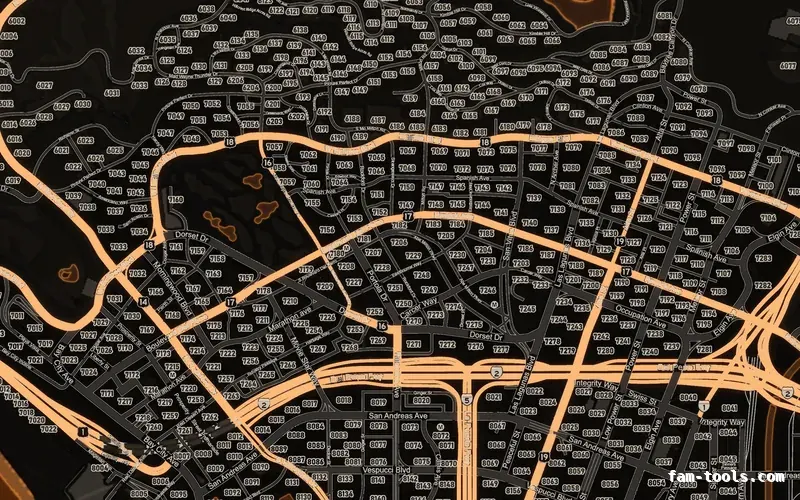
Twelve colour palettes across three base map styles, each one a drop-in resource. Add your logo and your district labels in the editor.

Put your own artwork on any model in the library and export it as its own resource, inventory icons cut to match. The first one costs nothing.