Building a fire mode selector for FiveM weapons
A fire mode script watches the ammo in the clip with GetAmmoInClip, counts rounds fired since the trigger (control 24, INPUT_ATTACK) was pressed, and disables controls 24 and 257 once the mode's limit is reached, until the trigger is released. Safety is DisablePlayerFiring(PlayerId(), true) every frame. Bind the switch with RegisterCommand plus RegisterKeyMapping, remember the mode per weapon, and limit modes by weapon group. For a permanent semi-auto weapon, remove the Automatic flag from its weapons.meta instead.
GTA V has no fire selector. A rifle is automatic because its weapons.meta says so, and it stays automatic whether you are clearing a room or taking a careful shot at fifty metres. Roleplay servers want more: a safety that stops accidental discharges, semi-auto for police carbines, bursts for SMGs. None of that exists as a native, but all of it can be built from one idea: let the game fire, count the rounds, and take the trigger away when the chosen mode says the shot is over.
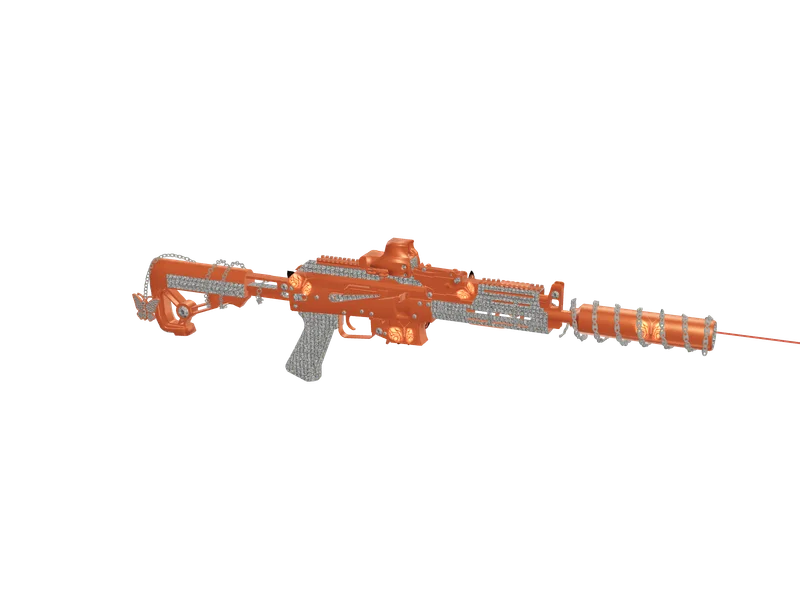
#How GTA decides a weapon is automatic
Automatic fire is a property of the weapon definition. Automatic weapons carry the Automatic flag in the WeaponFlags line of weapons.meta, and TimeBetweenShots sets how fast they cycle: the vanilla carbine rifle uses 0.135 seconds, a little over 440 rounds per minute. Semi-automatic weapons such as pistols do not have the flag, so the game fires once per trigger press.
That gives two ways to change fire behaviour:
| Approach | Good for | Limitation |
|---|---|---|
| Fire mode script | Switchable modes, per player, per weapon | Runs every frame while armed |
Remove Automatic in weapons.meta | A weapon that is always semi-auto | Fixed for everyone, needs a meta edit |
Raise TimeBetweenShots | Slower automatic fire | Changes the weapon for everyone |
Script versus meta
Most servers use the script for police and military rifles, where switching modes is part of the roleplay, and the meta change for weapons that should simply never be automatic.
#The approach: count rounds, then take the trigger away
The script lets the game fire normally and watches what happens:
- When the trigger goes down, remember how many rounds are in the clip.
- Each frame, the difference between that number and the current clip count is the number of shots fired in this trigger pull.
- When that reaches the mode's limit (one for semi, three for burst), disable the fire controls.
- When the trigger is released, reset and allow firing again.
Counting ammo is more reliable than counting frames where IsPedShooting is true, because a single shot can span more than one frame and a fast weapon can fire more than one round between two checks. The clip count is always exact.
| Control | Name | Default |
|---|---|---|
| 24 | INPUT_ATTACK | Left mouse |
| 257 | INPUT_ATTACK2 | Left mouse |
| 25 | INPUT_AIM | Right mouse |
| 45 | INPUT_RELOAD | R |
Controls involved
Both 24 and 257 fire the weapon, so both have to be blocked. While a control is disabled, IsControlPressed returns false; read the physical trigger with IsDisabledControlPressed instead, otherwise the script never sees the release.
#The complete client script
local MODES = { 'auto', 'burst', 'semi', 'safe' }
local LABELS = { auto = 'Full auto', burst = 'Burst', semi = 'Semi-auto', safe = 'Safety' }
local BURST = 3

local AUTO_GROUPS = {
    [`GROUP_SMG`] = true,
    [`GROUP_RIFLE`] = true,
    [`GROUP_MG`] = true,
}

local modeByWeapon = {}
local startClip, locked = nil, false

local function notify(text)
    BeginTextCommandThefeedPost('STRING')
    AddTextComponentSubstringPlayerName(text)
    EndTextCommandThefeedPostTicker(false, false)
end

local function currentMode(weapon)
    return modeByWeapon[weapon] or 'auto'
end

local function blockTrigger()
    DisableControlAction(0, 24, true)
    DisableControlAction(0, 257, true)
end

RegisterCommand('firemode', function()
    local ped = PlayerPedId()
    local weapon = GetSelectedPedWeapon(ped)
    if not AUTO_GROUPS[GetWeapontypeGroup(weapon)] then return end

    local mode = currentMode(weapon)
    local nextIndex = 1
    for i, m in ipairs(MODES) do
        if m == mode then nextIndex = i % #MODES + 1 end
    end
    modeByWeapon[weapon] = MODES[nextIndex]
    PlaySoundFrontend(-1, 'NAV_UP_DOWN', 'HUD_FRONTEND_DEFAULT_SOUNDSET', true)
    notify(LABELS[MODES[nextIndex]])
end, false)

RegisterKeyMapping('firemode', 'Switch weapon fire mode', 'keyboard', 'K')

CreateThread(function()
    while true do
        local ped = PlayerPedId()
        local weapon = GetSelectedPedWeapon(ped)

        if not AUTO_GROUPS[GetWeapontypeGroup(weapon)] then
            startClip, locked = nil, false
            Wait(250)
        else
            local mode = currentMode(weapon)
            local triggerDown = IsDisabledControlPressed(0, 24)

            if mode == 'safe' then
                DisablePlayerFiring(PlayerId(), true)
            elseif mode ~= 'auto' then
                local limit = mode == 'semi' and 1 or BURST
                local _, clip = GetAmmoInClip(ped, weapon)

                if triggerDown then
                    startClip = startClip or clip
                    if startClip - clip >= limit then
                        locked = true
                    end
                else
                    startClip, locked = nil, false
                end

                if locked then blockTrigger() end
            end
            Wait(0)
        end
    end
end)
The loop sleeps a quarter of a second at a time while the player holds anything other than an automatic weapon, and only runs every frame while one is drawn. Weapon groups come from each weapon's Group field, so add-on rifles and SMGs are included automatically.
#Key mapping and feedback
RegisterKeyMapping(command, description, mapper, key) puts the binding in the game's own key bindings menu under FiveM, where each player can change it. The default here is K. Avoid keys your server already uses heavily; B (point), X (hands up) and the number keys (inventory hotbars) are common conflicts.
Players need to know which mode they are in. Options, from simplest to best:
- The feed notification in the script above.
- A short frontend sound on switch, so the change is noticed without looking.
- A permanent indicator in your HUD next to the ammo counter. If you already have a HUD, send the mode with the ammo data; the ammo HUD guide shows the pattern of updating only on change.
#Remembering the mode per weapon
The script keys modes by weapon hash, so switching the carbine to semi does not change the SMG. It resets when the player reconnects. On ox_inventory you can make it stick to the individual gun by storing the mode in the weapon's metadata; the serial number then carries its own setting.
RegisterNetEvent('firemode:save', function(slot, mode)
    local src = source
    if mode ~= 'auto' and mode ~= 'burst' and mode ~= 'semi' and mode ~= 'safe' then return end

    local item = exports.ox_inventory:GetSlot(src, slot)
    if not item or not item.name:find('^WEAPON_') then return end

    item.metadata.firemode = mode
    exports.ox_inventory:SetMetadata(src, slot, item.metadata)
end)
On the client, read currentWeapon.metadata.firemode from the ox_inventory:currentWeapon event when a weapon is equipped, and fire the save event when the player switches. The server validates the value and checks that the slot really holds a weapon, because any client event can be triggered with any arguments.
#Balancing fire modes
Fire modes only matter if the modes feel different. Some practical pairings:
- Recoil. Automatic fire should be hard to control at range. With a recoil script (see recoil in Lua), semi-auto becomes the sensible choice beyond twenty metres, which is exactly the decision you want players to make.
- Police rules. Many departments allow only semi-auto on patrol rifles. The script can force it: skip
autoin the mode list for players with a police job. - Burst size. Three rounds is the classic value. Two feels better on high-rate SMGs.
- Safety on draw. Starting weapons in safety mode prevents accidental shots when players draw to roleplay a threat. Set
modeByWeapon[weapon] = 'safe'whenever a weapon is first equipped.
#The weapons.meta option for permanent semi-auto
If a weapon should always be semi-automatic, a DMR or a marksman rifle built on a carbine for example, do it in the weapon definition. Remove Automatic from its WeaponFlags and leave everything else alone.
<WeaponFlags>CarriedInHand Gun CanLockonOnFoot CanLockonInVehicle CanFreeAim TwoHanded AnimReload AnimCrouchFire UsableOnFoot UsableInCover AllowEarlyExitFromFireAnimAfterBulletFired NoLeftHandIKWhenBlocked AllowCloseQuarterKills HasLowCoverReloads HasLowCoverSwaps LongWeapon UseFPSAimIK UseFPSSecondaryMotion</WeaponFlags>That is the vanilla carbine's flag list without Automatic. For an add-on weapon edit its own weapons.meta; for a vanilla weapon ship a patched entry with data_file 'WEAPONINFO_FILE_PATCH'. weapons.meta explained covers the other fields, including TimeBetweenShots if you want slower automatic fire instead.
#Troubleshooting
| Problem | Cause | Fix |
|---|---|---|
| Semi-auto still fires two rounds | Checking IsControlPressed | Use IsDisabledControlPressed for the trigger |
| Mode never unlocks | Release not detected | Read the trigger with the disabled-control native |
| Burst fires four rounds | Limit checked after the fourth shot landed | Check >= and block in the same frame |
| Pistols affected | Groups too broad | Keep GROUP_PISTOL out of the list |
| Works for vanilla, not add-on | Add-on uses an unusual Group | Check its weapons.meta Group |
Common problems
Questions
Is there a native for fire modes in FiveM?
GetAmmoInClip and disabling controls 24 and 257 once the mode's limit is reached, until the trigger is released.How do I make a rifle semi-auto in FiveM?
Automatic flag from its weapons.meta WeaponFlags.How do I add a safety to weapons?
DisablePlayerFiring(PlayerId(), true) every frame while the weapon's mode is set to safety.Which key should the fire mode switch use?
RegisterKeyMapping so players can rebind it. Pick a default that does not clash with your server's other bindings; K is a common choice.Why does my burst fire the wrong number of rounds?
GetAmmoInClip since the trigger was pressed, not by frames where IsPedShooting is true.Ready to pick a map?
Twelve themes on three base map styles, $8 each, instant download.
Relevant to what you just read
The tool for this
Twenty theme pairs for ox_lib and ox_inventory From $15, built in the browser, exported as a drop-in resource.
Look it up while you work
The reference tables this guide leans on, free and without an account.
- All 21,631 object model namesEvery model CreateObject accepts, with its hash and a flag for the LOD and proxy names that spawn invisible.
- All 860 ped model namesEvery model GetHashKey resolves, with its hash and how many clothing components and props it carries.
- The same tables as JSON and CSVFree downloads, CORS open, no account and no API key — ship the list inside your own resource instead of scraping a page.