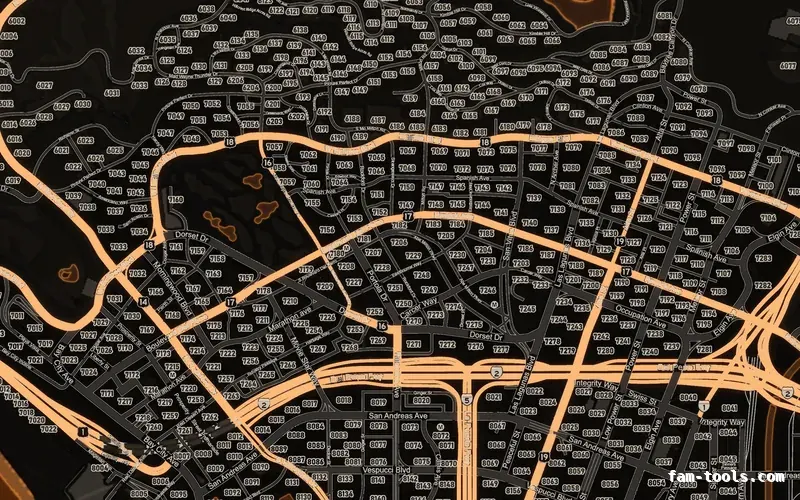
Minimaps
Minimaps for FiveM
Twelve colour palettes across three base map styles, each one a drop-in resource. Add your logo and your district labels in the editor.
From $8.0036 finished mapsBrowse the minimaps
FAM-261023-261025-UL4B9this weekendTick it in your cart Halloween Edition36 maps, limited runlimited runShop the drop FREE TOOL · ADDON CLOTHING
An addon clothing pack is three things that have to agree: the file names, the folder name and the variation .ymt. Almost every broken pack is a disagreement between them, and the symptom is never an error — it is the wrong texture on the right jacket, or a slot that silently shows nothing. Paste your file list and this builds the ymt from it, then tells you which files are named wrong.
The XML structure is taken from CodeWalker exports of the variation ymt inside two shipping addon clothing resources, the twelve component and thirteen anchor names from the enums in CodeWalker's own source, and the _u/_uni against _r/_whi pairing from the actual file names in those resources. Where a field's meaning is reconstructed rather than documented, the page says which one and why.
3 components · 4 drawables · 7 textures · 1 prop · 1 warning · 14 file(s) need renaming
That makes the DLC name mp_m_mypack, the stream folder mp_m_freemode_01_mp_m_mypack, the ymt mp_m_freemode_01_mp_m_mypack.ymt and the file prefix mp_m_freemode_01_mp_m_mypack^. Every one of those has to agree, which is the whole reason this field exists rather than four fields.
Paste the contents of your stream folder, one name per line. The ped_dlc^ prefix is optional here — it is stripped before parsing, so a list copied out of a folder listing or out of CodeWalker both work.
Or drop the actual files onto this box — only the names are read, and nothing is uploaded.
| Slot | Index | Drawable | Suffix | Textures | Variation letters |
|---|---|---|---|---|---|
| lowr Legs | 4 | 000 | _r | 2 | a b · whi |
| feet Shoes | 6 | 000 | _u | 1 | a · uni |
| jbib Tops and jackets | 11 | 000 | _u | 3 | a b c · uni |
| jbib Tops and jackets | 11 | 001 | _u | 1 | a · uni |
| p_head Hats and helmets | 0 | 000 | — | 2 | a b |
Indices are renumbered from 000 with no gaps and letters from a with no gaps, because both are positional. Rename to these and the ymt below matches the folder exactly.
<?xml version="1.0" encoding="UTF-8"?>
<CPedVariationInfo name="mp_m_mypack">
 <bHasTexVariations value="true" />
 <bHasDrawblVariations value="true" />
 <bHasLowLODs value="false" />
 <bIsSuperLOD value="false" />
 <availComp>255 255 255 255 0 255 1 255 255 255 255 2</availComp>
 <aComponentData3 itemType="CPVComponentData">
  <Item>
   <numAvailTex value="2" />
   <aDrawblData3 itemType="CPVDrawblData">
    <Item>
     <propMask value="1" />
     <numAlternatives value="0" />
     <aTexData itemType="CPVTextureData">
      <Item>
        <texId value="0" />
        <distribution value="255" />
      </Item>
      <Item>
        <texId value="0" />
        <distribution value="255" />
      </Item>
     </aTexData>
     <clothData>
      <ownsCloth value="false" />
     </clothData>
    </Item>
   </aDrawblData3>
  </Item>
  <Item>
   <numAvailTex value="1" />
   <aDrawblData3 itemType="CPVDrawblData">
    <Item>
     <propMask value="1" />
     <numAlternatives value="0" />
     <aTexData itemType="CPVTextureData">
      <Item>
        <texId value="0" />
        <distribution value="255" />
      </Item>
     </aTexData>
     <clothData>
      <ownsCloth value="false" />
     </clothData>
    </Item>
   </aDrawblData3>
  </Item>
  <Item>
   <numAvailTex value="4" />
   <aDrawblData3 itemType="CPVDrawblData">
    <Item>
     <propMask value="1" />
     <numAlternatives value="0" />
     <aTexData itemType="CPVTextureData">
      <Item>
        <texId value="0" />
        <distribution value="255" />
      </Item>
      <Item>
        <texId value="0" />
        <distribution value="255" />
      </Item>
      <Item>
        <texId value="0" />
        <distribution value="255" />
      </Item>
     </aTexData>
     <clothData>
      <ownsCloth value="false" />
     </clothData>
    </Item>
    <Item>
     <propMask value="1" />
     <numAlternatives value="0" />
     <aTexData itemType="CPVTextureData">
      <Item>
        <texId value="0" />
        <distribution value="255" />
      </Item>
     </aTexData>
     <clothData>
      <ownsCloth value="false" />
     </clothData>
    </Item>
   </aDrawblData3>
  </Item>
 </aComponentData3>
 <aSelectionSets itemType="CPedSelectionSet" />
 <compInfos itemType="CComponentInfo">
  <Item>
   <pedXml_audioID>none</pedXml_audioID>
   <pedXml_audioID2 />
   <pedXml_expressionMods>0 0 0 0 0</pedXml_expressionMods>
   <flags value="0" />
   <inclusions>0</inclusions>
   <exclusions>0</exclusions>
   <pedXml_vfxComps>PV_COMP_HEAD</pedXml_vfxComps>
   <pedXml_flags value="0" />
   <pedXml_compIdx value="4" />
   <pedXml_drawblIdx value="0" />
  </Item>
  <Item>
   <pedXml_audioID>none</pedXml_audioID>
   <pedXml_audioID2 />
   <pedXml_expressionMods>0 0 0 0 0</pedXml_expressionMods>
   <flags value="0" />
   <inclusions>0</inclusions>
   <exclusions>0</exclusions>
   <pedXml_vfxComps>PV_COMP_HEAD</pedXml_vfxComps>
   <pedXml_flags value="0" />
   <pedXml_compIdx value="6" />
   <pedXml_drawblIdx value="0" />
  </Item>
  <Item>
   <pedXml_audioID>none</pedXml_audioID>
   <pedXml_audioID2 />
   <pedXml_expressionMods>0 0 0 0 0</pedXml_expressionMods>
   <flags value="0" />
   <inclusions>0</inclusions>
   <exclusions>0</exclusions>
   <pedXml_vfxComps>PV_COMP_HEAD</pedXml_vfxComps>
   <pedXml_flags value="0" />
   <pedXml_compIdx value="11" />
   <pedXml_drawblIdx value="0" />
  </Item>
  <Item>
   <pedXml_audioID>none</pedXml_audioID>
   <pedXml_audioID2 />
   <pedXml_expressionMods>0 0 0 0 0</pedXml_expressionMods>
   <flags value="0" />
   <inclusions>0</inclusions>
   <exclusions>0</exclusions>
   <pedXml_vfxComps>PV_COMP_HEAD</pedXml_vfxComps>
   <pedXml_flags value="0" />
   <pedXml_compIdx value="11" />
   <pedXml_drawblIdx value="1" />
  </Item>
 </compInfos>
 <propInfo>
  <numAvailProps value="1" />
  <aPropMetaData itemType="CPedPropMetaData">
   <Item>
    <audioId />
    <expressionMods>0 0 0 0 0</expressionMods>
    <texData itemType="CPedPropTexData">
     <Item>
      <inclusions>0</inclusions>
      <exclusions>0</exclusions>
      <texId value="0" />
      <inclusionId value="0" />
      <exclusionId value="0" />
      <distribution value="255" />
     </Item>
     <Item>
      <inclusions>0</inclusions>
      <exclusions>0</exclusions>
      <texId value="1" />
      <inclusionId value="0" />
      <exclusionId value="0" />
      <distribution value="255" />
     </Item>
    </texData>
    <renderFlags />
    <propFlags value="0" />
    <flags value="0" />
    <anchorId value="0" />
    <propId value="0" />
    <stickyness value="0" />
   </Item>
  </aPropMetaData>
  <aAnchors itemType="CAnchorProps">
   <Item>
    <props>2</props>
    <anchor>ANCHOR_HEAD</anchor>
   </Item>
  </aAnchors>
 </propInfo>
 <dlcName>mp_m_mypack</dlcName>
</CPedVariationInfo>
The ShopPedApparel blob. The component and prop lists are left empty on purpose: fill them in only if you want the garments to appear in the vanilla clothing shops. A framework clothing menu reads the ymt directly and does not need them.
<?xml version="1.0" encoding="UTF-8"?>
<ShopPedApparel>
	<pedName>mp_m_freemode_01</pedName>
	<dlcName>mp_m_mypack</dlcName>
	<fullDlcName>mp_m_freemode_01_mp_m_mypack</fullDlcName>
	<eCharacter>SCR_CHAR_MULTIPLAYER</eCharacter>
	<creatureMetaData>MP_CreatureMetadata_mypack</creatureMetaData>
	<pedOutfits>
	</pedOutfits>
	<pedComponents>
	</pedComponents>
	<pedProps>
	</pedProps>
</ShopPedApparel>
SHOP_PED_APPAREL_META_FILE registers the .meta. The stream folder is picked up automatically because it is called stream.
fx_version 'cerulean'
game 'gta5'

files {
  'mp_m_freemode_01_mp_m_mypack.meta',
}

data_file 'SHOP_PED_APPAREL_META_FILE' 'mp_m_freemode_01_mp_m_mypack.meta'
THE NAMING CONVENTION
Not because it is hard, but because nothing tells you when you have broken it. Every field below is positional, and a positional field with a gap in it is a silent off-by-one.
mp_m_mypack is the DLC name. The ymt is mp_m_freemode_01_mp_m_mypack.ymt — the ped name, an underscore, the DLC name. The component folder is mp_m_freemode_01_mp_m_mypack, the same string without the extension. Every file inside it is prefixed mp_m_freemode_01_mp_m_mypack^, with a caret. Props go in a second folder with _p_ between the ped and the DLC name: mp_m_freemode_01_p_mp_m_mypack.
Four places, one string. A capital letter in one of them is enough — the server filesystem is case-sensitive even though your machine is not, which is why a pack that works locally can show nothing once it is uploaded.
jbib is the outer top, uppr is the layer under it, lowr is legs, berd is masks. The name is not a label, it is the index — all twelve are in the table below.001 moves everything after it down one place._u or _r says how the textures are split. _u means one set for all skin tones, and its textures end _uni. _r means race-split, and its textures end _whi or _bla. Mixing them finds nothing.diff, the same three digits, then a letter. jbib_diff_000_a_uni.ytd is the first colour of drawable 000. The letter runs a, b, c with no gaps, for the same positional reason as the digits.p_head_000.ydd and p_head_diff_000_a.ytd: the p_ slot name, three digits, and — for the texture — a letter. No u/r, no race key.stream/, beside the two folders, named exactly as the folder is. The XML itself is not what the game reads.REFERENCE
The index is the order, and the order is fixed. Names and indices come from the ePedVarComp enum in CodeWalker's source; the descriptions are what each slot does in practice on an MP freemode ped.
| Index | Short name | What it is | What goes in it |
|---|---|---|---|
| 0 | head | Head | The face mesh. Almost never shipped in a clothing pack, because replacing it replaces the character. |
| 1 | berd | Masks and beards | Covers the lower face and the neck: balaclavas, bandanas, scarves, respirators. The slot a mask goes in, despite the name. |
| 2 | hair | Hair | Hair geometry. Shipped with its own texture set, and the one slot where the alpha matters most. |
| 3 | uppr | Torso and arms | The under-layer: the sleeves and the forearms the jacket sits on top of. Get this wrong and arms poke through a jacket. |
| 4 | lowr | Legs | Trousers, shorts, skirts. Paired with feet, because a boot overlaps the trouser leg. |
| 5 | hand | Hands and gloves | Gloves. Also the slot that hides the bare hands when the glove needs to. |
| 6 | feet | Shoes | Footwear, and the lower part of the leg it covers. |
| 7 | teef | Teeth | Teeth, grills, mouth jewellery. Rarely touched, occasionally the whole product. |
| 8 | accs | Accessories | Chains, bags, straps, braces. The over-layer that sits on top of the torso. |
| 9 | task | Armour and vests | Body armour, plate carriers, high-vis vests. Nothing to do with scripting tasks. |
| 10 | decl | Decals and badges | Flat overlays printed onto the body: logos, badges, numbers. Texture-only in practice. |
| 11 | jbib | Tops and jackets | The outer torso layer — the shirt, hoodie or jacket. The slot nine out of ten clothing packs are actually about. |
REFERENCE
Props are a separate system with its own folder, its own file grammar and its own anchor names. The indices and the ANCHOR_ names are from the eAnchorPoints enum.
| Index | File prefix | Anchor name in the ymt | Used for |
|---|---|---|---|
| 0 | p_head | ANCHOR_HEAD | Hats and helmets |
| 1 | p_eyes | ANCHOR_EYES | Glasses |
| 2 | p_ears | ANCHOR_EARS | Earrings and headsets |
| 3 | p_mouth | ANCHOR_MOUTH | Mouth props |
| 4 | p_lhand | ANCHOR_LEFT_HAND | Left hand — rarely used in a clothing pack. The p_ file prefix for these is our own extension of the pattern the common four use; the anchor name itself is from the enum. |
| 5 | p_rhand | ANCHOR_RIGHT_HAND | Right hand — rarely used in a clothing pack. The p_ file prefix for these is our own extension of the pattern the common four use; the anchor name itself is from the enum. |
| 6 | p_lwrist | ANCHOR_LEFT_WRIST | Left wrist — watches |
| 7 | p_rwrist | ANCHOR_RIGHT_WRIST | Right wrist — bracelets |
| 8 | p_hip | ANCHOR_HIP | Hip — holsters — rarely used in a clothing pack. The p_ file prefix for these is our own extension of the pattern the common four use; the anchor name itself is from the enum. |
| 9 | p_lfoot | ANCHOR_LEFT_FOOT | Left foot — rarely used in a clothing pack. The p_ file prefix for these is our own extension of the pattern the common four use; the anchor name itself is from the enum. |
| 10 | p_rfoot | ANCHOR_RIGHT_FOOT | Right foot — rarely used in a clothing pack. The p_ file prefix for these is our own extension of the pattern the common four use; the anchor name itself is from the enum. |
| 11 | p_phlhand | ANCHOR_PH_L_HAND | Left hand, physics — rarely used in a clothing pack. The p_ file prefix for these is our own extension of the pattern the common four use; the anchor name itself is from the enum. |
| 12 | p_phrhand | ANCHOR_PH_R_HAND | Right hand, physics — rarely used in a clothing pack. The p_ file prefix for these is our own extension of the pattern the common four use; the anchor name itself is from the enum. |
REFERENCE
The last three letters of a component texture name. Which one you may use is decided by the drawable's own suffix.
| Key | Drawable suffix it pairs with | What it means |
|---|---|---|
| _uni | _u | Universal — one texture for every skin tone. What a clothing pack ships unless it has a reason not to. |
| _whi | _r | The light-skin variant of a race-split texture. Pairs with a drawable whose suffix is _r. |
| _bla | _r | The dark-skin variant of the same race-split set. Also pairs with _r. |
Those three are the ones that appear in the shipping packs we measured against — uni on the overwhelming majority of files and whi on the race-split ones. Older story-mode peds use a longer list of race keys, so if you are editing a vanilla ped rather than a freemode one, read the existing names in that ped's folder before you assume. For a clothing pack aimed at MP characters, _u with _uni is the right default: it is one file per variation instead of two or three, and nothing about an MP character needs the split.
WHAT IS RECONSTRUCTED
There is no published schema for this file. Everything here was read off working resources, so these are the places where the value is a copy of what shipping packs do rather than something documented.
propMask is written as 1 for every drawable. Both packs we examined use 1 for most drawables, and two of them use 17 and 11 in a component with multiple drawables. Nothing we found explains the difference, and 1 is what every pack with a single drawable per component uses, so 1 is what we emit.
texId inside a component's texture list is written as 0. One of the packs uses 1 throughout a single component and 0 everywhere else. Addon clothing generators in the wild write 0, the pack we verified against writes 0, and it works.
pedXml_vfxComps is written as PV_COMP_HEAD on every entry, because that is what both exports contain on every entry — including entries for components that have nothing to do with the head. It appears to be a default the exporter leaves alone.
propFlags and flags on a prop are written as 0. One pack uses 65569 and 1 on its head props. We do not know what those bits select, so we emit the neutral values rather than copying a number whose meaning we cannot state.
numAvailTex as a sum across drawables, availComp as a twelve-entry index table, and the props list in each anchor as the per-prop texture counts: these three are measured rather than assumed. We checked each against two shipping ymt files and the arithmetic holds in every component of both.
QUESTIONS
MORE
The clothing preset already carries the SHOP_PED_APPAREL_META_FILE entry spelled correctly, which matters because a wrong data_file type never errors.
The same job for props rather than clothes: archetypes, bounding volumes and the LOD distance, with the box read out of your .ydr.
All the free toolsThe builders, the bitmask calculators and the reference tables.
ALSO FREE
Picked because they touch the same files, natives or part of the game.
FROM THE SHOP
The free tools and the paid work come out of the same place. These are the lines closest to what this page is about.
Grand opening: 25% off every product with FAM-261023-261025-UL4B9, until 25 October. It is applied at checkout.
Twelve colour palettes across three base map styles, each one a drop-in resource. Add your logo and your district labels in the editor.
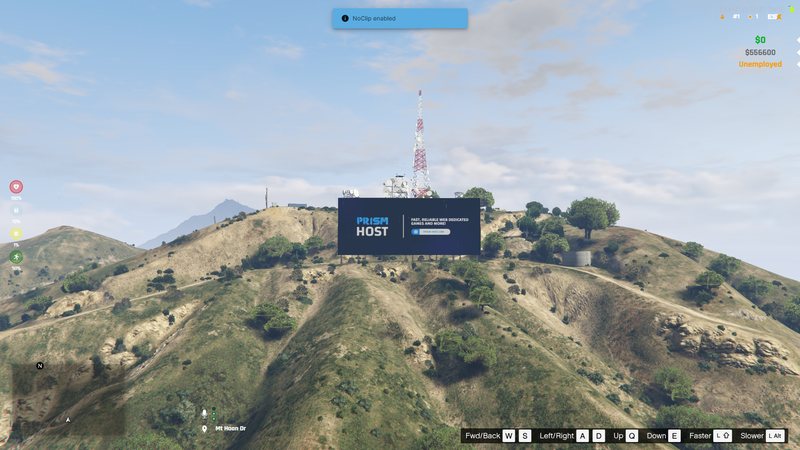
Your server name standing on the hillside in real 3D geometry. It ships as a pure map resource with no script, so there is nothing to break.
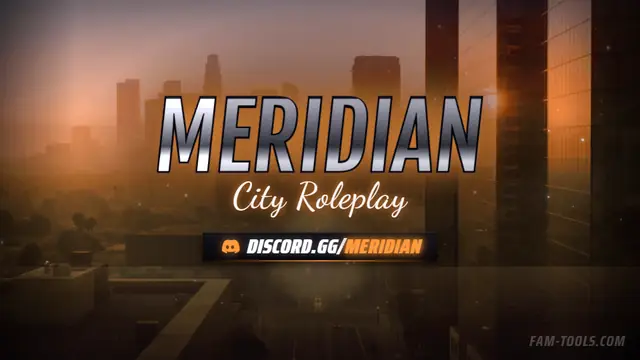
One design, cut to every slot your server shows up in: the server list strip, the Discord header, the stream art, each composed for its own crop.