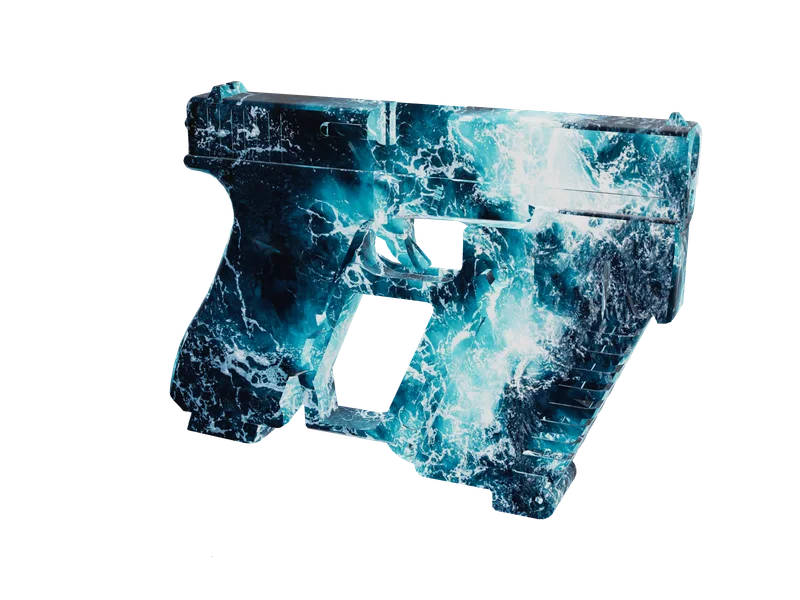
Weapon skins
Weapon skins for FiveM
Put your own artwork on any model in the library and export it as its own resource, inventory icons cut to match. The first one costs nothing.
Free538 weapon modelsOpen the weapon library
FAM-261023-261025-UL4B9this weekendTick it in your cart Halloween Edition36 maps, limited runlimited runShop the drop FREE TOOL · WEAPON BALANCE
Weapon balance goes wrong because the file lies about what matters. Damage looks like the important number and is not; TimeBetweenShots is. There are two headshot multipliers and they stack. The bars on the weapon wheel are connected to nothing. Start from the real values for 120 weapons, change what you mean to change, and watch damage per second and shots-to-kill move while you do.
120 weapons loaded from the set this site already parses out of the game's own weapons.meta files. Of the 35 fields here, 14 carry that weapon's real value and 21 do not — those are labelled reconstructed or derived on every single control, because the set we load does not carry them and we would rather say so than pretend.
32 damage · 237 per second · 7 shots to kill a 200-health ped · 13 through full armour
Group GROUP_RIFLE · damage type BULLET · fire type INSTANT_HIT · ammo AMMO_RIFLE
What the three falloff fields actually do, against the damage figure above. Torso hit, no armour.
What one bullet takes off. Every number here is a multiplier on the base figure except the base figure itself, and the headshot numbers are the ones that decide how a fight actually plays.
Health removed by one bullet landing on the torso at close range, before any of the modifiers below. A freemode ped has 200 health, of which 100 is the health bar most servers show, so 50 here is a four-shot kill on an unarmoured target.
Multiplier for a hit on an arm or a leg in single player. 0.5 in both of the real files we read, which is why limb shots feel so weak.
The same thing in multiplayer, and the one that matters for a FiveM server. It is a separate field because Rockstar wanted limb shots to hurt more online than off: 0.8 against 0.5.
Multiplier against a target wearing body armour. Lowering this is how you make armour worth buying; raising it is how you make a rifle punch through it.
Multiplier for a headshot on a player. The stock values are enormous — 18 on a rifle, 20 on a pistol — because the intent is a one-shot kill rather than a percentage boost. If you want headshots to be strong but survivable, this is the single number to change.
A second headshot multiplier that applies in multiplayer, stacked on the one above. 1.7 on the rifle we read and 2.0 on the pistol. Two fields doing the same job is exactly why weapons.meta tuning goes wrong: halve one and the other is still multiplying.
Blanket multiplier against players in multiplayer. Leave it at 1 and change Damage instead — this field is the right place only when you want the weapon to behave differently against players than against NPCs.
The same blanket multiplier against NPCs. Useful for making a weapon strong in roleplay against AI without making it dominant in player fights.
How much of the damage survives passing through a surface. 0.1 on the rifle we read. Raise it and cover stops being cover.
Where the bullet stops existing, and where it stops hurting. Those are two different distances and conflating them is why a weapon can feel accurate and useless at the same time.
Maximum distance in metres at which the weapon does anything at all. Beyond it the shot simply does not register. 120 for every bullet weapon in the set we loaded — Rockstar changes falloff rather than this.
How far soft aim will grab a target. Lower it and controller players lose their free tracking; raise it and you have given them a lock across the street.
The distance at which damage starts dropping. Below this you get the full figure. 40 on the pistol we read and 47.5 on the rifle, against a WeaponRange of 120 in both — roughly a third of the range.
The distance at which the drop finishes and damage sits at the modifier below. Both real files set this equal to WeaponRange, so the falloff curve runs right out to the edge of the weapon.
What the damage is multiplied by once you are past the max distance. 0.3 in both real files: a rifle doing 32 at close range does about 10 at 120 metres. Set it to 1 and the weapon never falls off, which is the usual mistake in a "buffed guns" pack.
Spread is where the bullet goes; recoil is where the camera goes. Both are in degrees-ish units with no documented scale, so tune them by feel and change one at a time.
The cone the bullet can land in. Zero is a laser. 1.5 is a stock pistol, 3 is a stock assault rifle, and the shotguns go much higher because the pellets are meant to scatter.
Spread multiplier while aiming down the sights. 0.5 in both real files, so careful aim halves the cone. This is the field that makes aiming feel like it does something.
How far accuracy is allowed to degrade as you keep firing. Lower is tighter. The MK2 revolver runs 1.75 and an AP pistol 0.5, which is most of the difference between them in a sustained exchange.
How long the accumulated recoil error lasts before it starts to come back. 3.0 on the rifle, 3.3 on the pistol.
How fast it comes back. 1.0 in both real files. Raise it for a weapon that settles quickly between bursts.
How hard the camera kicks. Purely how the weapon feels — it does not move the bullet, it moves the view. 1.0 on the pistol we read and 0.333 on the rifle. Set it to 0 and the weapon fires like it is on a tripod.
The timing fields. TimeBetweenShots is the one with real balance consequences, and it is a delay in seconds rather than a rate, so smaller is faster.
Rounds per magazine before a reload. Note that a few stock weapons use a deliberately silly number — the stun gun and the tranquilliser both carry very large clips because the recharge timer is what actually limits them.
Seconds between shots. 0.1 is 600 rounds a minute, 0.135 is about 444, 0.37 is a stock pistol. This is the most powerful number in the file: halving it doubles damage per second without touching the Damage field, which is why a "balanced" damage pass that ignores it does nothing.
How many projectiles leave the barrel per trigger pull. 1 for everything except shotguns, where it is the pellet count.
How far apart the pellets of a batch land. Meaningless at BulletsInBatch 1, and the whole character of a shotgun when it is higher.
Projectile speed in metres per second. 2000 for every bullet weapon in the set, because an instant-hit weapon does not really use it. It matters for a PROJECTILE fire type.
Playback rate of the reload animation. 1.0 is normal, 2.0 is twice as fast, 0.5 is half. This is how you make a weapon reload quickly without touching the timings below, and it is the field most "fast reload" packs actually change.
An explicit reload time in multiplayer. Both real files hold -1, which is the "use the animation" value. Give it a positive number only if you want to override the animation length outright.
The same thing in single player. Also -1 in both files. Harmless on a server; keep the pair consistent.
How hard a hit shoves the thing it hits. Cosmetic in the sense that it does no damage, and very much not cosmetic in how a fight reads on screen.
The base impulse. 75 on the rifle we read.
The impulse specifically against a ped. 140 on the rifle. Crank it and shots visibly throw people around, which is either the effect you wanted or the bug report you are about to get.
Five integers that draw the bars on the weapon wheel and nothing else. They are not connected to the real numbers in any way, which is why a stock weapon can show a 26 damage bar while the Damage field says 25 — or 160 against a bar of 70.
The damage bar, 0 to 100.
The fire-rate bar, 0 to 100.
The capacity bar. Usually near the clip size but rounded to something tidy.
The accuracy bar, 0 to 100.
The range bar, 0 to 100.
<?xml version="1.0" encoding="UTF-8"?>
<CWeaponInfoBlob>
	<SlotNavigateOrder>
		<Item>
			<WeaponSlots>
				<Item>
					<OrderNumber value="500"/>
					<Entry>SLOT_CARBINERIFLE</Entry>
				</Item>
			</WeaponSlots>
		</Item>
	</SlotNavigateOrder>
	<Infos>
		<Item>
			<Infos>
				<Item type="CWeaponInfo">
					<Name>WEAPON_CARBINERIFLE</Name>
					<DamageType>BULLET</DamageType>
					<FireType>INSTANT_HIT</FireType>
					<Group>GROUP_RIFLE</Group>
					<AmmoInfo ref="AMMO_RIFLE"/>
				</Item>
			</Infos>
		</Item>
	</Infos>
	<Name>CARBINERIFLE</Name>
</CWeaponInfoBlob>A real CWeaponInfo entry has well over two hundred elements — the muzzle flash effects, the camera hashes, the first-person offsets, the attachment points, the weapon flags. This editor knows 35 of them, the ones with a balance consequence. We have not verified whether the game's mounter merges an incomplete entry over the stock one or replaces it outright, and the difference decides whether the missing two hundred fields keep their stock values or fall back to parser defaults.
So treat the output as a patch, not a product. Get the stock .meta for your weapon, open it, and replace the matching lines with these. The block below is exactly those lines with nothing around them, in the element order a real file uses, so it pastes straight in.
Element order matches the order these fields appear in a real weapons.meta, so you can walk down the stock file and replace in place.
<Name>WEAPON_CARBINERIFLE</Name>
A multiplier that hangs off an attachment instead of rewriting the weapon. This nesting is copied from a real weaponcomponents.meta: the stock suppressors carry a CWeaponDamageModifier of 1.0 and the angled grip carries a CWeaponAccuracyModifier of 1.1, so the mechanism is real and in use. What it is multiplying, and how it combines with the weapon's own figure, is not documented anywhere we could find — so change it in small steps and test.
The modifier applies only while this component is fitted. A clip is the usual choice, because the default clip is always on — which makes it the closest thing to an always-on multiplier.
At exactly 1 the tool writes <DamageModifier type="NULL" />, which is what most stock components carry.
The stock angled grip uses 1.1. Also written as NULL when it is exactly 1.
Mount it with data_file 'WEAPONCOMPONENTSINFO_FILE'. Smaller than a weapons.meta and it leaves every other field on the weapon alone.
<?xml version="1.0" encoding="UTF-8"?>
<CWeaponComponentInfoBlob>
	<Infos>
		<Item type="CWeaponComponentInfo">
			<Name>COMPONENT_CARBINERIFLE_CLIP_01</Name>
			<AccuracyModifier type="NULL" />
			<DamageModifier type="CWeaponDamageModifier">
				<DamageModifier value="1.250000" />
			</DamageModifier>
		</Item>
	</Infos>
</CWeaponComponentInfoBlob>
_SET_WEAPON_DAMAGE_MODIFIER, hash 0x4757F00BC6323CFE. The native reference says: "Changes the weapon damage output by the given multiplier value. Does NOT need to be called every frame." The multiplier here is your Damage against the stock figure. No files to stream, and no restart to change it — but it is a game native, so it runs on the client and only for the client that ran it.
SetWeaponDamageModifier(`WEAPON_CARBINERIFLE`, 1)
CLIENT AND SERVER
This is the section most weapon tutorials leave out, and it is the one that decides whether your balance pass is a design choice or a security assumption.
weapons.meta is mounted through data_file 'WEAPONINFO_FILE'. A data file is an entry in the resource manifest that references a file to load into the game's extra-content mounting system — and the game is the client. The file is downloaded to every player and mounted there. The FiveM server process is not a game instance; it holds no CWeaponInfo table, so there is nothing on the server to read Damage out of.
Which means every field on this page is client-side, without exception. Damage is computed on the shooting player's machine, from the file on that machine, and the outcome is networked. A player who has edited their copy of your resource has edited their weapon stats, and nothing in the file is capable of noticing.
That is not a reason to stop tuning weapons.meta. It is the right tool for how a weapon feels — the spread, the recoil, the rate, the falloff, the reload. It is simply the wrong tool for anything you need to be true. A damage cap, a weapon ban, a per-job restriction: those are server script work, written against what the server can actually observe, which is health changing and people dying.
Damage, range, falloff, spread, recoil, clip size, fire rate, reload rate, force, the HUD bars. Read by the game on each player's machine.
Consequence: the file is a shared assumption, not a constraint. Everyone who has not tampered with it agrees on the numbers, which is exactly enough for balance and not nearly enough for security.
_SET_WEAPON_DAMAGE_MODIFIER, hash 0x4757F00BC6323CFE. The reference says it "changes the weapon damage output by the given multiplier value" and does not need calling every frame.
Consequence: it is a game native, so it runs in the client runtime and affects only the client that ran it. Excellent for a temporary change — a zone, an event, a job — with no file to stream and no restart. Not a control.
A server script that watches outcomes. The health a player lost this tick against the most any weapon on your server can do. A kill with a weapon that player was never given. A damage rate no fire rate explains.
Consequence: this is the layer that holds, and it is the one nobody ships with their weapon pack. Build it against your own artifact's event surface, and verify what that surface is rather than copying a snippet.
HOW TO USE IT
The order matters. Change one axis at a time and read the two derived figures, because neither of them is a field you can edit.
Damage, TimeBetweenShots and the falloff. Feel is AccuracySpread, RecoilShakeAmplitude and AnimReloadRate. Mixing the two in one pass is why nobody can tell you afterwards which change caused the complaint..meta for the weapon and replace the matching lines with the block this page gives you. The element order is the order a real file uses, so you can walk down it in place.THE FIELDS
Every control in the editor says where its starting value came from. Here is the same thing as a list, so you can see at a glance how much of a weapons.meta we can honestly fill in.
| Group | Field | Starting value | What it does |
|---|---|---|---|
| Damage | Damage | this weapon | Health removed by one bullet landing on the torso at close range, before any of the modifiers below. A freemode ped has 200 health, of which 100 is the health bar most servers show, so 50 here is a four-shot kill on an unarmoured target. |
| HitLimbsDamageModifier | reconstructed | Multiplier for a hit on an arm or a leg in single player. 0.5 in both of the real files we read, which is why limb shots feel so weak. | |
| NetworkHitLimbsDamageModifier | reconstructed | The same thing in multiplayer, and the one that matters for a FiveM server. It is a separate field because Rockstar wanted limb shots to hurt more online than off: 0.8 against 0.5. | |
| LightlyArmouredDamageModifier | reconstructed | Multiplier against a target wearing body armour. Lowering this is how you make armour worth buying; raising it is how you make a rifle punch through it. | |
| HeadShotDamageModifierPlayer | reconstructed | Multiplier for a headshot on a player. The stock values are enormous — 18 on a rifle, 20 on a pistol — because the intent is a one-shot kill rather than a percentage boost. If you want headshots to be strong but survivable, this is the single number to change. | |
| NetworkHeadShotPlayerDamageModifier | reconstructed | A second headshot multiplier that applies in multiplayer, stacked on the one above. 1.7 on the rifle we read and 2.0 on the pistol. Two fields doing the same job is exactly why weapons.meta tuning goes wrong: halve one and the other is still multiplying. | |
| NetworkPlayerDamageModifier | reconstructed | Blanket multiplier against players in multiplayer. Leave it at 1 and change Damage instead — this field is the right place only when you want the weapon to behave differently against players than against NPCs. | |
| NetworkPedDamageModifier | reconstructed | The same blanket multiplier against NPCs. Useful for making a weapon strong in roleplay against AI without making it dominant in player fights. | |
| Penetration | reconstructed | How much of the damage survives passing through a surface. 0.1 on the rifle we read. Raise it and cover stops being cover. | |
| Range and damage falloff | WeaponRange | this weapon | Maximum distance in metres at which the weapon does anything at all. Beyond it the shot simply does not register. 120 for every bullet weapon in the set we loaded — Rockstar changes falloff rather than this. |
| LockOnRange | this weapon | How far soft aim will grab a target. Lower it and controller players lose their free tracking; raise it and you have given them a lock across the street. | |
| DamageFallOffRangeMin | derived | The distance at which damage starts dropping. Below this you get the full figure. 40 on the pistol we read and 47.5 on the rifle, against a WeaponRange of 120 in both — roughly a third of the range. | |
| DamageFallOffRangeMax | derived | The distance at which the drop finishes and damage sits at the modifier below. Both real files set this equal to WeaponRange, so the falloff curve runs right out to the edge of the weapon. | |
| DamageFallOffModifier | reconstructed | What the damage is multiplied by once you are past the max distance. 0.3 in both real files: a rifle doing 32 at close range does about 10 at 120 metres. Set it to 1 and the weapon never falls off, which is the usual mistake in a "buffed guns" pack. | |
| Accuracy and recoil | AccuracySpread | this weapon | The cone the bullet can land in. Zero is a laser. 1.5 is a stock pistol, 3 is a stock assault rifle, and the shotguns go much higher because the pellets are meant to scatter. |
| AccurateModeAccuracyModifier | reconstructed | Spread multiplier while aiming down the sights. 0.5 in both real files, so careful aim halves the cone. This is the field that makes aiming feel like it does something. | |
| RecoilAccuracyMax | this weapon | How far accuracy is allowed to degrade as you keep firing. Lower is tighter. The MK2 revolver runs 1.75 and an AP pistol 0.5, which is most of the difference between them in a sustained exchange. | |
| RecoilErrorTime | reconstructed | How long the accumulated recoil error lasts before it starts to come back. 3.0 on the rifle, 3.3 on the pistol. | |
| RecoilRecoveryRate | reconstructed | How fast it comes back. 1.0 in both real files. Raise it for a weapon that settles quickly between bursts. | |
| RecoilShakeAmplitude | reconstructed | How hard the camera kicks. Purely how the weapon feels — it does not move the bullet, it moves the view. 1.0 on the pistol we read and 0.333 on the rifle. Set it to 0 and the weapon fires like it is on a tripod. | |
| Rate of fire, the clip and reloading | ClipSize | this weapon | Rounds per magazine before a reload. Note that a few stock weapons use a deliberately silly number — the stun gun and the tranquilliser both carry very large clips because the recharge timer is what actually limits them. |
| TimeBetweenShots | this weapon | Seconds between shots. 0.1 is 600 rounds a minute, 0.135 is about 444, 0.37 is a stock pistol. This is the most powerful number in the file: halving it doubles damage per second without touching the Damage field, which is why a "balanced" damage pass that ignores it does nothing. | |
| BulletsInBatch | this weapon | How many projectiles leave the barrel per trigger pull. 1 for everything except shotguns, where it is the pellet count. | |
| BatchSpread | reconstructed | How far apart the pellets of a batch land. Meaningless at BulletsInBatch 1, and the whole character of a shotgun when it is higher. | |
| Speed | this weapon | Projectile speed in metres per second. 2000 for every bullet weapon in the set, because an instant-hit weapon does not really use it. It matters for a PROJECTILE fire type. | |
| AnimReloadRate | reconstructed | Playback rate of the reload animation. 1.0 is normal, 2.0 is twice as fast, 0.5 is half. This is how you make a weapon reload quickly without touching the timings below, and it is the field most "fast reload" packs actually change. | |
| ReloadTimeMP | reconstructed | An explicit reload time in multiplayer. Both real files hold -1, which is the "use the animation" value. Give it a positive number only if you want to override the animation length outright. | |
| ReloadTimeSP | reconstructed | The same thing in single player. Also -1 in both files. Harmless on a server; keep the pair consistent. | |
| Impact force | Force | reconstructed | The base impulse. 75 on the rifle we read. |
| ForceHitPed | reconstructed | The impulse specifically against a ped. 140 on the rifle. Crank it and shots visibly throw people around, which is either the effect you wanted or the bug report you are about to get. | |
| The weapon wheel bars | HudDamage | this weapon | The damage bar, 0 to 100. |
| HudSpeed | this weapon | The fire-rate bar, 0 to 100. | |
| HudCapacity | this weapon | The capacity bar. Usually near the clip size but rounded to something tidy. | |
| HudAccuracy | this weapon | The accuracy bar, 0 to 100. | |
| HudRange | this weapon | The range bar, 0 to 100. |
What the three labels mean. This weapon is the real figure out of the game's own weapons.meta for the weapon you selected. Reconstructed means the set we load does not carry that field, so it starts at the value two complete real .meta files agree on — which is a sensible starting point and is not that weapon's original. Derived means we worked it out: DamageFallOffRangeMax starts equal to WeaponRange because both real files do that, and DamageFallOffRangeMin starts at a third of the range because the two attested pairs are 40 of 120 and 47.5 of 120. If a field matters to you, read it out of the stock file for your weapon rather than trusting our default.
THE SMALLER WAY
Verified from a real weaponcomponents.meta: components carry their own damage and accuracy multipliers, in this exact nesting.
Every component entry carries an AccuracyModifier and a DamageModifier, and almost all of them are type="NULL". The exceptions are the interesting part. The angled grip COMPONENT_AT_AR_AFGRIP carries an AccuracyModifier of type CWeaponAccuracyModifier with a value of 1.1. The five stock suppressors — the pistol pair, the rifle pair and the sniper one — carry a DamageModifier of type CWeaponDamageModifier with a value of exactly 1.0. Scope components carry a RecoilShakeAmplitude, which is the one recoil field that appears at component level at all.
So the mechanism is real and shipped. Attach a multiplier to a component and it applies while that component is fitted — and because the default clip is always fitted, a modifier on COMPONENT_X_CLIP_01 is about as close to an always-on multiplier as this route gets. The appeal is the blast radius: you are editing two numbers in a small file rather than two hundred in a large one.
The caveat, stated plainly: nothing we could find documents what those multipliers multiply, or how a component's 1.1 combines with the weapon's own figure. The stock values being exactly 1.0 on the suppressors suggests they are there to be overridden rather than to do anything by default. Move in small steps, test in game, and do not assume it composes the way you would write it.
| Item type | What it is |
|---|---|
| CWeaponComponentInfo | The plain case — grips, rails, stocks. The one that carries a bare AccuracyModifier. |
| CWeaponComponentClipInfo | A magazine. Carries its own ClipSize and AmmoInfo. |
| CWeaponComponentScopeInfo | A sight. This is where RecoilShakeAmplitude shows up on real components. |
| CWeaponComponentSuppressorInfo | A suppressor or muzzle brake. The stock ones carry a DamageModifier of exactly 1.0. |
| CWeaponComponentFlashLightInfo | A torch or laser. |
| CWeaponComponentVariantModelInfo | A finish or a camo. Changes the look, nothing else. |
All six of those type names were read out of a real weaponcomponents.meta or a published component dump, so they are spellings the game accepts. The root element is CWeaponComponentInfoBlob, with a <Data> section holding CWeaponSwapData and CWeaponComponentReloadData items and an <Infos> section holding the components themselves. Mount it with data_file 'WEAPONCOMPONENTSINFO_FILE'.
QUESTIONS
MORE
All 120 weapons side by side with their hashes, groups, ammo types, components and tint sets — the reference this editor loads its starting values from.
Damage event referenceThe client-side damage event and what each of its arguments is, with every argument labelled by how well it is attested. Where a damage check starts.
fxmanifest.lua generatorWEAPONINFO_FILE and WEAPONCOMPONENTSINFO_FILE spelled correctly, which matters because a wrong data_file type never errors — it just does not mount.
FROM THE SHOP
The free tools and the paid work come out of the same place. These are the lines closest to what this page is about.
Grand opening: 25% off every product with FAM-261023-261025-UL4B9, until 25 October. It is applied at checkout.
Put your own artwork on any model in the library and export it as its own resource, inventory icons cut to match. The first one costs nothing.
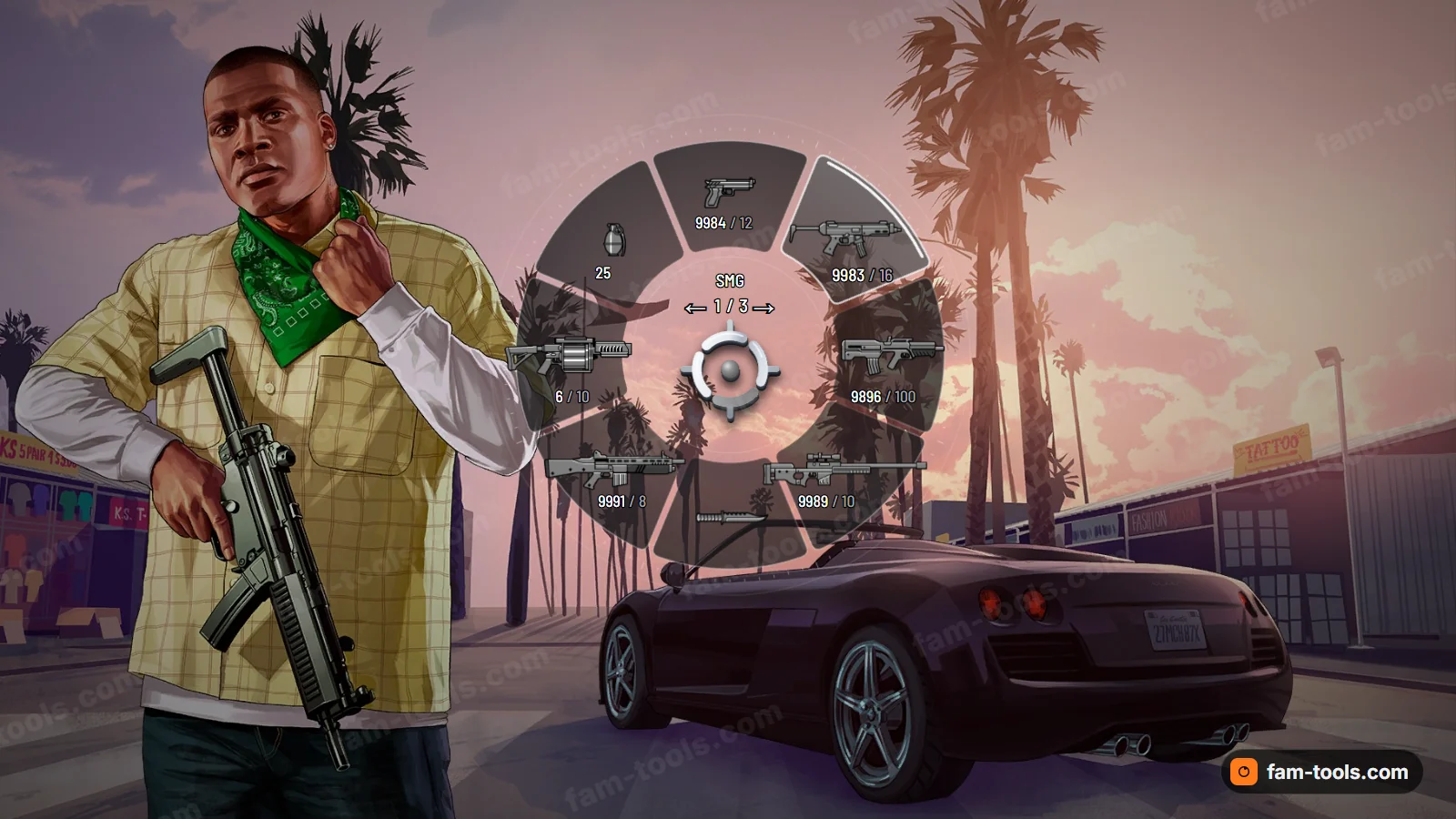
A native hud.gfx replacement rather than an NUI overlay, so it costs no frame time. Colours, shape and motion are yours before you pay.
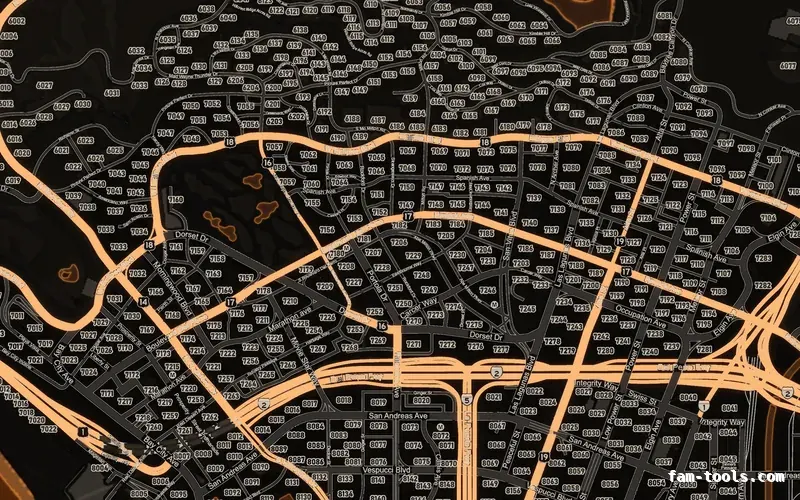
Twelve colour palettes across three base map styles, each one a drop-in resource. Add your logo and your district labels in the editor.