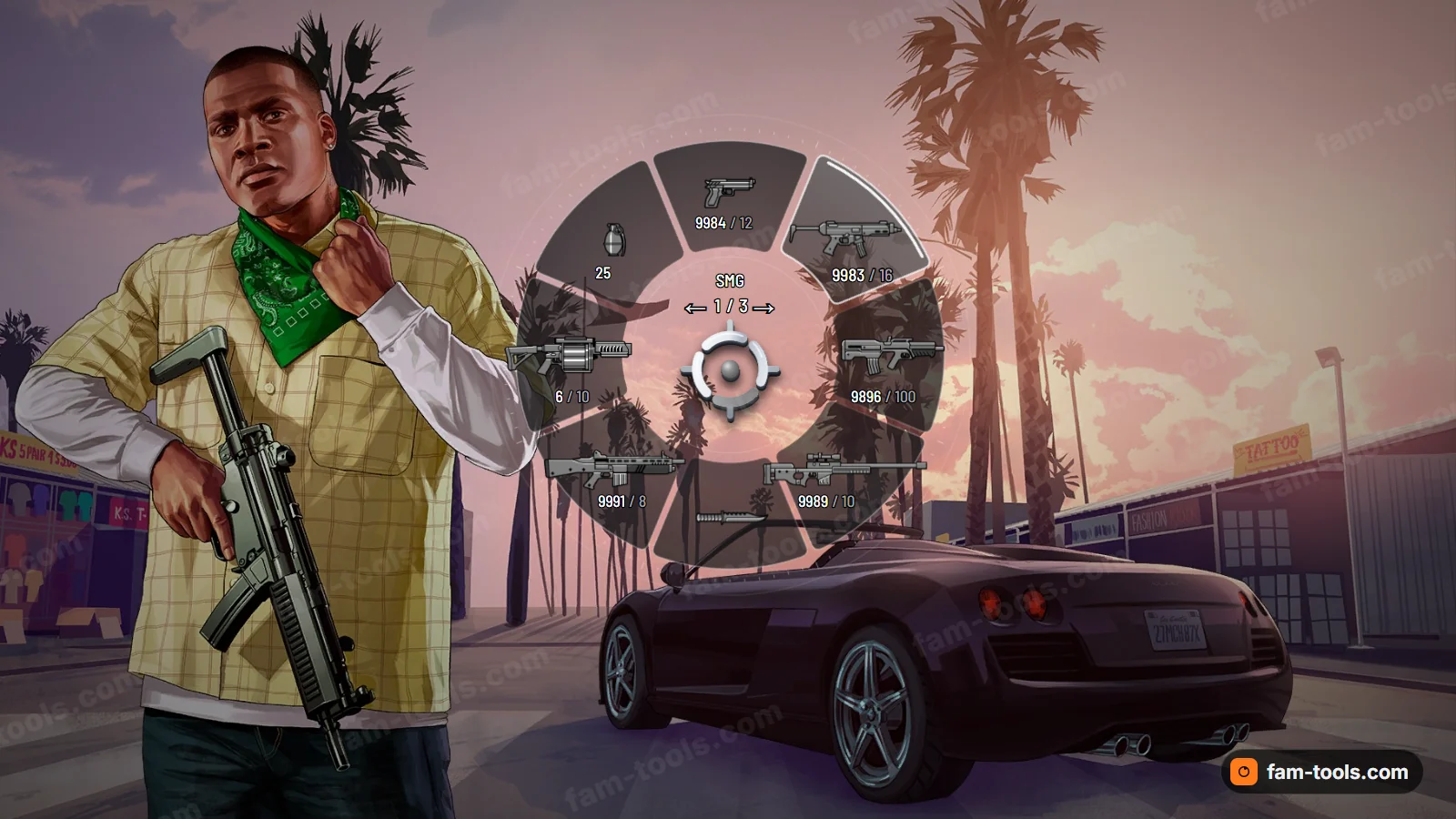
Weapon wheels
Weapon wheels for FiveM
A native hud.gfx replacement rather than an NUI overlay, so it costs no frame time. Colours, shape and motion are yours before you pay.
From $15.0050 wheel designsBrowse the wheels
FAM-261023-261025-UL4B9this weekendTick it in your cart Halloween Edition36 maps, limited runlimited runShop the drop FREE TOOL · RequestScaleformMovie
11 GTA 5 scaleform movies and the 76 functions you can call on them — the WASTED shard, the instructional buttons, the mid-sized message, the player list, the rank bar, the job selector. Pick a function and get the whole block back: RequestScaleformMovie, the wait on HasScaleformMovieLoaded, BeginScaleformMovieMethod, the ScaleformMovieMethodAddParam* calls in the right order, EndScaleformMovieMethod, then DrawScaleformMovieFullscreen.
Rockstar publishes no signatures for scaleform functions, so every parameter list here says where it came from. 20 of the 76 functions are documented by Cfx.re with names and types; 56 are reconstructed from working code and decompiled scripts, and 8 of them carry a note about what is still unresolved. Where a parameter has no name in the source it has no name here either — you will see p3, not an invented label.
The key prompts along the bottom of the screen. The one scaleform whose entire function list is actually documented, which makes it the right place to learn the pattern.
()Empties every slot. Call it before filling the buttons in.(float clearSpace)Reserves space on the row. The documentation gives no description for the value.The parameter is documented; what it does is not.(int index, int or string icon, string text, bool clickable, int controlIndex)Fills one button. The last two arguments are only used when the buttons are clickable.(int layoutType)Readies the row for drawing. The documented examples call it with no argument at all.(bool toggle)Makes the buttons respond to the mouse. The examples pass it as 0 or 1.(int r, int g, int b, int a)Overrides the background colour.()Adds the background.()Removes the background again.(int top, int right, int bottom, int left)Padding around the row.(float x, float y, bool alignBottomRight)Moves the row off its default position.(float maxWidth)Caps the row width.(bool isVisible)Draws the mouse hit area. A debugging aid for the clickable variant.(int iconEnum, string saveStr)Shows the saving spinner and its text.()Takes the saving spinner away.()An alias for CLEAR_ALL.()Stops the buttons rendering.(int index, string text)Replaces the respawn prompt text.(int buttonID, int alpha, int duration)Flashes one button to draw the eye to it.()How many rows the row set ended up as.Read it with EndScaleformMovieMethodReturnValue and GetScaleformMovieMethodReturnValueInt — the value is not ready on the same frame.The big centred shards: WASTED, MISSION PASSED, rank-up, weapon purchased. The most-used scaleform in FiveM by a wide margin.
(string title, string subtitle, int colour)The red WASTED shard. This is the one the Cfx.re scaleform guide builds its worked example around.The documented example passes three parameters. Working libraries also call it with the two strings alone, which the movie accepts.(string title, string subtitle, int rp, bool p3, int p4, bool p5)The MISSION PASSED shard.Observed called with one argument and with all six. p3, p4 and p5 are unnamed in the source too — we have not invented meanings for them.(string title, string description, int bgColour, int textColour)A centred shard with your own two colours. The general-purpose one.(string title, string subtitle)The crew rank-up shard.(string title, string subtitle, int rank, string p3, string p4)The rank-up shard with the rank number in it.p3 and p4 are passed as empty strings in working code and nobody has written down what they are for.(string title, string weaponName, int weaponHash, string p3, int p4)The weapon-purchased shard, which draws the weapon itself from the hash.The hash has to be pushed as a signed int, so an unchecked conversion of a weapon hash overflows.(string title, string subtitle, int p2, bool p3, int p4)The larger centred variant. Needs TRANSITION_IN after it in working code.()Animates the shard in.(int duration, bool autoExpansion)Animates it out. Without this the shard just disappears when you stop drawing it.The smaller shard used for mission updates — less shouty than the big one, and a separate movie rather than a mode of it.
(string title, string description, int bgColour, bool useDarkerShard, bool useCondensedShard)Draws the shard.(int colour, int time)Animates it out in a given colour.The full-screen warning panel with a title, a body and a prompt line. A different thing from SetWarningMessage, which is a native rather than a movie you drive yourself.
(int p0, string title, string subtitle, string prompt, bool showBackground, int type, string errorMessage)Shows the panel.(int p0)Hides it.The 3-2-1-GO countdown used before a race starts.
(string message, int r, int g, int b, bool p4)Sets the number or word to show, with its colour.(string message, int r, int g, int b)Plays the fade for that number. Working code calls it immediately after SET_MESSAGE.The game’s own chat box. Worth knowing even if you ship a NUI chat, because this one keeps working when the NUI frame is hidden.
(int visibility, int scope, string scopeText, string playerName, int colour)Opens or closes the input line and says who is typing, in which scope.(string playerName, string message, int scope, bool teamOnly, int colour)Adds a line to the log.(string text)Appends typed text to the input line.()Backspace.()Submits the line.()Cancels the line.()Scrolls the log up.()Scrolls the log down.()Clears the whole thing.The freemode player list — the scoreboard panel on the right with names, colours and icons.
()Clears every row.(string leftText, string rightText, int icon)The header line.(int index, string rightText, string name, int colour, int rightIcon, string iconOverlayText, string jobPointsText, string crewLabel, int jobPointsDisplayType, string txd, string txn, int friendType)Fills one row. Twelve parameters, and the order is the whole game.Working code passes the texture dictionary twice — once as txd and once as txn. That looks wrong and is what the library does.(int or string …)Rewrites a row that is already there, without rebuilding the list.(int index)Highlights one row.(int index, int icon, string text)Sets a row’s icon after the fact.(int index, int p1)Shows the talking indicator on a row.()Commits the rows and shows the card. Nothing appears until this is called.The voting grid between jobs. The closest thing the game has to a built-in “pick one of these” panel, which is why vote and map-select scripts reach for it.
(string title, string votes)The header and the vote line.(int id, string title, string txd, string txn, int loadType, int verifiedType, int icon, bool check, int rpMultiplier, int cashMultiplier, bool disabled, int iconColour, int apMultiplier)One tile in the grid.An empty tile is the same call with empty strings and -1 for every number.(int index, int votes, int colour, bool showCheckMark, bool flashBackground)The vote count on a tile.(int index, string playerName, int r, int g, int b)Shows who voted for a tile.(int index, string title, string description, bool hideHighlight)Moves the cursor and writes the description panel.(int id, int menuId, int uniqueId, int type, int initialIndex, bool isSelectable, string leftText, string rightText, int icon, int iconColour, bool tick)A row in the details panel beside the grid.The full-screen panel the game shows between sessions, with the GTA Online logo and a background image. Loading screens and session transitions use it.
(bool rightAligned)Builds the panel.()Fades it in.()Ends it.()Takes the logo off, leaving the panel.(string txd, string txn)Sets the background image from a texture dictionary and texture.The XP bar that slides up from the bottom when you earn RP. Unlike everything else here it is a HUD component, so it is requested by id rather than by name.
(int hudColour)Colours the bar.(int limitStart, int limitEnd, int previousValue, int currentValue, int currentRank, int p5)Sets the numbers and animates the fill.()Takes the bar away.The same thing without the loading and drawing scaffolding, for pasting into a script that already has a handle.
BeginScaleformMovieMethod(sf, 'SHOW_SHARD_WASTED_MP_MESSAGE')
ScaleformMovieMethodAddParamTextureNameString('text')  -- title: The big line.
ScaleformMovieMethodAddParamTextureNameString('text')  -- subtitle: The smaller line under it.
ScaleformMovieMethodAddParamInt(0)  -- colour: A HUD colour id.
EndScaleformMovieMethod()
HOW TO USE IT
A scaleform call is a name and a bag of parameters. There is no type checking and no validation: a wrong name, a wrong type or a missed draw call all produce the same blank screen and the same empty console.
RequestScaleformMovie takes the .gfx name without its extension and hands back a handle. The movie is not ready on that frame, so poll HasScaleformMovieLoaded — with a timeout, because a misspelled name never loads and an untimed loop hangs the thread forever.
BeginScaleformMovieMethod(handle, "SHOW_SHARD_CENTERED_MP_MESSAGE"). The name is a function inside the movie’s own ActionScript. Nothing validates it: a wrong name is accepted and does nothing.
There is a separate native per type and no type checking. A float pushed as an int, or a parameter in the wrong position, draws an empty panel with nothing in the console. This is where almost all scaleform time is lost, and it is why the parameter lists on this page say where they came from.
EndScaleformMovieMethod() closes the call. Use EndScaleformMovieMethodReturnValue instead for the few functions that return something, then wait for the value to be ready.
DrawScaleformMovieFullscreen has to run each frame for as long as you want the thing on screen — a scaleform is not a notification you fire and forget. When you are finished, SetScaleformMovieAsNoLongerNeeded releases the handle.
Client side. The parameters are the three the Cfx.re scaleform guide documents for this function.
-- The whole scaleform cycle, in the order it has to happen.
-- Client side. Nothing here is optional except the dispose at the end, and
-- leaving that out is how a resource leaks a movie handle per restart.
local function loadMovie(name)
    local handle = RequestScaleformMovie(name)

    -- A scaleform is an asset request like any other: it is not ready on the
    -- frame you asked for it. Poll, with a timeout, so a missing or misspelled
    -- movie name produces a log line instead of an infinite loop.
    local deadline = GetGameTimer() + 5000
    while not HasScaleformMovieLoaded(handle) do
        if GetGameTimer() > deadline then
            print(('scaleform %s never loaded'):format(name))
            return nil
        end
        Wait(0)
    end

    return handle
end

CreateThread(function()
    local sf = loadMovie('MP_BIG_MESSAGE_FREEMODE')
    if not sf then return end

    -- One call: begin, push the parameters IN ORDER, end.
    BeginScaleformMovieMethod(sf, 'SHOW_SHARD_WASTED_MP_MESSAGE')
    ScaleformMovieMethodAddParamTextureNameString('WASTED')  -- title
    ScaleformMovieMethodAddParamTextureNameString('You died')  -- subtitle
    ScaleformMovieMethodAddParamInt(6)  -- HUD colour id
    EndScaleformMovieMethod()

    -- And then draw it. A scaleform is drawn per frame, not shown once: stop
    -- calling this and it is gone the next frame. That is the single most
    -- common reason "my shard does not appear".
    local stop = GetGameTimer() + 5000
    while GetGameTimer() < stop do
        DrawScaleformMovieFullscreen(sf, 255, 255, 255, 255, 0)
        Wait(0)
    end

    SetScaleformMovieAsNoLongerNeeded(sf)
end)PUSHING PARAMETERS
This is where scaleform work actually goes wrong. The parameters are pushed onto a stack in order, the movie reads them in the order its ActionScript expects, and a mismatch is silent.
A whole number. Hashes go through here too, as signed ints — an unchecked weapon hash overflows.
A float. Pushing an int where the function wants a float is a silent no-draw.
A boolean.
The one everybody uses for strings. The documentation is explicit that it is for short strings such as texture names — it is not a general text channel.
The variant used for player names and for instructional-button glyph strings.
A literal string, used where the movie must not reinterpret the text.
The correct route for anything that is real text: begin the text command, add the substrings, end it. This counts as one parameter. Long text pushed as a texture-name string is the classic reason a shard draws empty.
Client side. The text-command trio is one parameter, not three — count it as one when you match the function's parameter list.
-- Pushing real text, rather than a texture name.
-- AddParamTextureNameString is documented as being for SHORT strings such as
-- texture names. Long or localised text goes through the text-command route,
-- and the three calls below count as ONE parameter in the method call.
BeginScaleformMovieMethod(sf, 'SHOW_SHARD_CENTERED_MP_MESSAGE')

BeginTextCommandScaleformString('STRING')
AddTextComponentSubstringPlayerName('A title with real text in it')
EndTextCommandScaleformString()

BeginTextCommandScaleformString('STRING')
AddTextComponentSubstringPlayerName('And a longer description underneath')
EndTextCommandScaleformString()

ScaleformMovieMethodAddParamInt(116)  -- HUD colour
ScaleformMovieMethodAddParamInt(0)

EndScaleformMovieMethod()
RETURN VALUES
Most scaleform functions return nothing. For the ones that do, the value is not ready on the frame you asked for it, which is why there is a readiness check at all.
Close the call with EndScaleformMovieMethodReturnValue instead of the plain end, poll IsScaleformMovieMethodReturnValueReady, then read it with the getter for the type you expect — there is an int, a bool and a string variant. Only one function on this page declares a return value, and that is not an omission: the rest genuinely do not have one.
Client side. GET_NUMBER_OF_ROWS on the instructional buttons is the documented example of a function with a return value.
-- Reading a value back out of a scaleform function.
-- Only a handful of functions return anything, and the value is not ready on
-- the frame you asked for it — that is what the ready check is for.
BeginScaleformMovieMethod(sf, 'GET_NUMBER_OF_ROWS')
local ret = EndScaleformMovieMethodReturnValue()

while not IsScaleformMovieMethodReturnValueReady(ret) do
    Wait(0)
end

local rows = GetScaleformMovieMethodReturnValueInt(ret)
print('rows', rows)
HUD COMPONENTS
Most movies you request by name, own a handle for, and draw yourself. A HUD-component scaleform is requested by component id, has no handle, and is drawn by the game.
The natives are a parallel set: RequestScaleformScriptHudMovie, HasScaleformScriptHudMovieLoaded, BeginScaleformScriptHudMovieMethod and RemoveScaleformScriptHudMovie. The parameter-pushing natives and EndScaleformMovieMethod are the same ones. The component id for the rank bar — 19 — is community knowledge rather than documentation, which is why it is marked reconstructed above.
Client side. No handle, no draw loop: set the values and the game puts the bar on screen.
-- A HUD-component scaleform is a different set of natives.
-- The rank bar is HUD component 19, so it is requested by id, there is no
-- handle, and you never draw it yourself: the game draws it for you.
local HUD_RANK_BAR = 19

RequestScaleformScriptHudMovie(HUD_RANK_BAR)
while not HasScaleformScriptHudMovieLoaded(HUD_RANK_BAR) do
    Wait(0)
end

BeginScaleformScriptHudMovieMethod(HUD_RANK_BAR, 'SET_COLOUR')
ScaleformMovieMethodAddParamInt(116)
EndScaleformMovieMethod()

BeginScaleformScriptHudMovieMethod(HUD_RANK_BAR, 'SET_RANK_SCORES')
ScaleformMovieMethodAddParamInt(0)      -- limitStart
ScaleformMovieMethodAddParamInt(800)    -- limitEnd
ScaleformMovieMethodAddParamInt(100)    -- previousValue
ScaleformMovieMethodAddParamInt(250)    -- currentValue
ScaleformMovieMethodAddParamInt(12)     -- currentRank
ScaleformMovieMethodAddParamInt(100)    -- unnamed in the source
EndScaleformMovieMethod()

-- RemoveScaleformScriptHudMovie(HUD_RANK_BAR) when you are done with it.
WHERE THIS COMES FROM
A scaleform function lives in ActionScript inside a .gfx file. There is no header file and no official signature, so the only honest reference is one that says, per function, how its parameter list is known.
Published by Cfx.re with parameter names and types. That is the whole INSTRUCTIONAL_BUTTONS set, which has its own reference page, plus the one function the scaleform guide builds its worked example around. If you are learning scaleform, start with the instructional buttons for exactly this reason: you can be sure the parameters are right while you get the rest of the cycle wrong.
The call is real and it works — these come from a maintained, widely used scaleform library whose calls run in production. What is reconstructed is the meaning of each slot. Where the source names a parameter, we use that name; where it does not, the parameter is shown as p3 or p4 and the note says what value working code passes. 8 functions carry such a note.
Lists of scaleform movie names circulate with no function information attached, and mp_car_stats appears in the Cfx.re guide only as a name to load. A movie with no verified function list is not on this page, because a name on its own does not help you and a guessed parameter list actively costs you an evening.
Sources: Cfx.re — Using Scaleform · Cfx.re — Instructional buttons · ScaleformUI (manups4e) — working calls. Native signatures from the Cfx.re native reference. MP_BIG_MESSAGE_FREEMODE alone carries 9 of the functions here.
QUESTIONS
Every control index with its default key — including the ones the instructional buttons want for their glyphs.
Player stats listEvery known stat name with its type, for StatGetInt and StatSetInt — and the reason an unsaved stat disappears.
All the free toolsThe map, the reference lists and every calculator, in one place.
ALSO FREE
Picked because they touch the same files, natives or part of the game.
FROM THE SHOP
The free tools and the paid work come out of the same place. These are the lines closest to what this page is about.
Grand opening: 25% off every product with FAM-261023-261025-UL4B9, until 25 October. It is applied at checkout.
A native hud.gfx replacement rather than an NUI overlay, so it costs no frame time. Colours, shape and motion are yours before you pay.
One design, cut to every slot your server shows up in: the server list strip, the Discord header, the stream art, each composed for its own crop.
The one screen every player sees on every connect. Drag widgets onto a canvas, drop in a video background, and point your server at a single URL we host.